
- Mark as New
- Bookmark
- Subscribe
- Mute
- Subscribe to RSS Feed
- Permalink
- Report Inappropriate Content
05-25-2022 02:38 PM
We are enabling AI search on custom created portal and we have created facets for knowledge base, type and category. We are looking to create facets for tags on kb_knowledge table.
Can someone please guide me on this.
Solved! Go to Solution.
- Labels:
-
AI Search
-
ai-intelligence-
- 7,091 Views

- Mark as New
- Bookmark
- Subscribe
- Mute
- Subscribe to RSS Feed
- Permalink
- Report Inappropriate Content
05-26-2022 12:58 PM
Hello
We can add a facet on tags by using 'tags' as the "Facet Field" in the Search Facet record. This would be a cross table facet and any other tables, in addition to kb_knowledge, would be included under this facet.
Indexing of tags is not enabled by default, we can enable it under the "Advanced Configurations" of the kb_knowledge Indexed Source. Documentation on how to do this can be found here.
Here is an example of that Search Facet record

Here is an example of what it looks like in service portal (with the tags on a documents)


- Mark as New
- Bookmark
- Subscribe
- Mute
- Subscribe to RSS Feed
- Permalink
- Report Inappropriate Content
05-26-2022 12:58 PM
Hello
We can add a facet on tags by using 'tags' as the "Facet Field" in the Search Facet record. This would be a cross table facet and any other tables, in addition to kb_knowledge, would be included under this facet.
Indexing of tags is not enabled by default, we can enable it under the "Advanced Configurations" of the kb_knowledge Indexed Source. Documentation on how to do this can be found here.
Here is an example of that Search Facet record
Here is an example of what it looks like in service portal (with the tags on a documents)
- Mark as New
- Bookmark
- Subscribe
- Mute
- Subscribe to RSS Feed
- Permalink
- Report Inappropriate Content
06-01-2022 04:13 AM
Hi
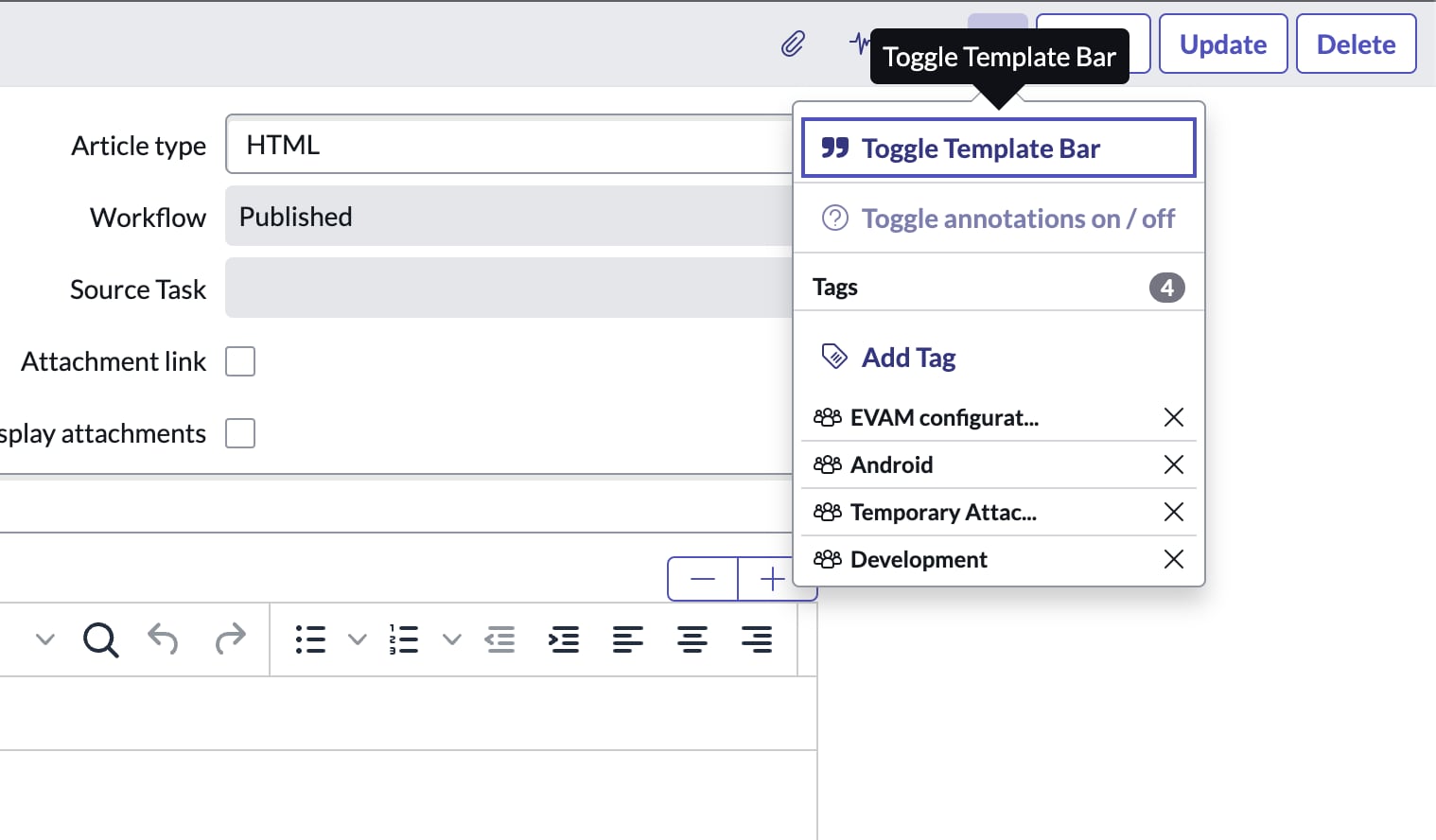
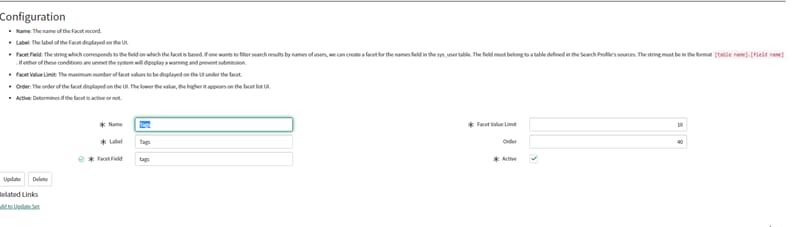
Thanks for your reply. I appreciate it. I have created a similar facet as suggested by you and it is not working. But, my portal is not in global scope, it is in a separate scope.
Please review the below screenshot




- Mark as New
- Bookmark
- Subscribe
- Mute
- Subscribe to RSS Feed
- Permalink
- Report Inappropriate Content
06-01-2022 06:44 AM
Hi
I followed the steps mentioned by you and also enabled the indexing of tags & now it is working. Thanks for help!
