Enable flow authors to set field values for a record being created or updated. Use a template value input to set different field values each time you add an action or
subflow to a flow.
Before you begin
A template value input can only be created in a subflow action or action step that
creates or updates a record, such as Create Catalog Task, Create Task, Create
Record, and Update Record.
Role required: admin or action_designer
About this task
When creating or updating a record in a subflow action or
action step, you can set static or dynamic input values. A static input value is the
same in every flow you add it to. For example, setting the Urgency to the static value 1
- High generates an urgent catalog task in every flow. A dynamic input value allows a
flow author to change the value during flow configuration. For example, a flow author
could configure one flow to create a catalog task with an Urgency to 1 - High, but
another flow could create a catalog task with an Urgency of 4 - Low.
Procedure
-
Open an action in Workflow Studio or a subflow in Workflow Studio that you want to create a template value for.
-
Create an input.
-
In the Label field, enter a label to help flow designers understand the purpose of the field.
This is the label for the field when the flow designer adds the subflow or action to a flow.
For example, enter Select fields.
-
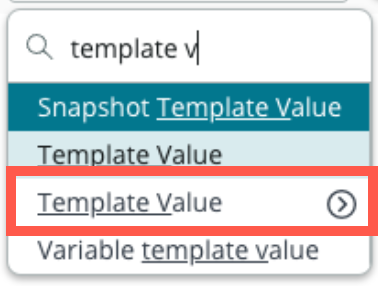
In the Type field, select the Template Value option with the tables icon.
Use the tables icon to select the table containing the record you will create or update. For example, if you are adding a Create Catalog Task action in a subflow, set the Type to Template Value.Catalog Task [sc_task].
-
Add an action step or action that will use the template value.
The action step or action must create or update a record.
For example, add a Create Task action to a subflow that will create an
incident task.
-
Drag the Template Value data pill into the Field Values
or Fields field.
- Optional:
You can set static values in addition to dynamic template values by selecting
+ Add Field Value.
Note: Avoid setting static values that you want flow
designers to set dynamic values from the template input. The flow always
uses the static value from the subflow or action step over a value entered
from a template. You can use static values to enforce business policies that
you do not want flow designers to change.
Result
When the subflow or action is added to a flow, a flow author
can set field values for the record being created or updated.