Test the database view

  • Rversion finale: Australia
  • Mis à jour 12 mars 2026
  • 1 minute de lecture
  • Verify that the database view works correctly.

    Avant de commencer

    Role required: admin.

    Pourquoi et quand exécuter cette tâche

    Procédure

    1. Navigate to All > System Definition > Database Views.
    2. Select the database view that you want to test.
    3. Test the view by clicking the Try It related link.
      Remarque :
      If you do not see the Try It link, the tables necessary for the view do not exist. If this problem occurs, it is possible that you did not activate the necessary plugins to create the supporting tables.
      The database view runs and a list of items is displayed. If you have specified fields in the View Fields related list for each table, the output is limited to those fields. If you specified view fields and the view does not display correctly, review the View Fields related list for each table and ensure that you include fields from the Where clause.

    Output of the sample Incident Metrics database view

    Output of the sample Incident Metrics database view

    Que faire ensuite

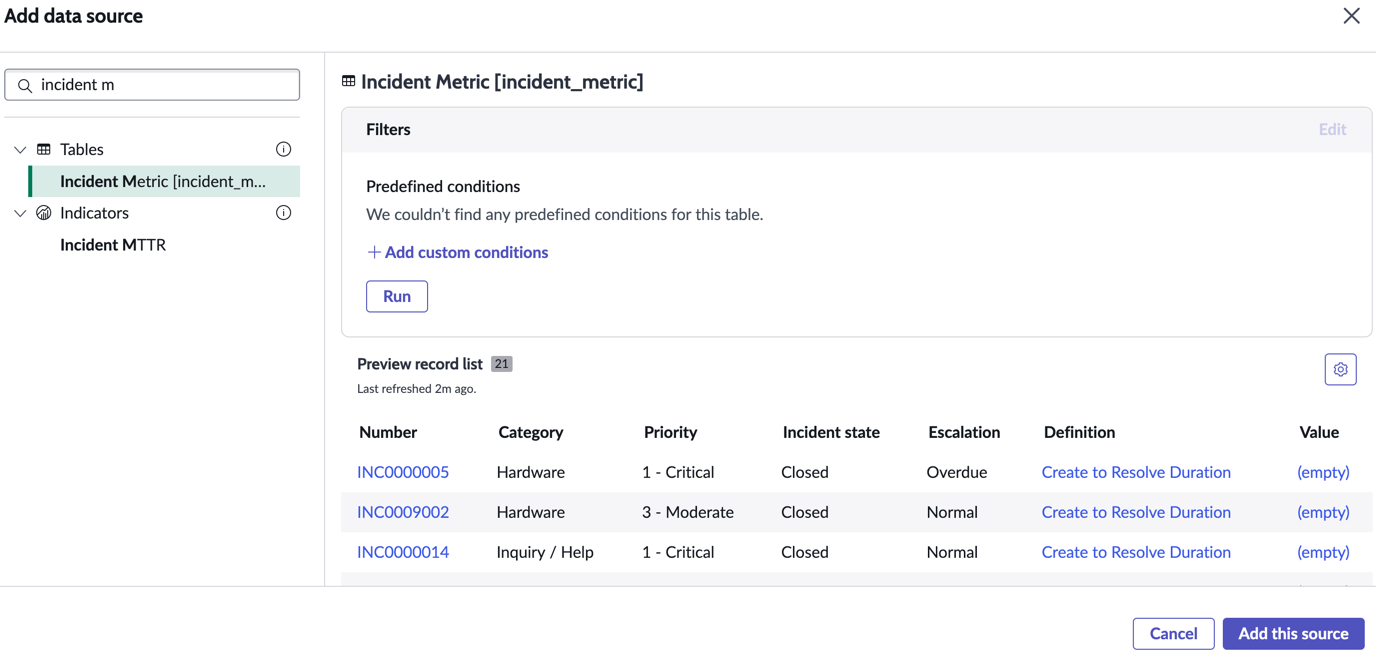
    To use the database view in a data visualization, select it from the data sources. Database views are listed under tables.
    The Incident Metric database view selected for a visualization

    You can create any visualization type using the database view. This example shows the database view visualized as vertical bar.


    The incident metric database view visualized as a vertical bar grouped by escalation