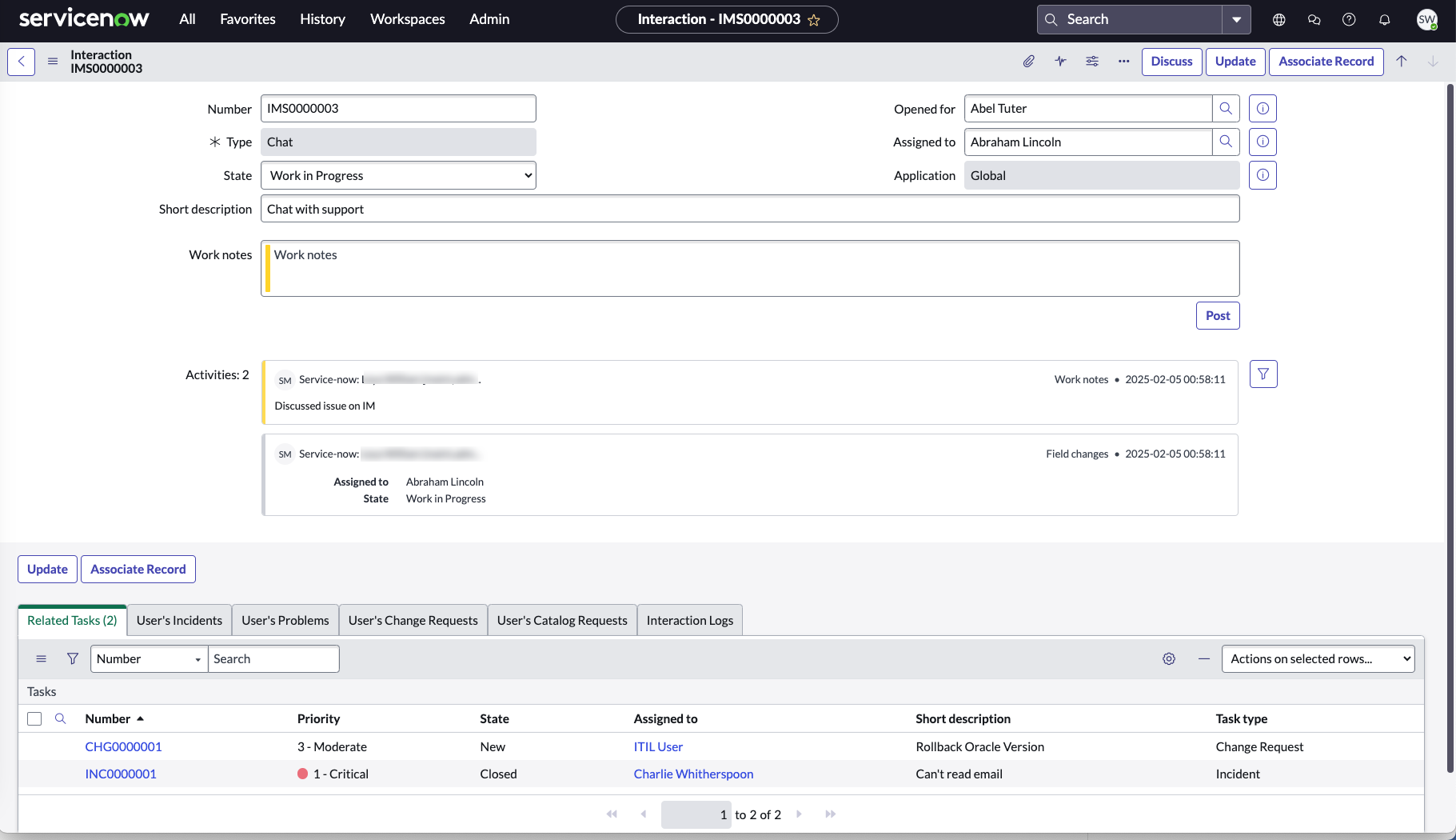
As an agent, you might need to create a record on another table to work on an
interaction. You can associate the record with the interaction.
Avant de commencer
Role required: interaction_agent
Remarque : You must also have the roles required to access the records that you want to associate with the interaction.
Procédure
-
Navigate to .
-
Open the interaction you want to associate with another record.
-
Select Associate Record.
-
In the Interaction Related Record form, fill in the fields:
| Field |
Description |
| Document table |
Select the table where the association is saved. |
| Record Type |
Select the type of record that you are associating with the interaction. Record type can be Task or Knowledge. |
| Task |
Select the task you want to associate with the incident. Task field becomes available when the record type is selected as Task. |
| Knowledge article |
Select the knowledge article you want to associate with the incident. Knowledge article field becomes available when the record type is selected as Knowledge. |
| ID of related record |
Automatically updated with the task or knowledge number. |
-
Save the form.
Résultats
Task type records associated will appear in the Related Tasks related list for the interaction.