Report an Operational vulnerability from the Self-attestation module in the Operational Resilience Workspace.
Before you begin
Role required: sn_oper_res.manager
Procedure
-
Navigate to .
A list of the available Self-attestations is displayed.
-
Select a Self-attestation record from the list.
If you create a Self-attestation record and save it, the Operational vulnerabilities related list is displayed.
The Self-attestation record with the Operational vulnerabilities related list is displayed.
-
Check the state of the Self-attestation record.
If the self-attestation is in the Attestation received state, you cannot add or remove a vulnerability at this stage.
-
Add a service to the self-attestation record.
-
Open the Service record, select More and add the Operational vulnerabilities related list.
-
Select New in the Operational vulnerabilities related list and add an operational vulnerability.
-
On the Vulnerability New record form, fill in the fields.
The source of the vulnerability is the Self-attestation. Therefore, the Source field on the form shows the source as Self attestation and the Source table field on the
form shows the table as Self attestation. The Source table field is auto-filled.
To view more information on the fields, see the Create Operational vulnerability form.
-
Select Save.
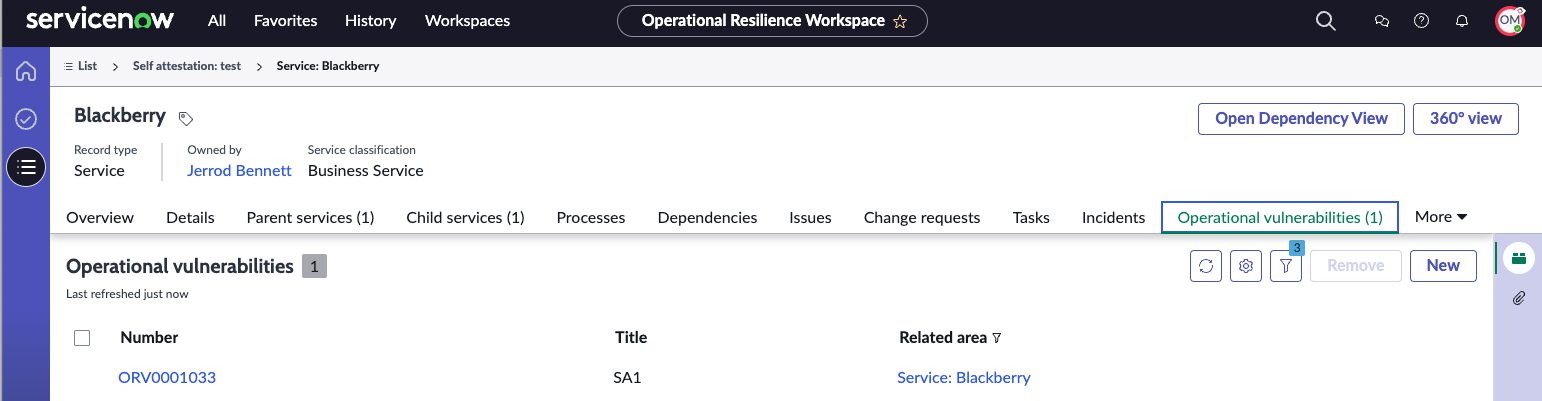
The following example shows how the Self-attestation record is displayed in the Operational vulnerabilities related list and the Operational vulnerability is associated with the Self-attestation for critical services.
-
Select Save.
The Self-attestation record is saved.