Reassign or accept the assigned action task that is listed in the My items list of the Tasks module if you are the task owner. You must review the task details listed in the Details tab, reassign the action task to another
task owner, or accept the work.
Before you begin
Role required: sn_oper_res.manager, action task owner
Procedure
-
Navigate to .
-
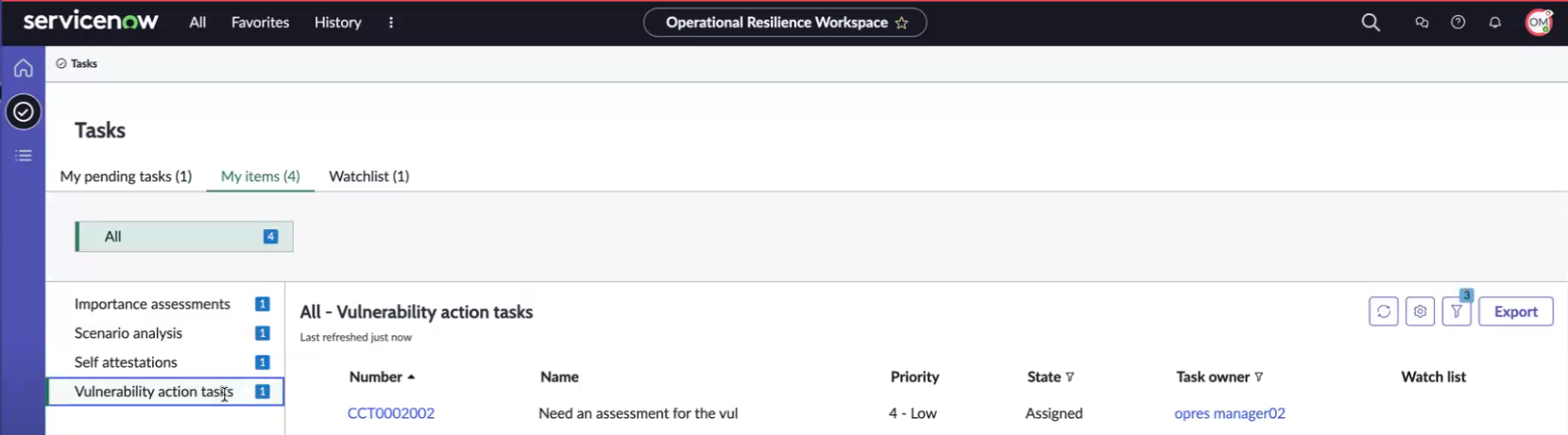
In the Tasks page, select My items and open the action task listed in Vulnerability action tasks.
The Tasks page with Vulnerability action tasks is shown in the example.
-
Review the details of the task.
-
To reassign the task to another task owner, select Reassign.
When the action task owner reassigns the action task, it moves to the Draft state.
-
To accept the work on the action task, select Accept work UI action.
The Confirmation window is displayed. The action task is updated to the Work in progress state.
-
Add the work notes for the task and select Accept work in the Confirmation window.
The Accept work UI action on the action task form changes to Take assessment UI action.
The subsequent step requires the task owner to perform an assessment on the action task by reviewing its assessment details. The vulnerability record is in the Assessment state.