Review the impact categories and define the timeframe during which the organization
would experience the downtime of its business processes. Analyze the downtime or disruption
duration, which helps to determine the recovery time objective for the asset that is
assessed.
Before you begin
Role required: sn_bcm.planner, sn_bcm.program_manager
About this task
BCM administrators configure the impact categories that are relevant to your business. For more information on configuring an impact category in the classic BCM workspace, see Configure an impact rating to assess an impact category and Structured workflows for Business Impact Analysis.
Procedure
-
Navigate to .
-
Select the lists icon (
 ).
).
-
In the Name column, select the link to the BIA record that is in the In Draft state.
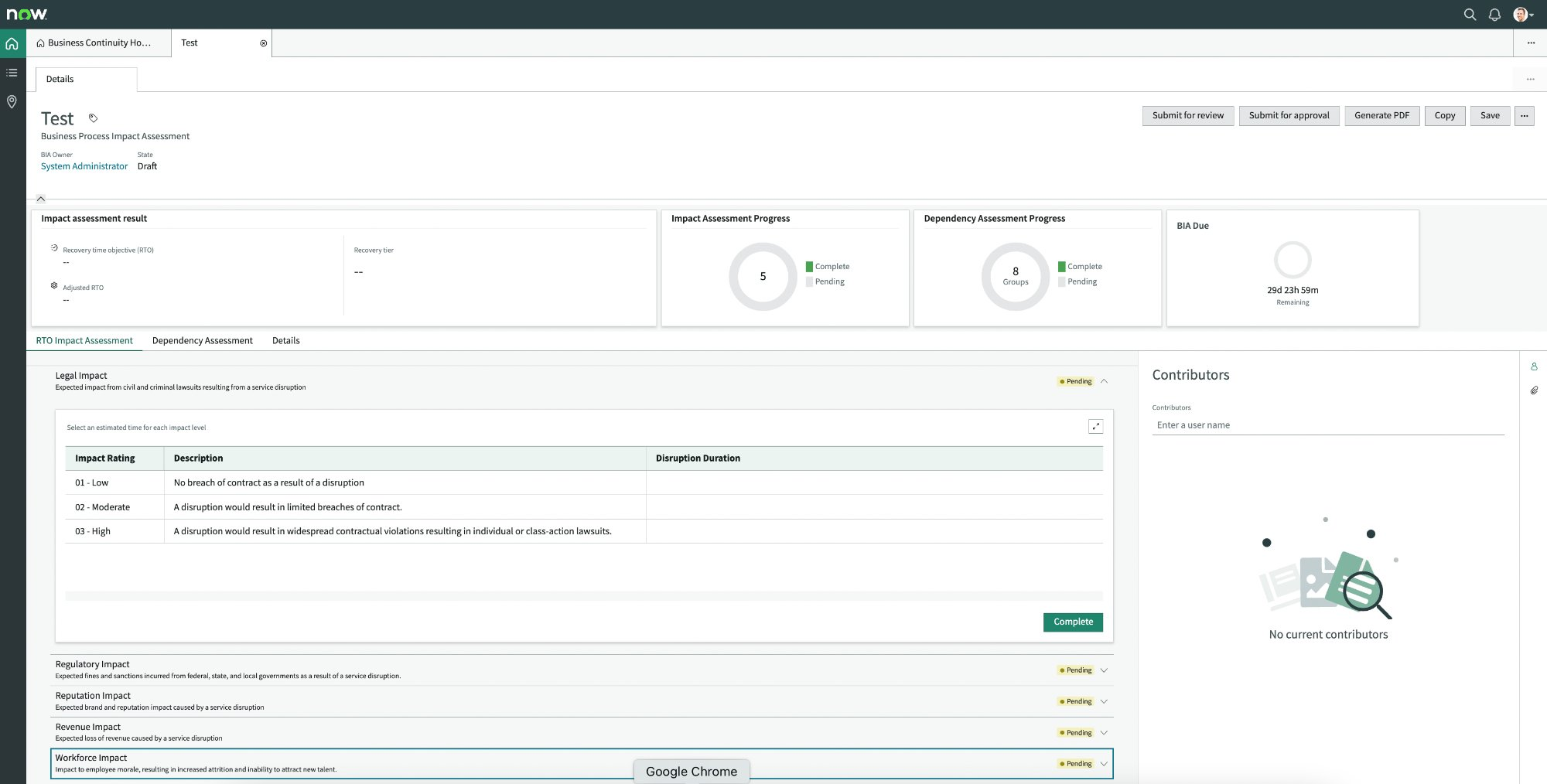
An impact assessment is displayed as shown in the example.
-
To update a business impact category with its recovery time, select the RTO Impact Assessment tab.
The state of the impact category changes to Pending and the grid is editable.
-
Double-click the Disruption Duration cell for each
Impact rating.
Disruption duration is an estimated duration of the disruption that is based on your responses to the assessment questions and your subject matter expertise. If you’re the BIA owner, you have to select the right disruption
duration based on your responses to the assessment questions and your subject matter expertise. The disruption duration is used for calculating the recovery time objective (RTO).
-
Select the duration from the list that pops up depending on the criticality of
the impact.
The system prompts you to complete entering the disruption duration for all impact ratings of an impact category.
The list of values displays only those durations
that are configured as applicable timeframes for the recovery time objective
(RTO) type impact category.
-
Select the Disruption Duration cell of the next Impact Rating to enter its value and save similarly.
-
Select the Complete button after you’ve assessed the duration for all impact ratings of an impact category.
The state changes to Complete and is closed for editing unless you select the Edit button again.