Configure JFrog plugin for Jenkins to publish, deploy, or download artifacts.
Before you begin
Role required: admin role in Jenkins
Procedure
-
Install the Artifactory plugin, to integrate Jenkins with JFrog, to publish, deploy, or download artifacts.
-
After the installation, configure the JFrog server details from .
Note: To be able to integrate JFrog with Jenkins, the build info must be published for JFrog along with the artifacts.
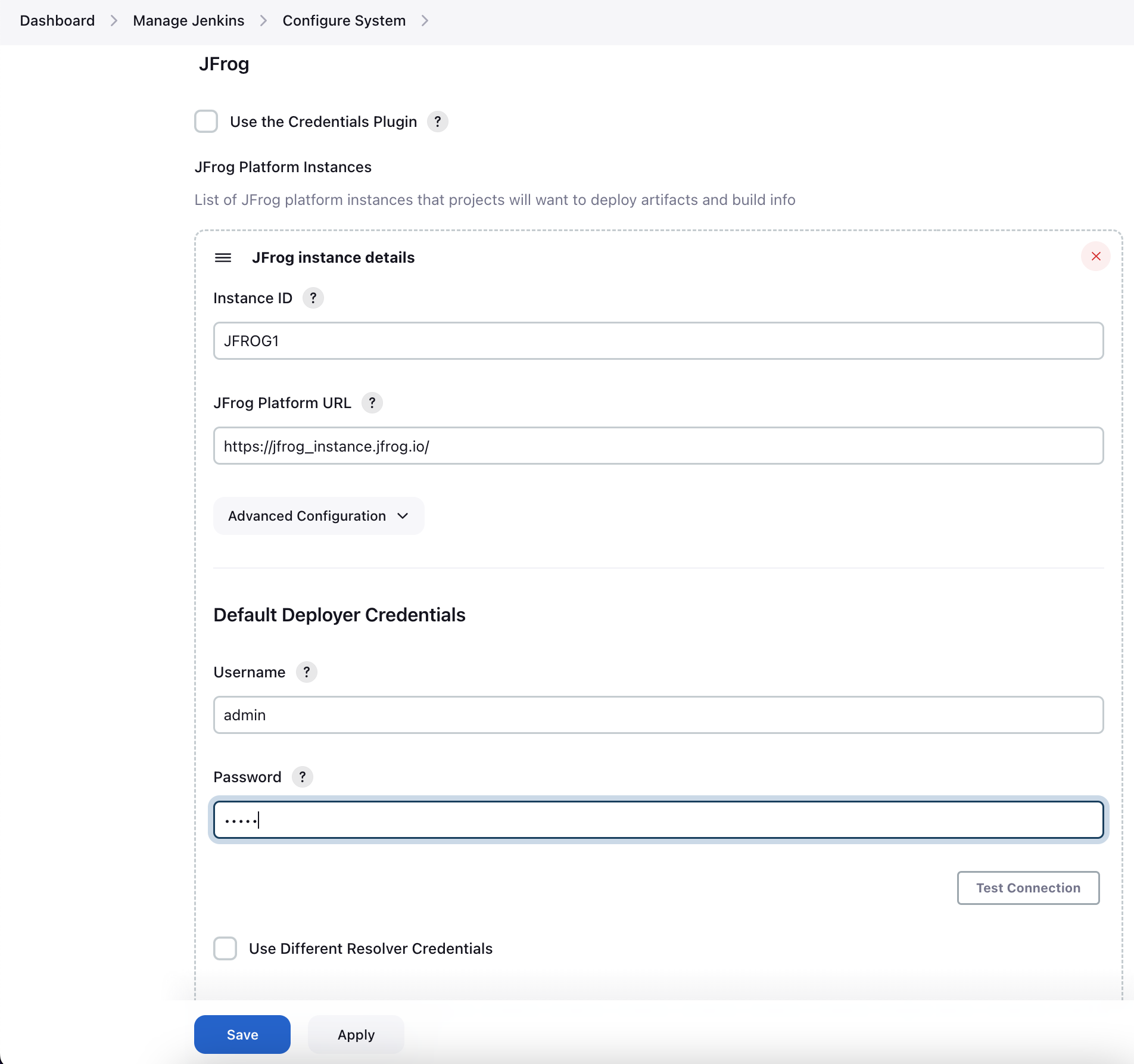
-
Use the following scripts to download or upload artifacts to Jenkins.
Scripted pipeline to upload:
      def server = Artifactory.server 'JFROG1'
                def uploadSpec = """{
                   "files": [{
                     "pattern": "${env.WORKSPACE}/target/artifact-1.3.jar",
                      "target": "default-docker-virtual/"
                   }]
                }"""

             def buildInfo = server.upload(uploadSpec)
             server.publishBuildInfo buildInfo
Scripted pipeline to download:
          def server = Artifactory.server 'JFROG1'
                def downSpec= """{
                   "files": [{
                      "pattern": "default-docker-local/artifact-1.3.jar",
                     "target":"/var/jfrog_artifacts/"
                   }]
                }"""

             def buildInfo = server.download(downSpec)
             server.publishBuildInfo buildInfo