Scheduling in service operation workspace
View and manage schedules, shifts and time-off request.
Schedules menu helps Agents view and manage day-to-day work, request for time-offs and propose coverage for absence.
Shift manager can create and manage schedules, shifts, team members, escalation trigger rules and policies for their group. They can also approve or reject time-off requests, and resolve conflicts and gaps for their group. While,
On-call admin can perform these tasks for any group. 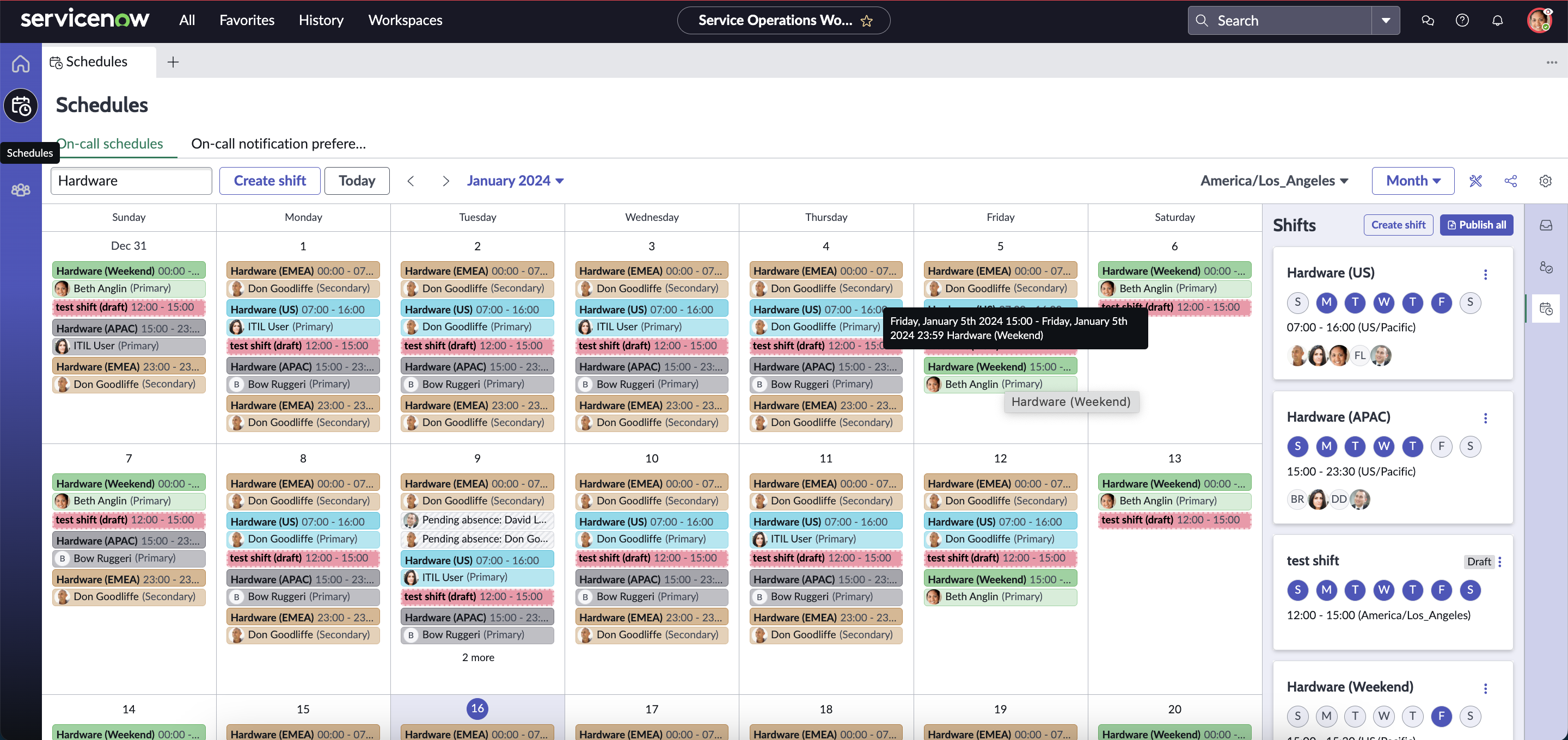
| Field | Description |
|---|---|
| Teams field | Displays a list of all the groups that you manage or you are a member of. You can select a group to view all the shifts of that group. You can also type the group name to execute the search. |
| Create shift | Create a new shift. You can customise the name, star date, end date, occurrences and repetition or use a predefined template. |
| Today | View all the activities if the current day. |
| Month | Select and jump to a particular month. |
| Timezone | Select a timezone for the shift. |
| View | Drop-down to select either time-line view or calendar view. You must also decide whether you prefer day, week or month view. |
| General settings | Filters to view:
|
| Share calendar | To share iCal URL or .ics file with other members and subscribe to a calendar. You can select the preferred shift from the drop-down to go to the subscription page. Note: This option available for Washington DC and later
releases only. For Vancouver and previous releases, you have the option to send an email with subscription link. |
| Shift card | Select a shift or right-click to view shift detail and access:
|
Edit shift ( ) ) |
|
More options ( ) ) |
|
| Required actions | Displays list of upcoming tasks assigned to you.
|