Create an activity group and then add activity types to the activity
group.
시작하기 전에
Role required: admin
이 태스크 정보
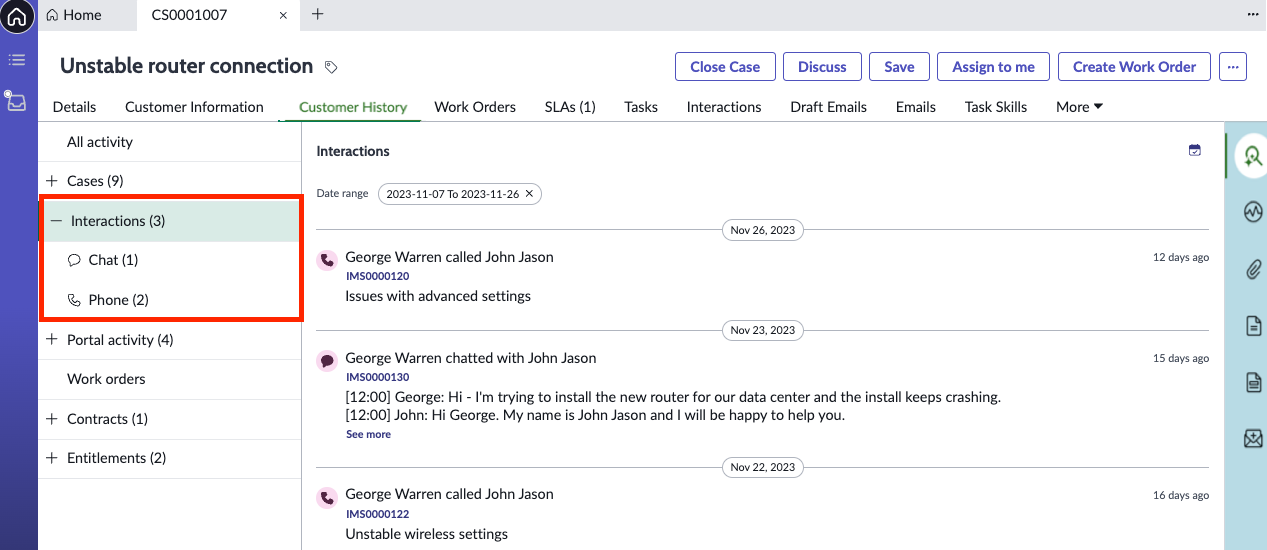
An activity group is a logical grouping of activity types. An activity group is displayed in the activity feed based on the facet selected.Activity groups are displayed in the Customer History view in
Agent Workspace.
Learn more about configuring activity groups from the following video tutorial.
프로시저
-
Navigate to .
-
Select Get Started under Activity Feed.
-
Select Configure beside Activity Groups.
-
Select New.
-
Fill out the fields, as required.
-
Once you have created an activity group, select it from the Activity Group list
and add the activity types to the group.
-
On the Activity Types related list, select New.
-
Fill out the fields, as required.
-
Select Submit.