Certificate tab
The Certificate tab is for generating or uploading the Discovery Console for OT certificate.
Console Certificate
The Console generates its own self-signed certificate bundle when initially deployed. The Certificate tab is for updating, generating, uploading, or downloading a Console Certificate.
On the Certificate tab you can select from the following actions to update a Console Certificate:
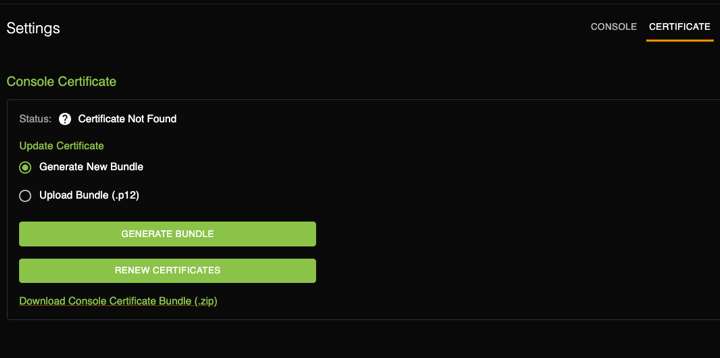
- Generate New Bundle.
- Upload Bundle (p12).
- Download the Certificate Bundle (.zip).
- Renew Certificates.
After you generate a New Bundle, you can select the link Download Console Certificate Bundle (.zip). The bundle contains the Console's Collector Certificate Authority and the RabbitMQ certificate. These certificates establish trust between the Console and Collector and confirms their communications are secure and encrypted.
Note:
For instructions in how to renew a certificate, see ../task/renew-a-certificate.html. The steps are similar but the Certificate tab only pertains to the Console Certificate.