
- Mark as New
- Bookmark
- Subscribe
- Mute
- Subscribe to RSS Feed
- Permalink
- Report Inappropriate Content
05-25-2026 09:53 PM
Hi Team,
I am working on a condition in Flow Designer / Workflow Studio where I need to compare an Employment Start Date field with today’s date.
Example condition:
Employment Start Date before Today
I tried using Data Pills as well but could not find a proper option for current date/time in this context.
Could someone please suggest the best way to achieve this comparison in Flow Designer/Subflow conditions?
Attached screenshot for reference.
Thanks in advance!
PFA

Solved! Go to Solution.


- Mark as New
- Bookmark
- Subscribe
- Mute
- Subscribe to RSS Feed
- Permalink
- Report Inappropriate Content
05-25-2026 09:55 PM
why not add that Before today condition in Lookup record step itself?
you can't add that in IF condition
💡 If my response helped, please mark it as correct ✅ and close the thread 🔒— this helps future readers find the solution faster! 🙏
Ankur
✨ Certified Technical Architect || ✨ 10x ServiceNow MVP || ✨ ServiceNow Community Leader
- Mark as New
- Bookmark
- Subscribe
- Mute
- Subscribe to RSS Feed
- Permalink
- Report Inappropriate Content
05-26-2026 03:19 AM
so is that date field not available on the table you are using in Lookup record?
Lookup record is on which table?
that date field is on which table?
share some more screenshots
Ankur
✨ Certified Technical Architect || ✨ 10x ServiceNow MVP || ✨ ServiceNow Community Leader

- Mark as New
- Bookmark
- Subscribe
- Mute
- Subscribe to RSS Feed
- Permalink
- Report Inappropriate Content
05-25-2026 11:04 PM - edited 05-25-2026 11:04 PM
Hi @vivek11
Refer: KB0830681 Resolving date/time comparison errors in Flow Designer
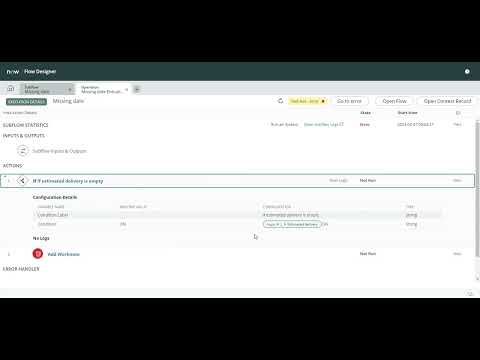
Check this as well: https://www.youtube.com/watch?v=jKO_VkLIZ6Q
Regards
Tanushree Maiti
ServiceNow Technical Architect
LinkedIn: https://www.linkedin.com/in/tanushreemaiti
- Mark as New
- Bookmark
- Subscribe
- Mute
- Subscribe to RSS Feed
- Permalink
- Report Inappropriate Content
05-25-2026 11:11 PM - edited 05-25-2026 11:12 PM
Hi @vivek11
Please create a single flow variable. After setting the flow variable, write a script today and use this variable for your condition.
To set the flow variable, use the following script:
return new GlideDate();
If this response addressed your question, please mark it as Helpful and accept it as the solution.

