kim_purcell
Kilo Explorer
Options
- Subscribe to RSS Feed
- Mark as New
- Mark as Read
- Bookmark
- Subscribe
- Printer Friendly Page
- Report Inappropriate Content
06-25-2014
10:56 AM
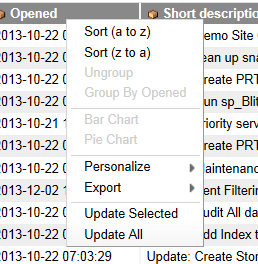
Are you missing the Import feature on your UI context menu? Do you see this when you right-click on the column headings?
On your instance, the Security Administrator role is required to access the Import feature on the menu. However, you can add Import by changing administrator privileges.
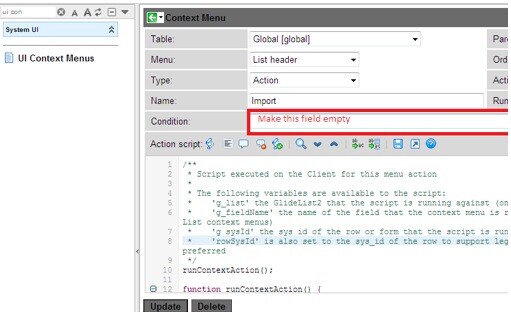
To do this, navigate to System UI > UI Context Menus. Simply remove the security_admin part of the condition on the Context Menu record:
You should now be able to view Import on the UI context menu without elevating administrator roles. Easy import is active in all instances, starting with the Dublin release.
For information on easy imports, see Easy Import in the ServiceNow Wiki.
1 Comment
You must be a registered user to add a comment. If you've already registered, sign in. Otherwise, register and sign in.