Chuck Tomasi
Tera Patron
Options
- Subscribe to RSS Feed
- Mark as New
- Mark as Read
- Bookmark
- Subscribe
- Printer Friendly Page
- Report Inappropriate Content
09-23-2011
01:26 PM
My award winning loaner request system is public. I was honored that this entry won first place at the inaugural Innovation of the Year Award at Knowledge '10. After negotiations with my former employer, re-writing the product from the ground up, and a bit of beta testing (thank you everyone)... It is now available from the attachments list below. I hope you find it useful and I look forward to your feedback.
Product Description:
The Loaner Request system manages reservations for multiple types of items and multiple pick up sites (or depots.) The system features flexible configuration properties based on items in your CMDB to offer you a simple reservation management system based on your favorite platform.
Process Flow:
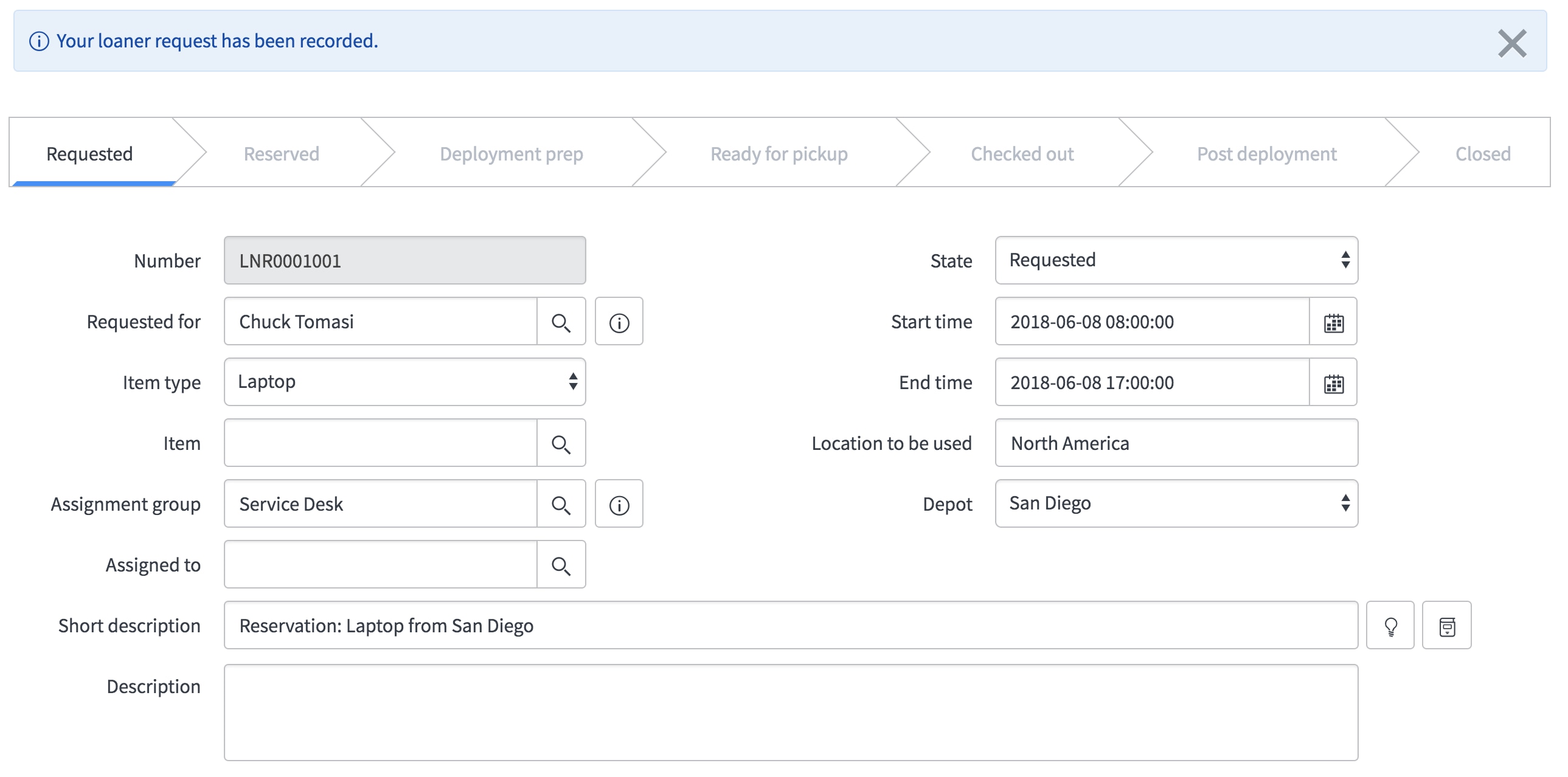
ESS users enter requests using the record producer "Loaner Items". The simplified form prompts for the type of item, start/end dates, which location to pick up the item, where it will be used, and additional comments. The user does not indicate which specific CI is available at request time. The process flow was designed around the same concept as renting a car. The customer indicates when they need the car and what type of car, but not the specific car.
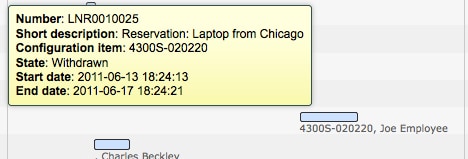
Once submitted, the request is entered in the Loaner Request table with an initial state of "Requested". With the help of an advanced reference qualifier, a loaner admin identifies and locates a configuration item of the type requested and available at the desired depot. Once the CI is entered the request is automatically advanced to state Reserved. CI select can also be managed by using the Schedule application under the Loaner Requests to see a timeline of all requests.
Additional states are available to help manage the process of preparing items for disposition (e.g. deployment prep, ready for pickup, checked out, post deployment, closed complete, and closed skipped).
For any items in state "Ready for Pickup", a notification is sent to the requester reminding them to pick up the item at the desired depot 24 hours prior to the reservation start date. (This parameter is configurable with a system property described in the full documentation.)
For any items in state "Checked Out", a notification is sent to the requester reminding them to return the item by the indicated end date 24 hours prior to the reservation end date. (This parameter is configurable with a system property described in the full documentation.)

If the item is still checked out after the end date, the request list will indicate this with a red background on the end date. Every 24 hours after the item was due back, a notification is sent to the requester letting them know the item is overdue. (This parameter is configurable with a system property described in the full documentation.)
Once the item is returned, the loaner admin changes the state to Closed Complete and the request active field is changed to false, removing it from the default list of requests.
IMPORTANT!!!
Be sure to read the comments below and add this article to your watch list. There are periodic updates.
UPDATE 24-Dec-2013: v4.0 is available for Calgary/Dublin
The ZIP file below contains three files, the update set, the states and the process flow records. After previewing and committing the update set, import the XML from the states and process flow files. These are not captured in the update set so they won't interfere with existing states or process records you may already have.
If you get errors when previewing the update set, accept remote updates on all records.
UPDATE 24-Sep-2012: v3.0 is now available
v3.0 adds the following features:
- Conflict checking - list only available CIs of a specific class, for a specific time frame, at a specific depot
- Fixed a bug with the overdue (red) color on the End time on the list field.
- Created cleaner properties page
- Removed "Available" status for requests
- Updated timeline (Schedule) page only show 'active' requests
- Created "Items" section to the Loaner Request application (on the left nav) to make it easier to manage loaner items
- Created a basic workflow for a laptop reservation. You can build more complex workflows or choose not to use them at all.
- Created a loaner task table to help manage the day-to-day process without changing ownership of the loaner request (similar to change/change task)
- Clean up work on withdrawn requests. If a request is withdrawn, loaner tasks are marked "Closed Incomplete" and the workflow is canceled
- Added a form UI action link for loaner admins to manually trigger the "Ready to pickup" email rather than waiting for the scheduled job to get to it. This is great for quick turnaround requests
- Notifications updated to support Berlin release
- Security (ACLs) redefined for default-deny methodology.
- Added the following notifications
- When loaner request comments are updated, Assigned To gets a notification
- When loaner request comments are updated, Requester gets a notification
- When a new person is assigned to the request, send a notification to the new person assigned to the request
- Fixed a bug with the record producer terminating with errors on a blank page. Date checks are now done on the client side and stays on the form page
- Fixed a date calculation bug in the record producer
- Overview, installation, and configuration instructions are now available as a series of tutorial videos
- 114,249 Views
155 Comments
You must be a registered user to add a comment. If you've already registered, sign in. Otherwise, register and sign in.