bianca_vaccarin

ServiceNow Employee
Options
- Subscribe to RSS Feed
- Mark as New
- Mark as Read
- Bookmark
- Subscribe
- Printer Friendly Page
- Report Inappropriate Content
02-26-2016
11:57 AM
Do you need to reference the same topics multiple times? Do you want to organize the topics you need in a way that makes sense to you and return to them whenever you need to? If you answered yes to either of these questions, My Docs is for you!
My Docs is one of the new features that will be available soon. With My Docs, you can save your favorite topics and refer to them easily. You'll start by logging in to the updated site using your Community account credentials. After that, you can select as many topics as you want and save them to My Docs. This type of bookmarking feature allows you to quickly and easily go back to content you look at often or that you find so valuable you never want to forget it exists.
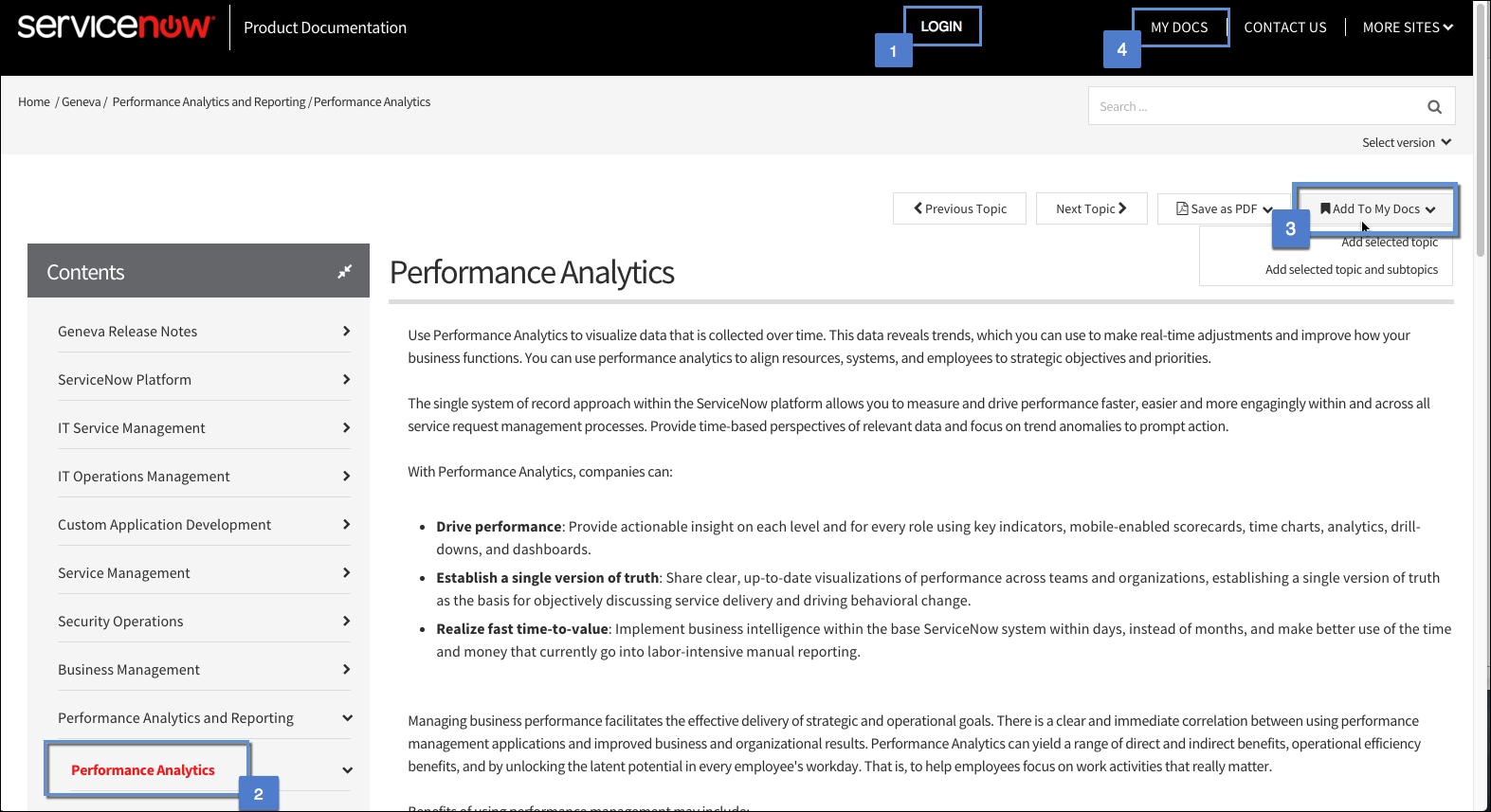
Here's how to use My Docs:
- Log in.
- Find the topic(s) you want to save.
- Save the topics to My Docs.
- Go to My Docs and refer to them whenever you want.
When we roll out this change you can also look forward to seeing some updates come to the product documentation search feature.
You must be a registered user to add a comment. If you've already registered, sign in. Otherwise, register and sign in.