tiagomacul

Tera Sage
Options
- Post History
- Subscribe to RSS Feed
- Mark as New
- Mark as Read
- Bookmark
- Subscribe
- Printer Friendly Page
- Report Inappropriate Content
on 06-07-2018 07:20 PM
How to create reports using variables?
01. >> Reports > View/Run

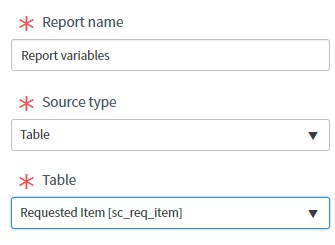
02. Create a report

03. My example, i'm using sc_req_item table

04. Next

05. Next

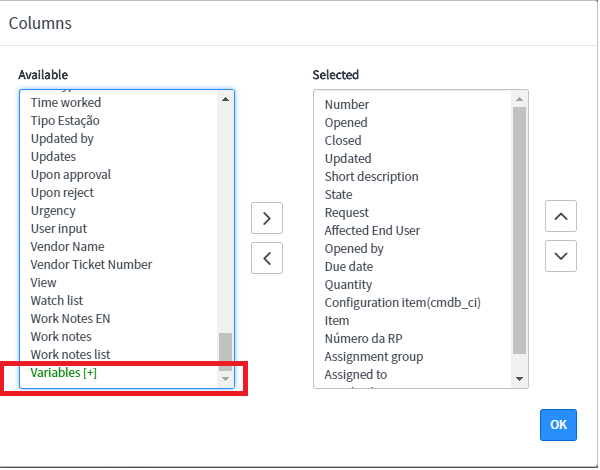
06. Choose Columns

07. select Variables

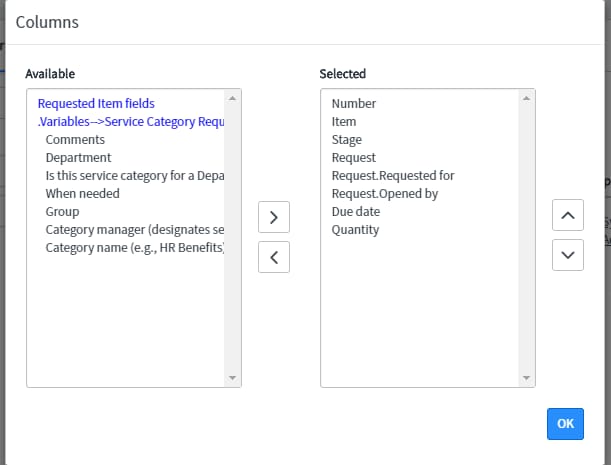
08. Select variables

09. OK

10. It's Done. Congratulations.

Use service catalog variables in a report – Report Designer
Report on service catalog variables
Use service catalog variables in a report – Report Builder
- 1,532 Views