- Post History
- Subscribe to RSS Feed
- Mark as New
- Mark as Read
- Bookmark
- Subscribe
- Printer Friendly Page
- Report Inappropriate Content
on 08-08-2018 03:49 PM
How to don't allow new comments on incident/sc_req_item?
Do you need deny new comments on ticket, following theses steps you'll do it.
Saiba como bloquear novos comentários em incidente ou solicitação/requisição. Siga os passos a seguir
01. Service Now login / Faça Login no Service Now

02. Elevate Roles / Elevar funções

03. >> System Security > Access Control (ACL) / >>Segurança do Sistema > Controle de Acesso (ACL)

04. New / Novo

05. Select table name, should be incident or sc_req_item / Selecione a tabela

06. Select field Additional Comments / Selecione o campo Comentários adicionais

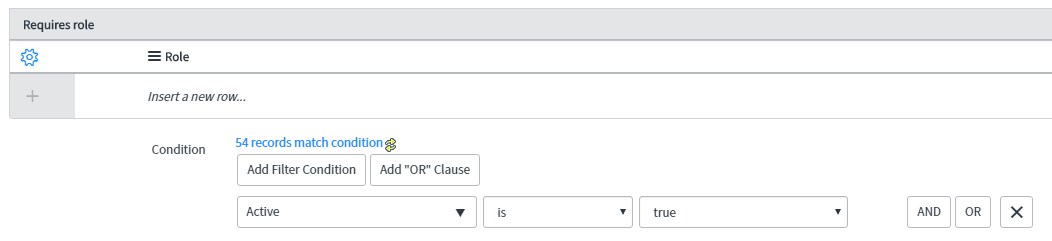
07. Select role / Seleciona a função

08. Select where condition / Selecione a condição

09. Save or Submit / Salvar


A. Looking for sc_req_item.state, on this case you cannot insert new comments when is one of these selected states.


B. Looking for end users, incident.opened_by


current.opened_by == gs.getUserID() || current.caller_id == gs.getUserID() || current.watch_list.indexOf(gs.getUserID()) > -1;
- 790 Views