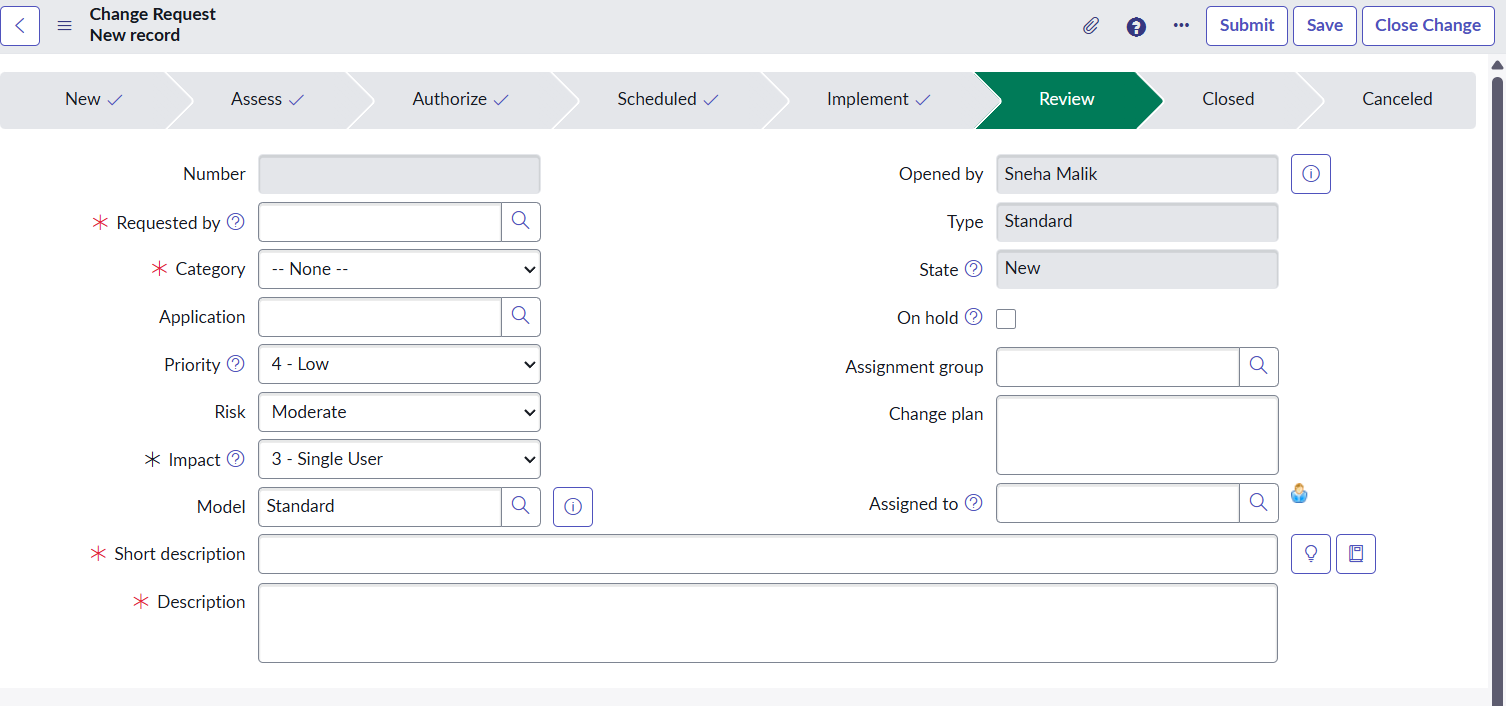
Change Request shows Review state highlighted when creating a new record

- Mark as New
- Bookmark
- Subscribe
- Mute
- Subscribe to RSS Feed
- Permalink
- Report Inappropriate Content
03-16-2026 01:15 PM
Hi Community,
I am facing an issue while creating a new Change Request in ServiceNow.
When I click New to create a Change Request, the state model checklist at the top of the form highlights the Review stage in green. However, after I submit the record, the Change Request correctly moves to the New state.
So the behavior is:
While creating the record → Review stage is highlighted
After submitting the record → State changes to New
We are currently using Change Models and the Change Model API (ChangeModelChgReqAPI) for state management.
From my understanding, the initial state should be New, so the checklist should highlight New when the form is opened.
I have attached a screenshot of the issue too.
Has anyone encountered a similar issue when using Change Models?
Any guidance would be appreciated.
Thanks in advance!

- Mark as New
- Bookmark
- Subscribe
- Mute
- Subscribe to RSS Feed
- Permalink
- Report Inappropriate Content
03-16-2026 02:25 PM
You probably have a preset on the standard chg model configuration.

Remove that state preset and it should work normally
- Mark as New
- Bookmark
- Subscribe
- Mute
- Subscribe to RSS Feed
- Permalink
- Report Inappropriate Content
03-17-2026 03:28 AM
@AnirudhKumar I have checked this, there is no such condition in any of the Change model configuration

- Mark as New
- Bookmark
- Subscribe
- Mute
- Subscribe to RSS Feed
- Permalink
- Report Inappropriate Content
03-16-2026 09:54 PM
Hi @maliksneha9 ,
Is this issue coming for all change type (normal ,standard etc)
1. Ensure all states are properly linked in the state model transitions under Change > Administration > Change Models
likewise in zurich PDI,

2. Check onLoad Client Scripts or UI Policies for the change_request table to see if the stage or state field is being manipulated prematurely
3. Navigate to sys_process_flow.list , find the Change Request process flow, and ensure the conditions for the first stage are valid and active
Regards
Tanushree Maiti
ServiceNow Technical Architect
LinkedIn: https://www.linkedin.com/in/tanushreemaiti
- Mark as New
- Bookmark
- Subscribe
- Mute
- Subscribe to RSS Feed
- Permalink
- Report Inappropriate Content
03-17-2026 03:40 AM
Thanks for the reply,
But I have checked everything you suggested and all of it is configured as expected, there is no UI policy, Client Script or UI action which is causing this problem.
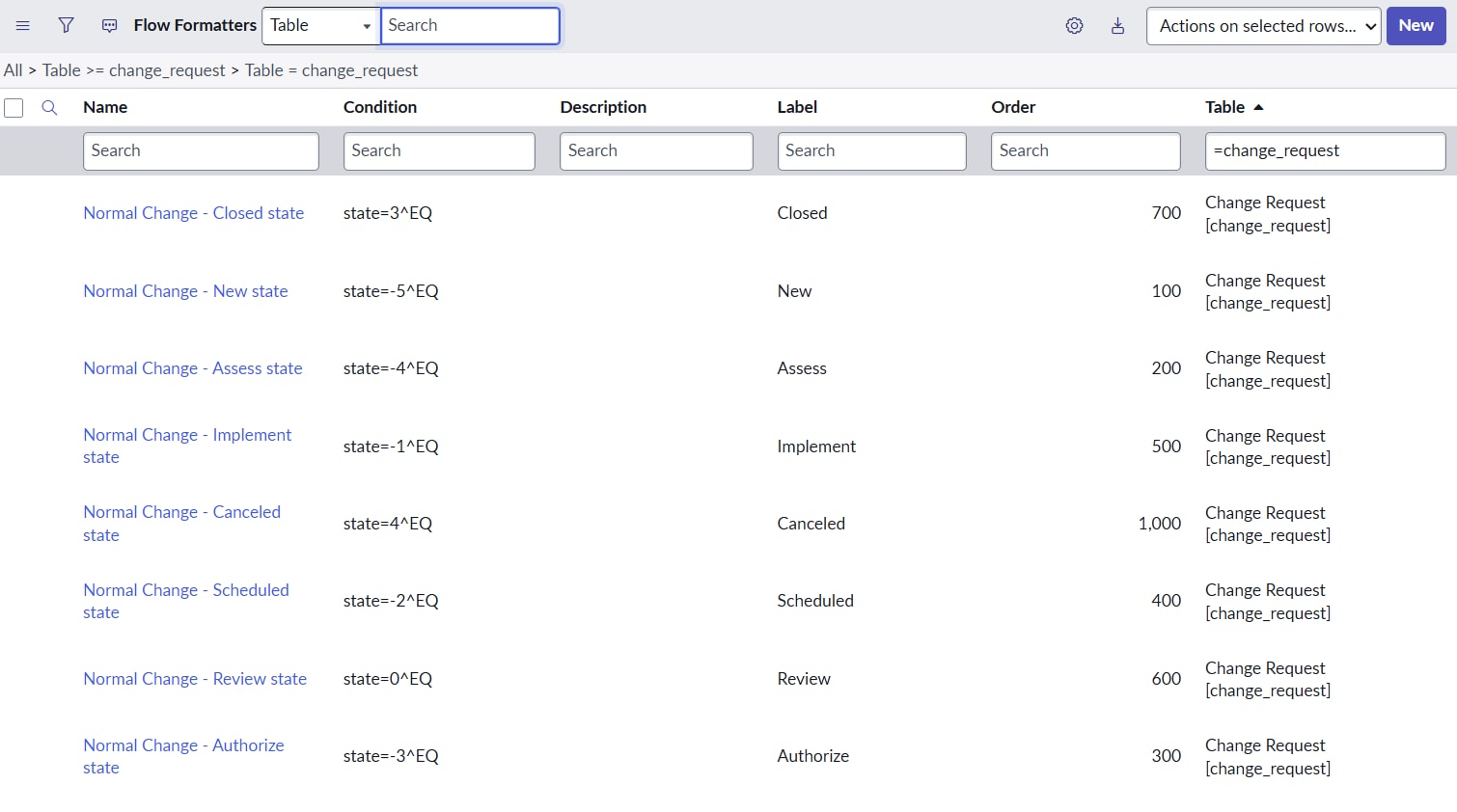
I am attaching a screenshot of the flow formatter configuration as well.
Any guidance would be appreciated.