Dashboard chart customisation in UI Builder

- Mark as New
- Bookmark
- Subscribe
- Mute
- Subscribe to RSS Feed
- Permalink
- Report Inappropriate Content
05-28-2025 01:42 AM


- Mark as New
- Bookmark
- Subscribe
- Mute
- Subscribe to RSS Feed
- Permalink
- Report Inappropriate Content
05-28-2025 06:17 AM
Hi @Community Alums
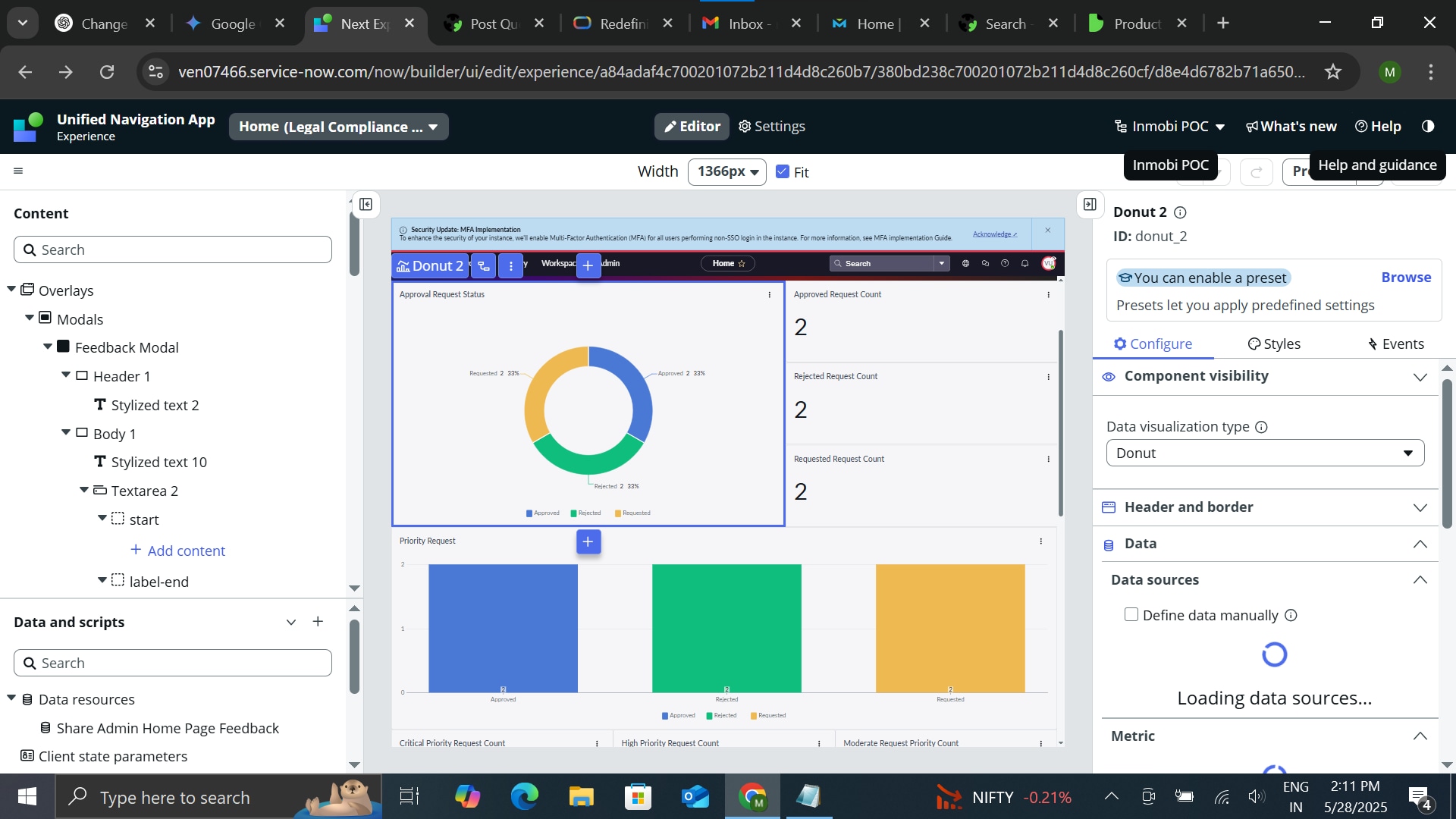
If you want to change the name in the chart, click on the chart name—in your case, it is "Approval." Try clicking on it, and it should allow you to edit the name. For colors, scroll to the right side, and you’ll find the options there. I think you can easily manage this data visualization yourself.
Regards
Dr Atul G. - Learn N Grow Together ServiceNow Techno - Functional Trainer
LinkedIn: https://www.linkedin.com/in/dratulgrover
YouTube: https://www.youtube.com/@LearnNGrowTogetherwithAtulG
******************************************************************************************
- Mark as New
- Bookmark
- Subscribe
- Mute
- Subscribe to RSS Feed
- Permalink
- Report Inappropriate Content
05-28-2025 06:29 AM
Hi @Dr Atul - LNG thanks for your response. I tried clicking the approvable text which inside my chart but its not clickable so i cant edit that.
- Mark as New
- Bookmark
- Subscribe
- Mute
- Subscribe to RSS Feed
- Permalink
- Report Inappropriate Content
05-28-2025 11:55 AM
Hi @Community Alums
Is it open or indicate anything inn the right side, as far as I know, it works the same way.
Regards
Dr Atul G. - Learn N Grow Together ServiceNow Techno - Functional Trainer
LinkedIn: https://www.linkedin.com/in/dratulgrover
YouTube: https://www.youtube.com/@LearnNGrowTogetherwithAtulG
******************************************************************************************