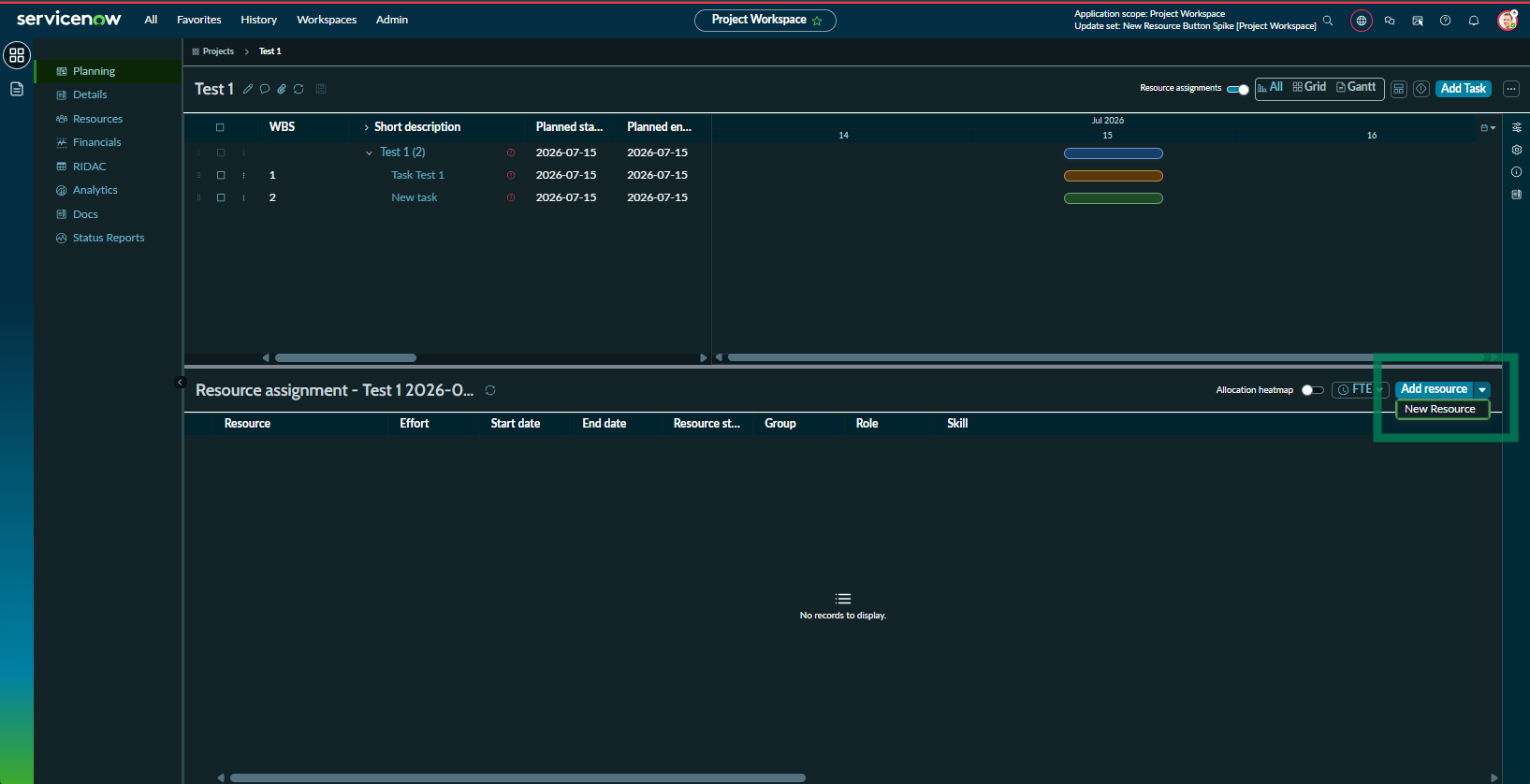
Project Workspace Planning Page - Invert Add Resource Options? Remove one?

- Mark as New
- Bookmark
- Subscribe
- Mute
- Subscribe to RSS Feed
- Permalink
- Report Inappropriate Content
07-31-2026 11:35 AM - edited 07-31-2026 11:36 AM
Hi all,
I am working with Project Workspace, specifically with the Planning page.
With the 7.3.1 update, noticed there is the new "New Resource" option added to the "Add Resource" button.
Our team would prefer to have users use the form that pops out when clicking the "New Resource" option rather than using the grid when clicking "Add Resource" option.
Is there anyway to invert the options and make "New Resource" the primary choice? Or remove "Add Resource" altogether?
I understand that ACLs are also used to control the visibility of the button, but can it be used to only hide 1 of the options?
Appreciate any help or feedback.
Thank you!