Mike Patel
Tera Sage
Options
- Post History
- Subscribe to RSS Feed
- Mark as New
- Mark as Read
- Bookmark
- Subscribe
- Printer Friendly Page
- Report Inappropriate Content
on 06-02-2020 06:46 PM
I have seen few question about how to search asset using scanner/camera on Agent Mobile app so here are the instructions.
1. Create Data Item (like below)
Name: Assets Master

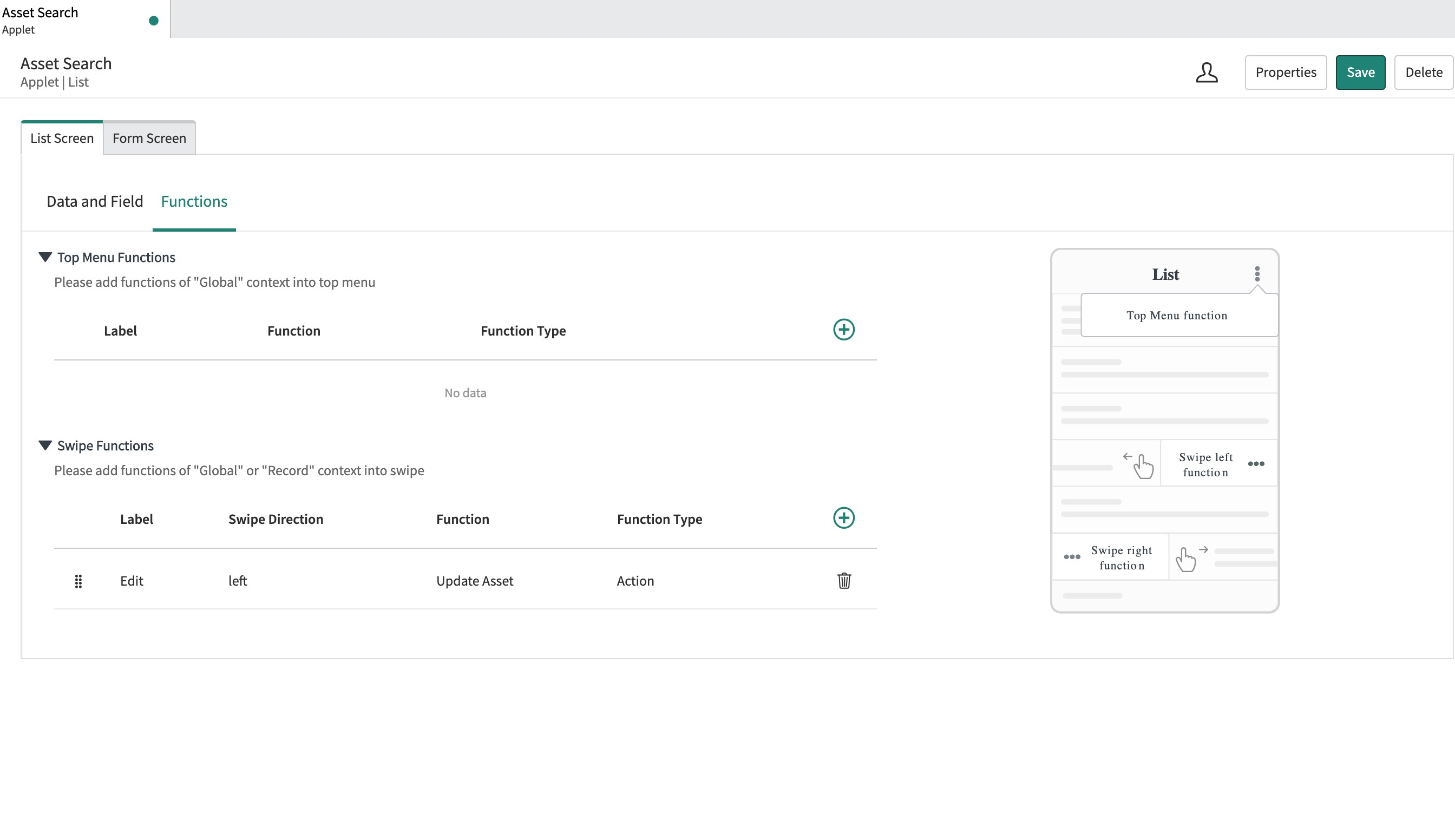
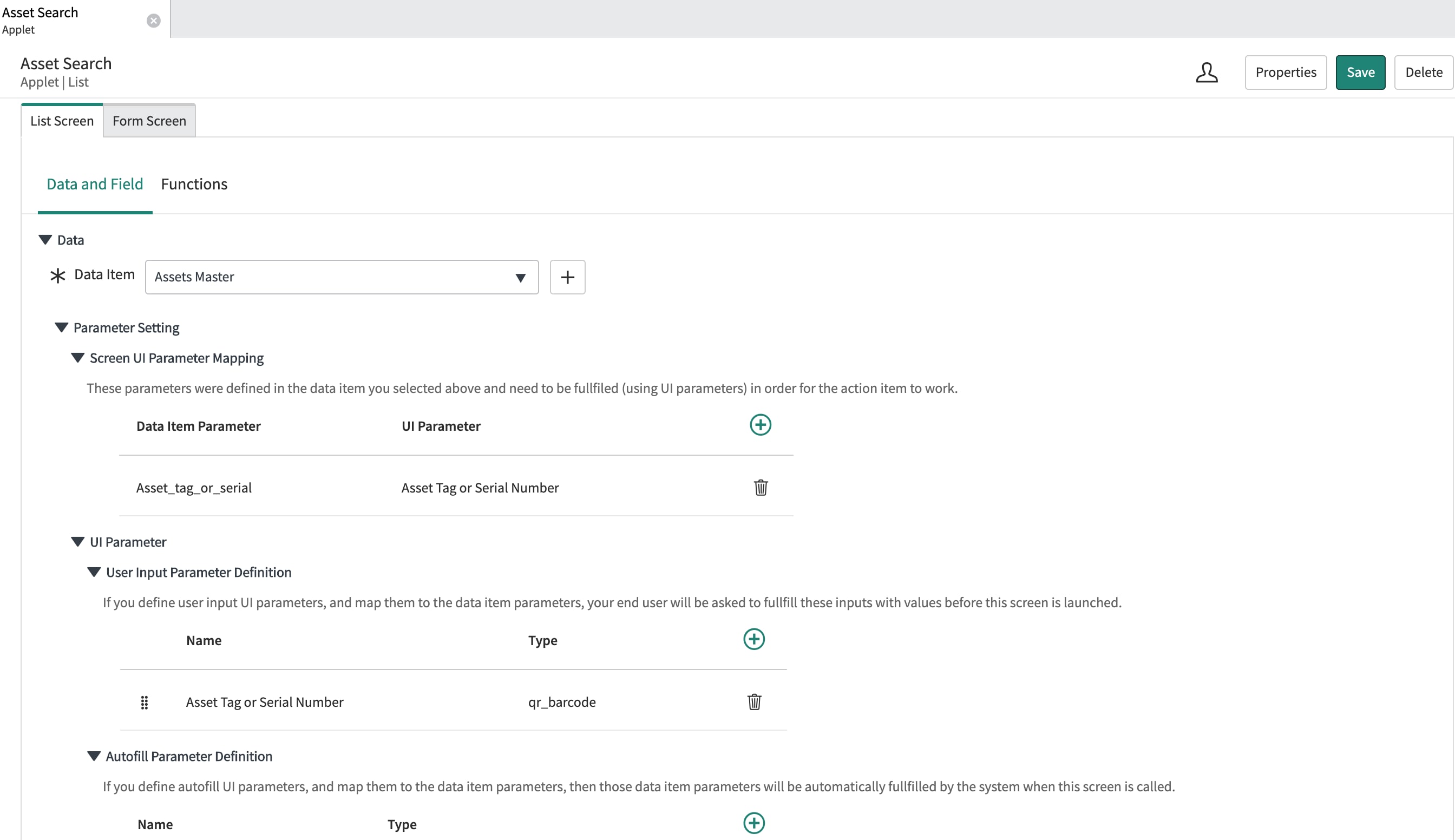
2. Create Applet
Name: Asset Search


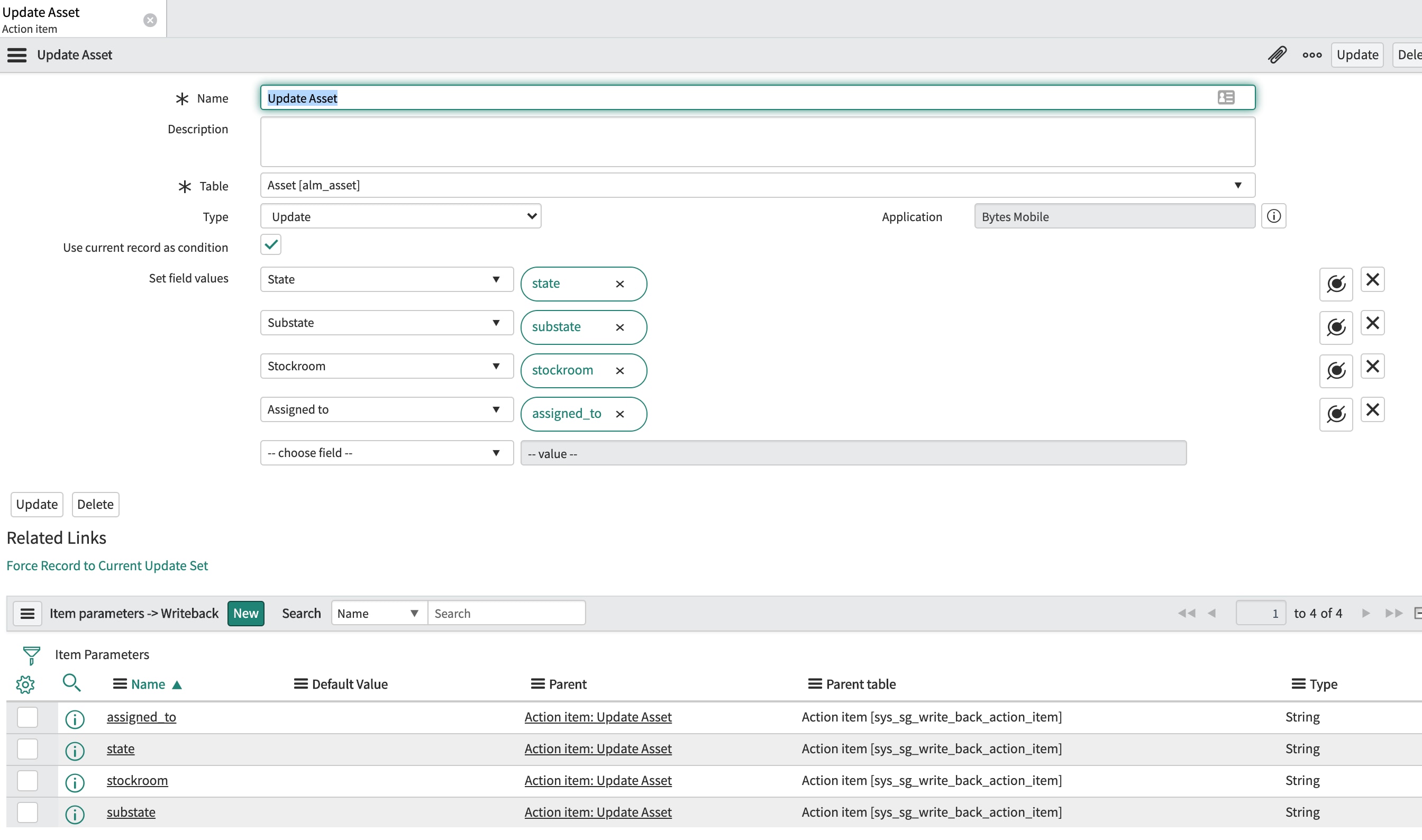
If you want to update asset record then follow below steps;
3. Create Action Item
Name: Update Asset

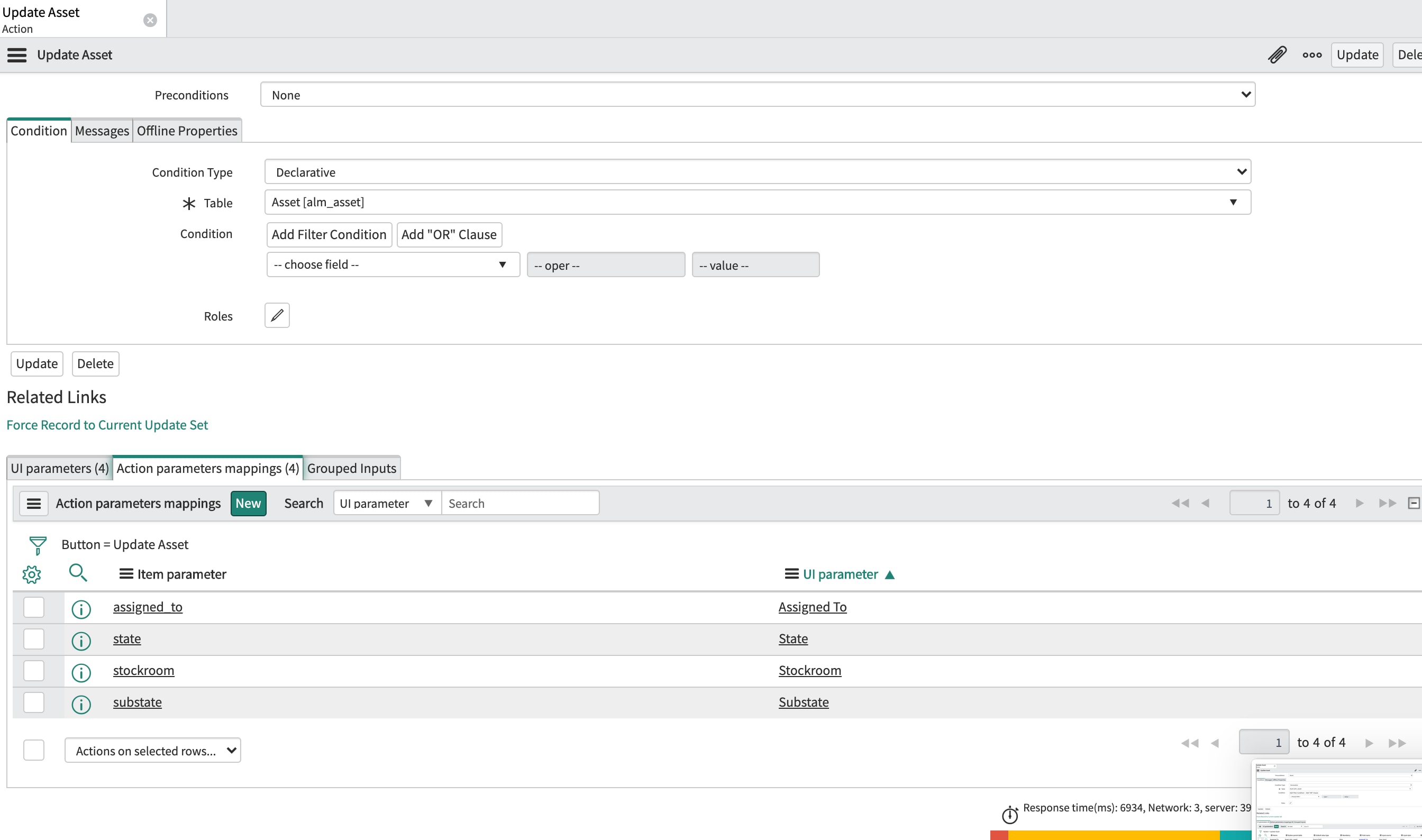
4. Create Action
Name: Update Asset


Once you have all these created make sure to add them to app launcher and/or Mobile Agent application menu,
Labels:
Comments