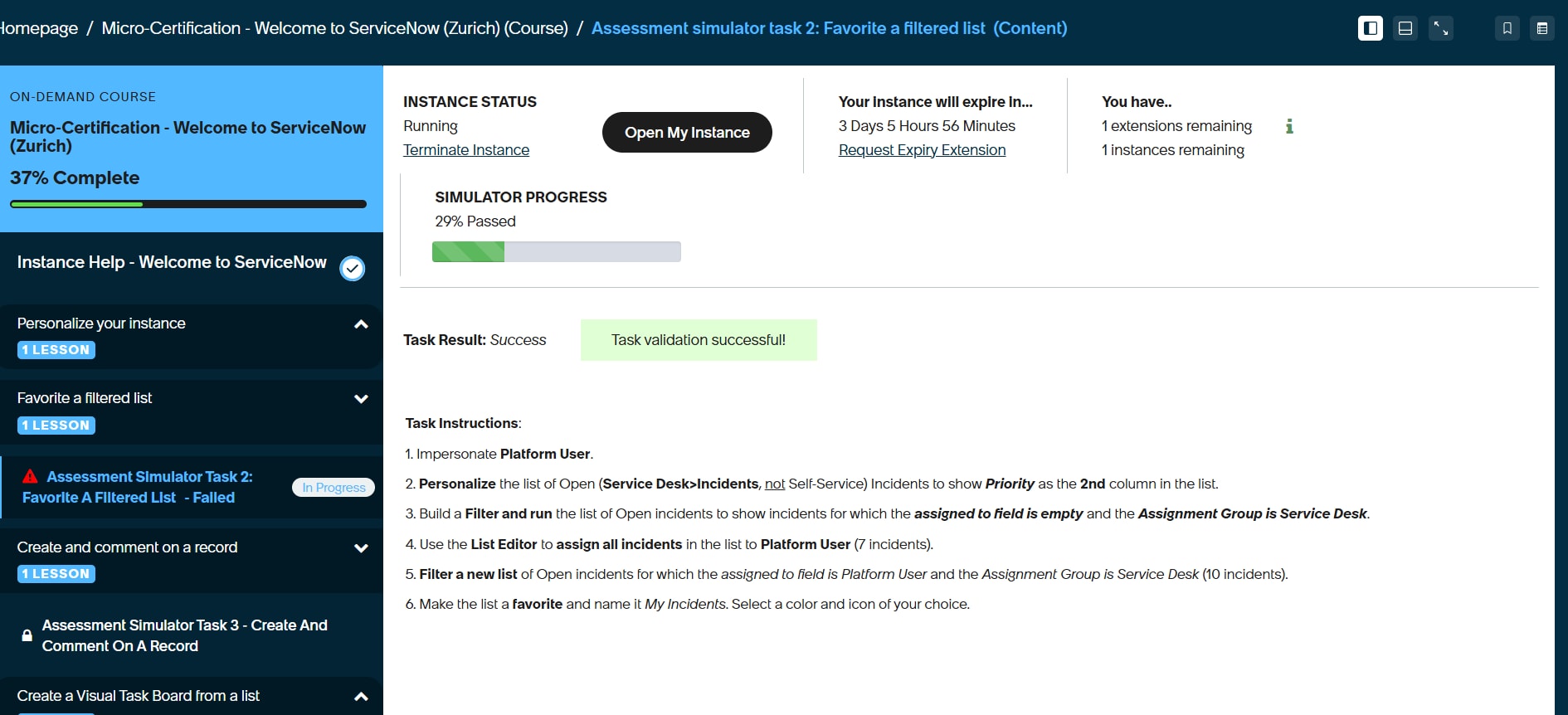
Welcome to ServiceNow Micro-Certification – Task 2 shows "Failed" despite successful validation

- Mark as New
- Bookmark
- Subscribe
- Mute
- Subscribe to RSS Feed
- Permalink
- Report Inappropriate Content
yesterday


- Mark as New
- Bookmark
- Subscribe
- Mute
- Subscribe to RSS Feed
- Permalink
- Report Inappropriate Content
21m ago
Hi @vasavi8930 ,
Could you please try refreshing your browser or the lesson page first? If the issue persists, try logging out and logging back in. As a final step, you can also try clearing your browser cache.
I faced a similar issue a while ago, and these steps might help resolve the validation status.
To clear your browser cache in Chrome:
-
Click the three-dot menu in the top-right corner.
-
Navigate to Settings → Privacy and security → Delete browsing data.
-
Select Cached images and files.
-
Choose the time range (preferably All time).
-
Click Delete data.
-
Reopen the simulator, log in again, and check whether the lesson status is updated.
Hope this helps!
If you found this helpful, please mark it as Helpful and Accept as Solution so it can reach others too.
