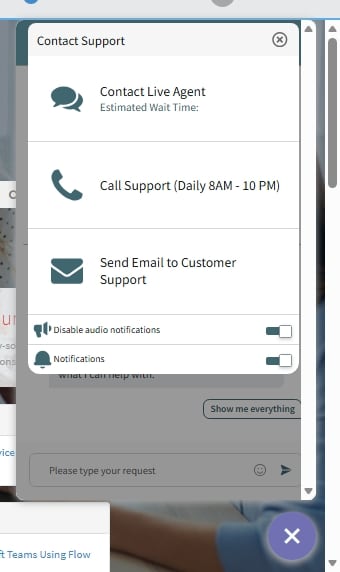
Live Agent Connect – Agent Appears Available but Button Becomes Greyed Out After Clicking

- Mark as New
- Bookmark
- Subscribe
- Mute
- Subscribe to RSS Feed
- Permalink
- Report Inappropriate Content
03-12-2026 03:38 AM
Hi Everyone,
I’m facing an issue with Live Agent Connect and wanted to check if anyone else has experienced something similar or has suggestions.
Issue Description
When I open the Live Agent Connect interface, it initially shows that an agent is available. However, the moment I click on the “Connect to Agent” link/button, it becomes greyed out and nothing happens afterward.
- No chat window opens
- No spinner/loading indication
- No error message is displayed
- The button stays disabled until I refresh the page
Troubleshooting Done So Far
- Tried multiple browsers (Chrome, Edge)
- Cleared cache and cookies
- Tested with different user accounts
- Verified that the agent is logged in on Connect Support
- Checked the routing configuration and queue setup
Still seeing the same behavior.
Has anyone faced this before? Is there a specific configuration or log I should check, Any pointers would be really helpful!
Thanks in advance!
- Mark as New
- Bookmark
- Subscribe
- Mute
- Subscribe to RSS Feed
- Permalink
- Report Inappropriate Content
05-27-2026 10:17 PM
Please check in the queue if you have attached a schedule so may be because of that schedule, chat are not getting triggered.
please mark my answer helpful and correct if that solves your problem