- Subscribe to RSS Feed
- Mark as New
- Mark as Read
- Bookmark
- Subscribe
- Printer Friendly Page
- Report Inappropriate Content
Many a times there occurs a scenario that users create a custom table within an installed Scoped System Application and are unable to delete that.
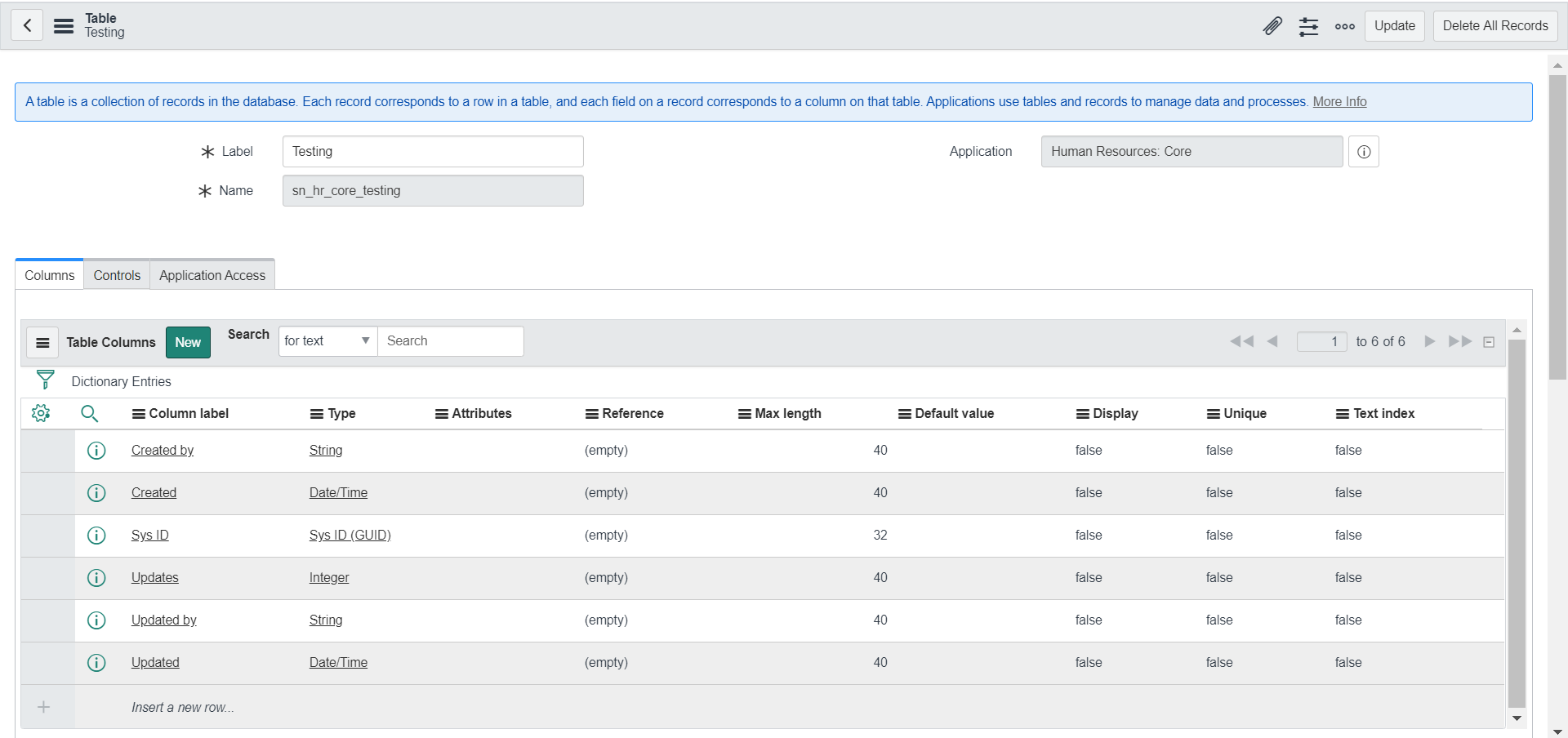
Use case: For example If you create a custom table in Human Resources: Core, it is not possible to delete that - the Delete button is not visible. So although this table doesn't serve any purpose it would still reside in the instance. The "Delete All Records" button is visible but even after user deletes all the records from the table, the Delete Table button is not available.
This issue is proposed to be fixed in Quebec version. Till then users can use below solution/workaround to delete the custom table.
Note: This use case can occur with any custom table created within any Scoped System Application and not just to Human Resources: Core. The blog has taken Human Resources: Core for example purpose.
KB Article: https://hi.service-now.com/kb_view.do?sysparm_article=KB0623901
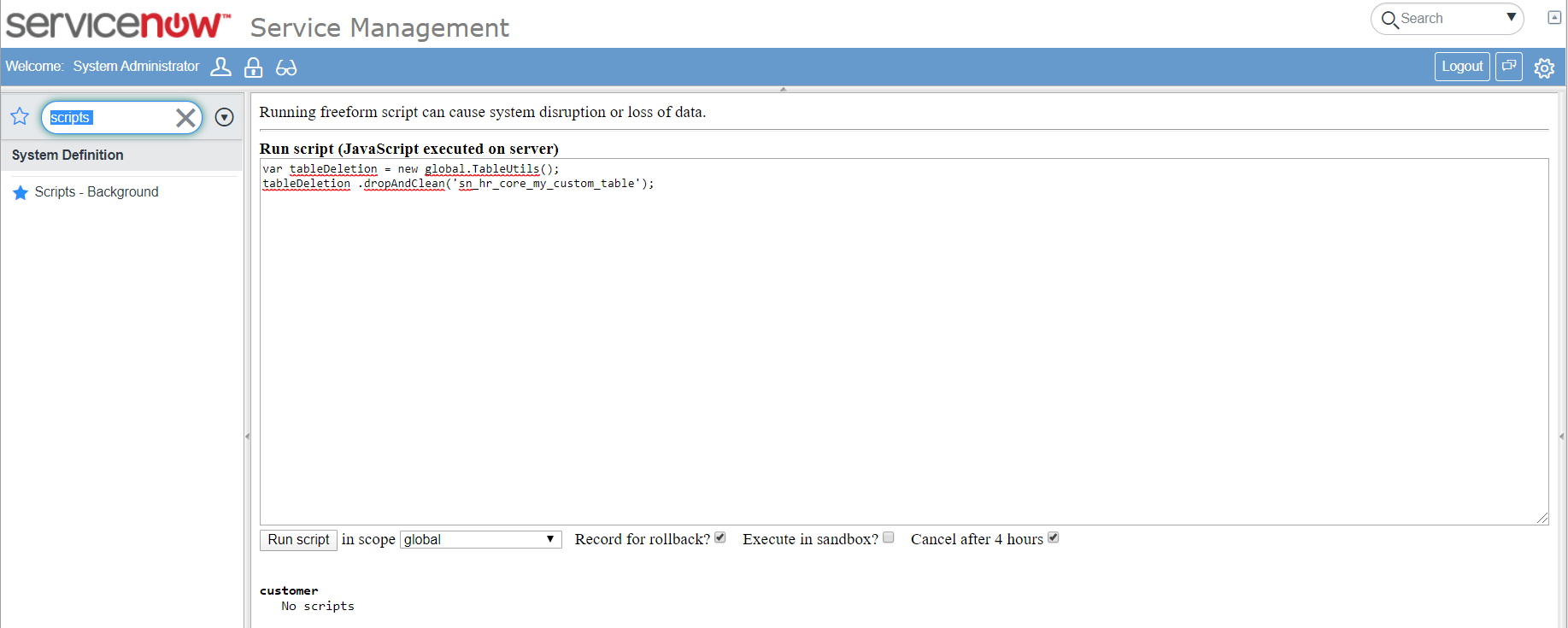
Solution: You can use below script and run in scripts background in global scope. Ensure you put your table name
var tableDeletion = new TableUtils();
tableDeletion.dropAndClean('<your table name here>');
Note:
- Running this script will permanently delete table and all its data.
Screenshots:
1) Table being created in Human Resources: Core application and Delete button is missing

2) Scripts Background: Script to run in global scope; mention your table name

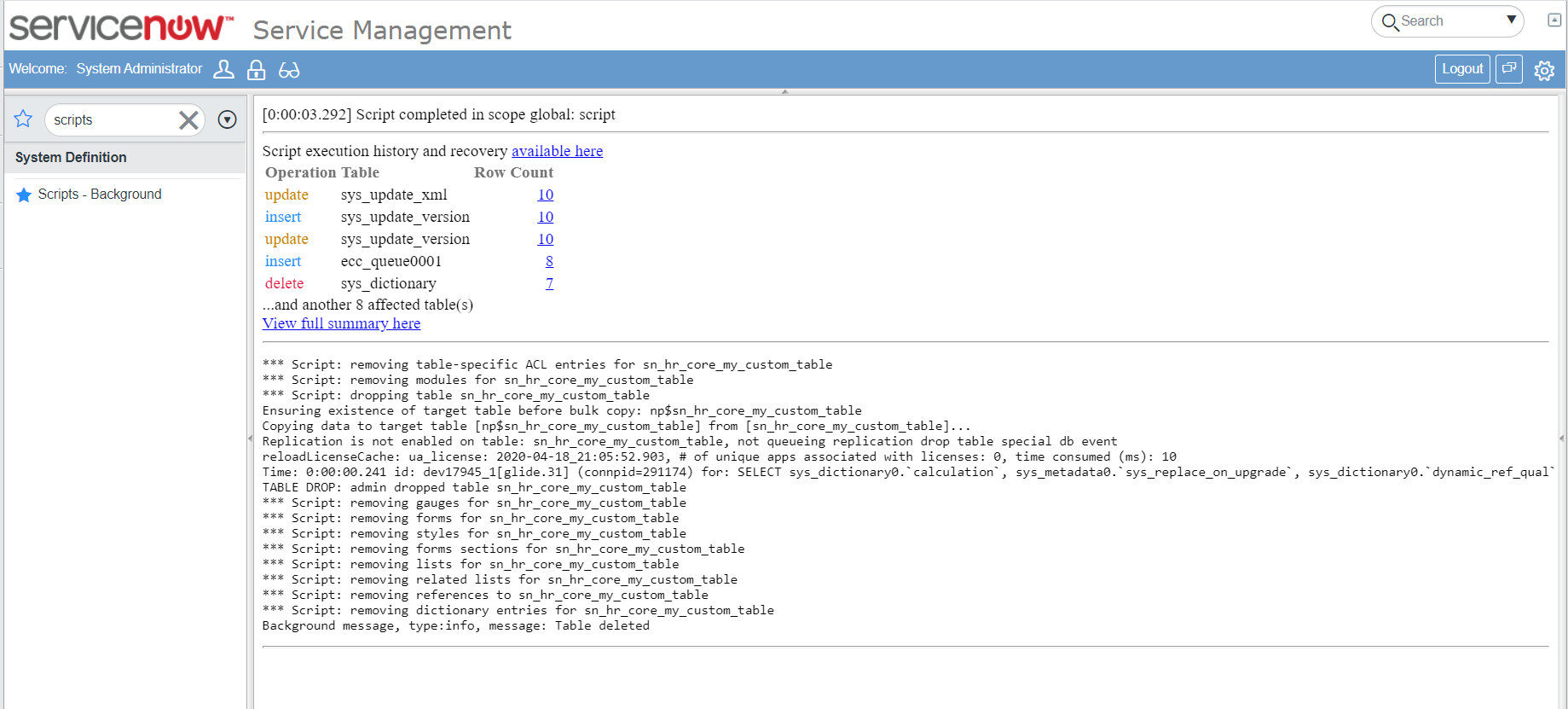
3) After running the script;

4) Table doesn't exist

Thanks for reading the blog and do provide your inputs/suggestions if any.
Hope you find this article helpful. Don’t forget to Mark it Helpful, Bookmark.
Thanks,
Ankur Bawiskar