How to customize Visual Task Board (VTB) preview pane layout and card click behavior?

- Mark as New
- Bookmark
- Subscribe
- Mute
- Subscribe to RSS Feed
- Permalink
- Report Inappropriate Content
04-08-2026 06:18 AM - edited 04-08-2026 06:19 AM
Hello everyone,
I am looking for some technical guidance regarding the configuration of Visual Task Boards (VTBs) in the Classic UI. I have two specific requirements that I am trying to implement, but I am hitting limitations with the OOTB AngularJS application.
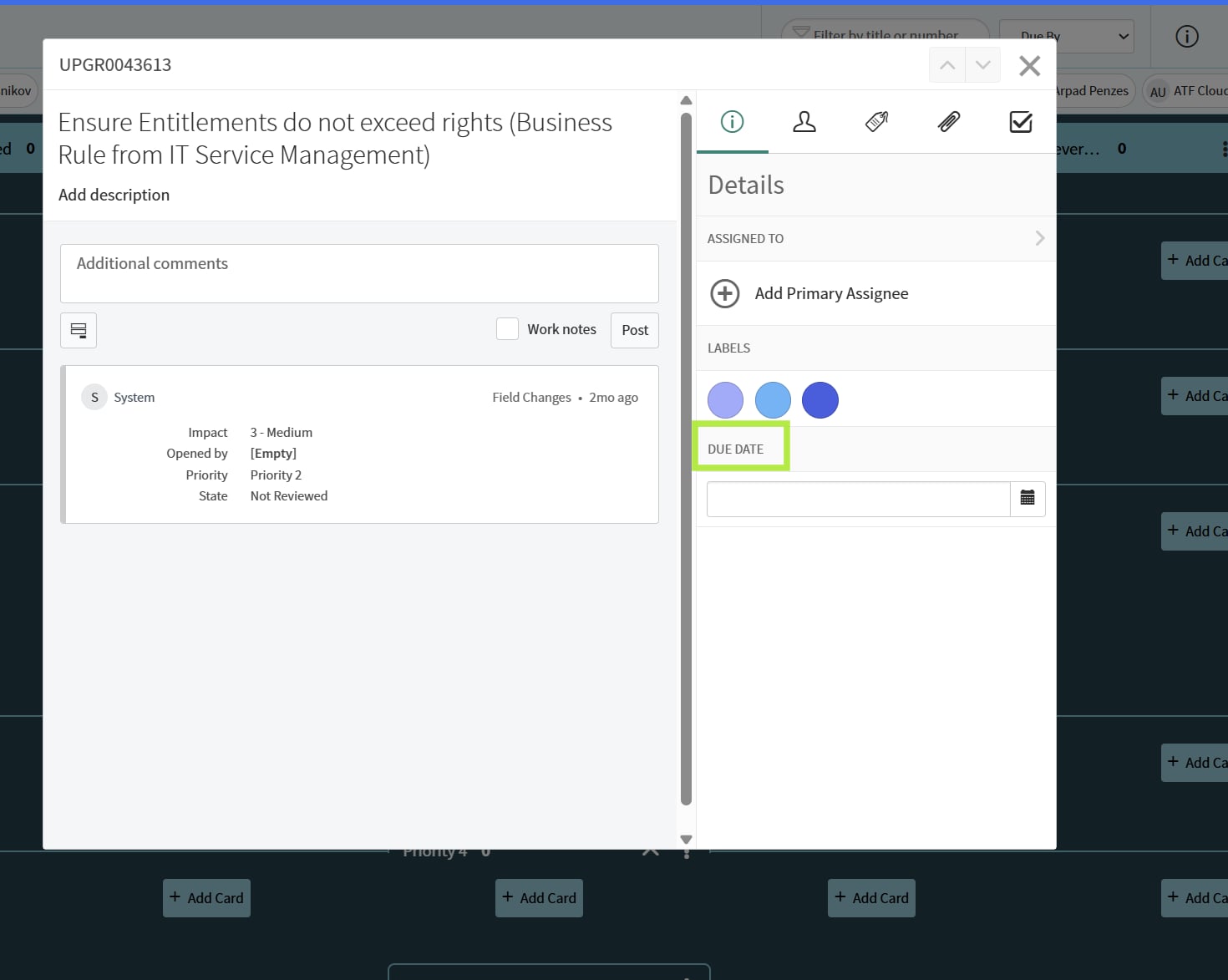
Requirement 1: Customizing the VTB Details Pane When clicking on a task's Short Description on a VTB card, it opens the VTB Details preview modal.
Is there any supported way to hide the standard "Due Date" field from this specific modal view?
Additionally, is there a way to inject or add custom fields into this same preview pane?
Requirement 2: Altering Click Routing on VTB Cards Currently, clicking the Task Number on a card opens the standard record form, while clicking the Task Name opens the VTB Details preview pane.
Is there any OOTB configuration or System Property that allows us to change this behavior so that clicking the Task Name also redirects the user directly to the standard form view?
I am aware that heavily modifying the VTB UI macros/scripts is not a best practice due to upgrade risks, I am just curious if such a thing is even possible at the moment.
And if not, I was thinking to submit an idea to SN.
Thanks
Miro

- Mark as New
- Bookmark
- Subscribe
- Mute
- Subscribe to RSS Feed
- Permalink
- Report Inappropriate Content
04-08-2026 11:34 PM
Requirement 1 — Customizing the VTB Details Pane
There is no supported OOTB configuration to hide "Due Date" or inject custom fields into that preview modal. The VTB details pane is rendered by a tightly coupled AngularJS directive (snVtbCardDetails and related templates) within the com.snc.visual_task_board plugin. The fields shown (due date, assigned to, labels, etc.) are hardcoded in the directive template — there's no system property, dictionary attribute, or form view mapping that controls what appears there. It doesn't respect your form layouts or views.
The only technical paths would be unsupported modifications like overriding the UI macro (vtb_details_pane) or injecting CSS to hide elements (display:none on the due date container), both of which carry upgrade risk and aren't recommended.
Requirement 2 — Changing Click Routing on Task Name
Also no OOTB option. The click behavior is wired directly in the AngularJS controller — task number has an ng-click that navigates to the form, while the short description triggers the details pane toggle. There's no system property like glide.vtb.card.click_behavior or similar to swap this. Changing it would require modifying the VTB card directive template, which again is unsupported.
What you can do instead:
The "Open Record" icon (the small form icon on cards) and the task number link both route to the full form — you could coach users on that workflow. If you need a fundamentally different card interaction model, Workspace (configurable via UI Builder) or a custom Service Portal widget would give you full control over card layout, fields shown, and click routing without touching VTB internals.
On submitting an Idea:
That's right. Both asks — "configurable VTB detail pane fields" and "configurable card click behavior" — are reasonable enhancement requests.
You can log two separate ideas so they can be evaluated independently.