Service Bridge: How do we set session user in remote catalog variable (remote choice definition)

- Mark as New
- Bookmark
- Subscribe
- Mute
- Subscribe to RSS Feed
- Permalink
- Report Inappropriate Content
02-10-2026 08:29 AM
Service Bridge: How do we set session user in remote catalog variable (remote choice definition).
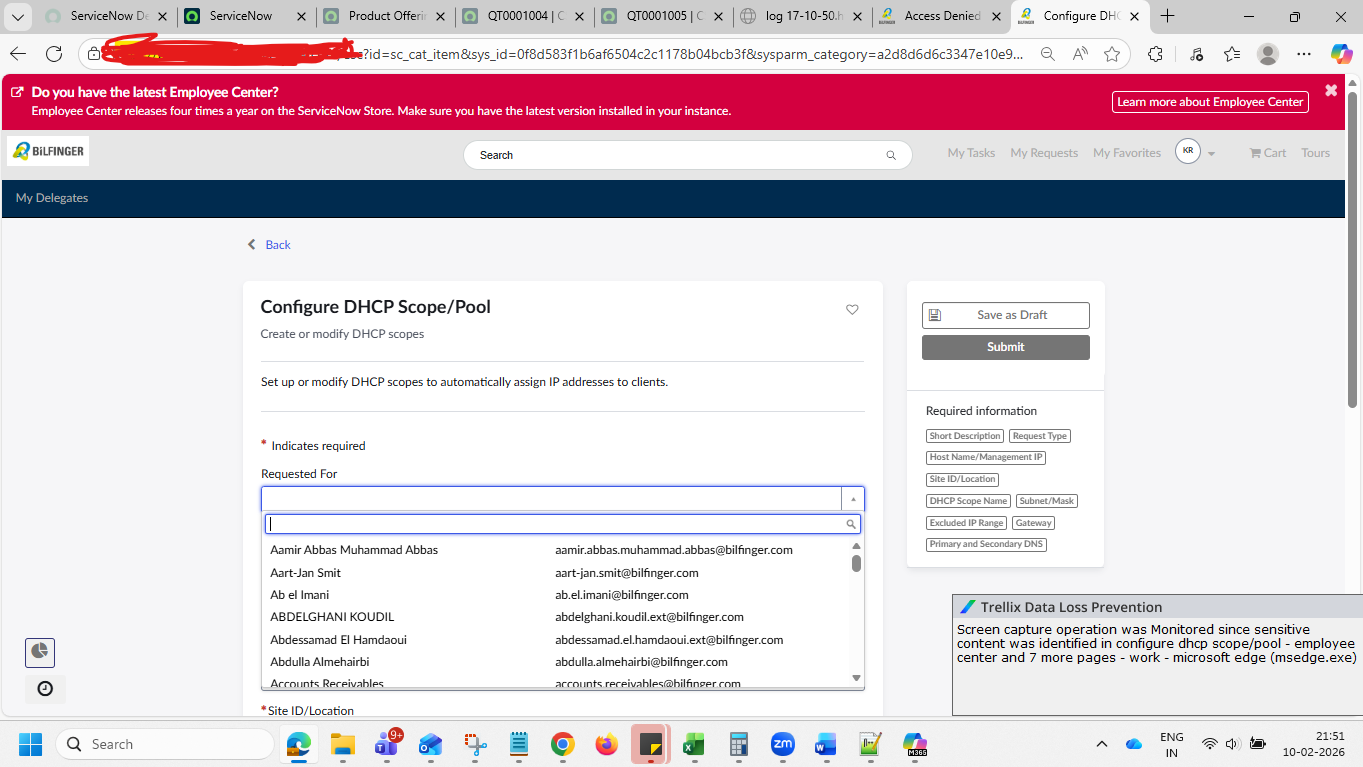
As a provider we have create remote catalog for consumer with variable Requested For (type as remote choice definition on contact table) and published. When we open remote catalog in consumer instance in Requested For variable its showing all contacts related to consumer account. Customer looking to auto populate session user in Requested For Variable.

- Mark as New
- Bookmark
- Subscribe
- Mute
- Subscribe to RSS Feed
- Permalink
- Report Inappropriate Content
02-16-2026 02:26 AM - edited 02-16-2026 02:30 AM
do you mean a currently logged in user to be pre-selected?
Then you might want to set the default value in the particular variable.
Example from my end:
javascript : gs.getUserID();
(there is colon that is being changed from

✂-----Cutting-out-the---✦AI-noise✦---All-replies-written-and-vouched-for-by-GlideFather---

- Mark as New
- Bookmark
- Subscribe
- Mute
- Subscribe to RSS Feed
- Permalink
- Report Inappropriate Content
02-16-2026 02:44 AM
Please refer this links, see if it helps you:
Service Bridge: Remote Choice - Using Remote Choic... - ServiceNow Community
Regards
Tanushree Maiti
ServiceNow Technical Architect
LinkedIn: https://www.linkedin.com/in/tanushreemaiti
- Mark as New
- Bookmark
- Subscribe
- Mute
- Subscribe to RSS Feed
- Permalink
- Report Inappropriate Content
02-16-2026 03:28 AM
Hi,
When working with Service Bridge and remote catalog variables (Remote Choice Definition), the session user is typically derived from the authenticated provider user context.
Please check the following:
1. Verify the Provider Connection:
Ensure the connection is properly authenticated and mapped to the correct integration user.
2. Check the Remote Choice Definition:
Navigate to:
Service Bridge > Remote Choice Definitions
Confirm that the request is configured to pass the correct user context.
3. Review the Script Include or API logic:
If the remote choices are populated via scripted REST API, confirm that:
- gs.getUserID()
- gs.getUserName()
are returning the expected user.
4. Validate the Consumer-Provider Mapping:
In Service Bridge configuration, check if user mapping is enabled or if a fixed integration account is being used.
5. If dynamic user context is required:
You may need to explicitly pass the user sys_id as a parameter in the request payload.
Also review:
System Logs > Outbound HTTP Requests
for any authentication or impersonation issues.
Let me know if you can share more details about the setup.
Please mark helpful if this resolves your issue.
Thanks.