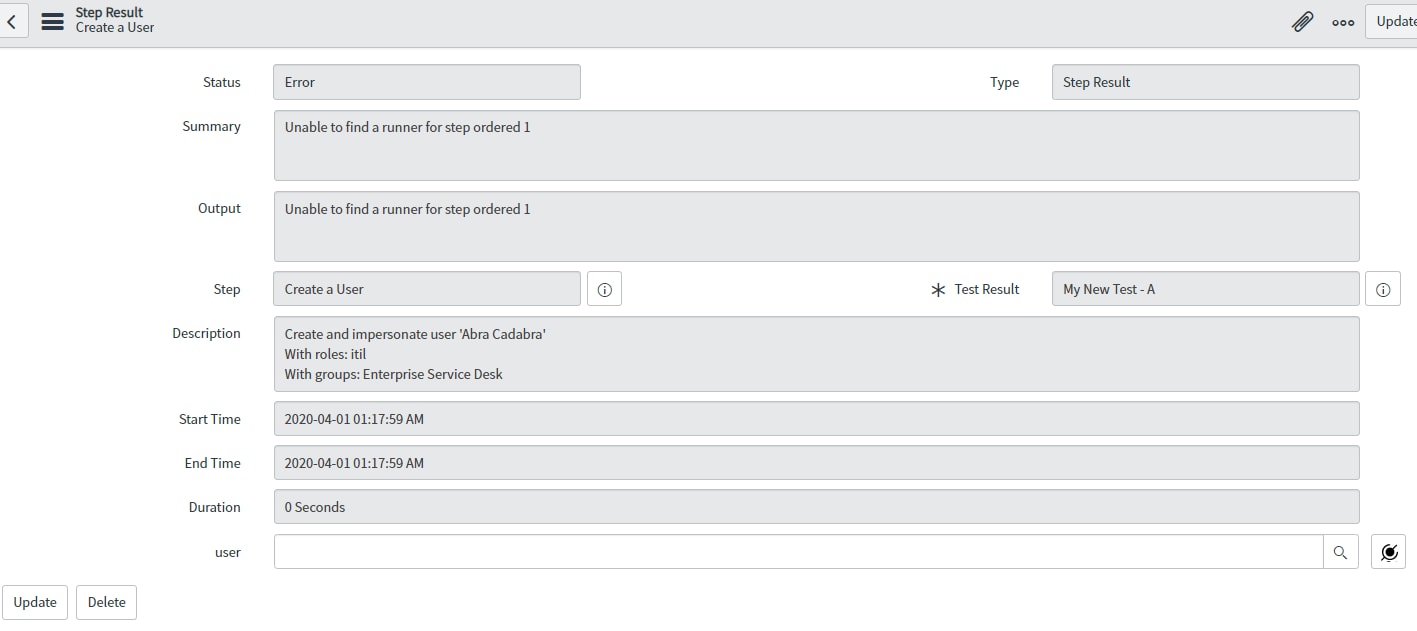
ATF Create a User: In Step 1, create a user, I keep getting "Unable to find a runner for step ordered 1"

- Mark as New
- Bookmark
- Subscribe
- Mute
- Subscribe to RSS Feed
- Permalink
- Report Inappropriate Content
03-31-2020 10:33 PM
Hello Developer Community!
I noticed that our instance didn't come with Create a User in the ATF Test Steps. I exported the Step XML from my PDI instance (Which works just fine) into our DEV instance. It doesn't seem to want to work correctly, because every time I try to run the test, it errors out at the first step, which is "Create a User".
Below is the screen shot of the error I keep getting. Anyone know what the heck is up with this? I checked and

- Labels:
-
Automated Test Framework


- Mark as New
- Bookmark
- Subscribe
- Mute
- Subscribe to RSS Feed
- Permalink
- Report Inappropriate Content
03-31-2020 10:53 PM
Hi,
that step should be available in out of the box instance. not sure why it was not there;
Did you import all the below data as well? there are few related table data such as input variable, output variable
table - sys_atf_step_config
table - atf_input_variable
table - atf_output_variable

Mark ✅ Correct if this solves your issue and also mark 👍 Helpful if you find my response worthy based on the impact.
Thanks
Ankur
- Mark as New
- Bookmark
- Subscribe
- Mute
- Subscribe to RSS Feed
- Permalink
- Report Inappropriate Content
04-01-2020 05:13 AM
Yes sir I did. I am sure it doesn't matter, but I noticed the input variables column of my screen shot and yours are different. Now keep in mind, my instance is Madrid, I noticed in the Madrid PDI that ATF does not have Create a User as a Step Configuration. However, my Orlando PDI does have it as a Step Configuration. I exported it from my Orlando PDI into my Madrid PDI. Could that be it? If so, what could cause the Test Runner not to execute correctly?


- Mark as New
- Bookmark
- Subscribe
- Mute
- Subscribe to RSS Feed
- Permalink
- Report Inappropriate Content
04-01-2020 06:04 AM
Hi,
any reason you want to bring the step to Madrid PDI and not use Orlando PDI
Regards
Ankur
- Mark as New
- Bookmark
- Subscribe
- Mute
- Subscribe to RSS Feed
- Permalink
- Report Inappropriate Content
04-01-2020 08:56 AM
Because my company's Instance is Madrid, not Orlando. That is scheduled for July. We are looking to build the testing now instead of waiting.