Employee center

- Mark as New
- Bookmark
- Subscribe
- Mute
- Subscribe to RSS Feed
- Permalink
- Report Inappropriate Content
4 hours ago
Hi Team,
I am troubleshooting Virtual Agent branding in an Employee Center portal.
Environment:
- Employee Center portal (esc)
- Service Portal Agent Chat Configuration
- Branding key = blackbaud_employee_center
Agent Chat Configuration server script returns:
- live_agent_queue
- branding_key = blackbaud_employee_center
- test_param = bbesc_test
According to ServiceNow documentation:
- Configure Agent Chat in a portal
- Set up your Virtual Agent bot's branding
- Virtual Agent URL parameters
values returned by the Agent Chat Configuration should be appended to the Agent Chat iframe URL.
Expected URL parameters:
- sysparm_branding_key=blackbaud_employee_center
- sysparm_test_param=bbesc_test
Actual iframe URL:
/$sn-va-web-client-app.do ?sysparm_nostack=true &sysparm_stack=no &sysparm_portal=esc &sysparm_page=blackbaud_esc_home &sysparm_language=en &sysparm_live_agent_queue=
The generated URL does not contain either branding_key or test_param.
Troubleshooting completed:
- Branding configuration exists and is active.
- Agent Chat Configuration is active and mapped to the correct portal.
- Portal mapping and order have been verified.
- Context API response does not return branding_key.
- get_va_web_client_settings response does not return branding_key.
- Agent Chat iframe URL is generated through getFrameUrl().
Most important finding:
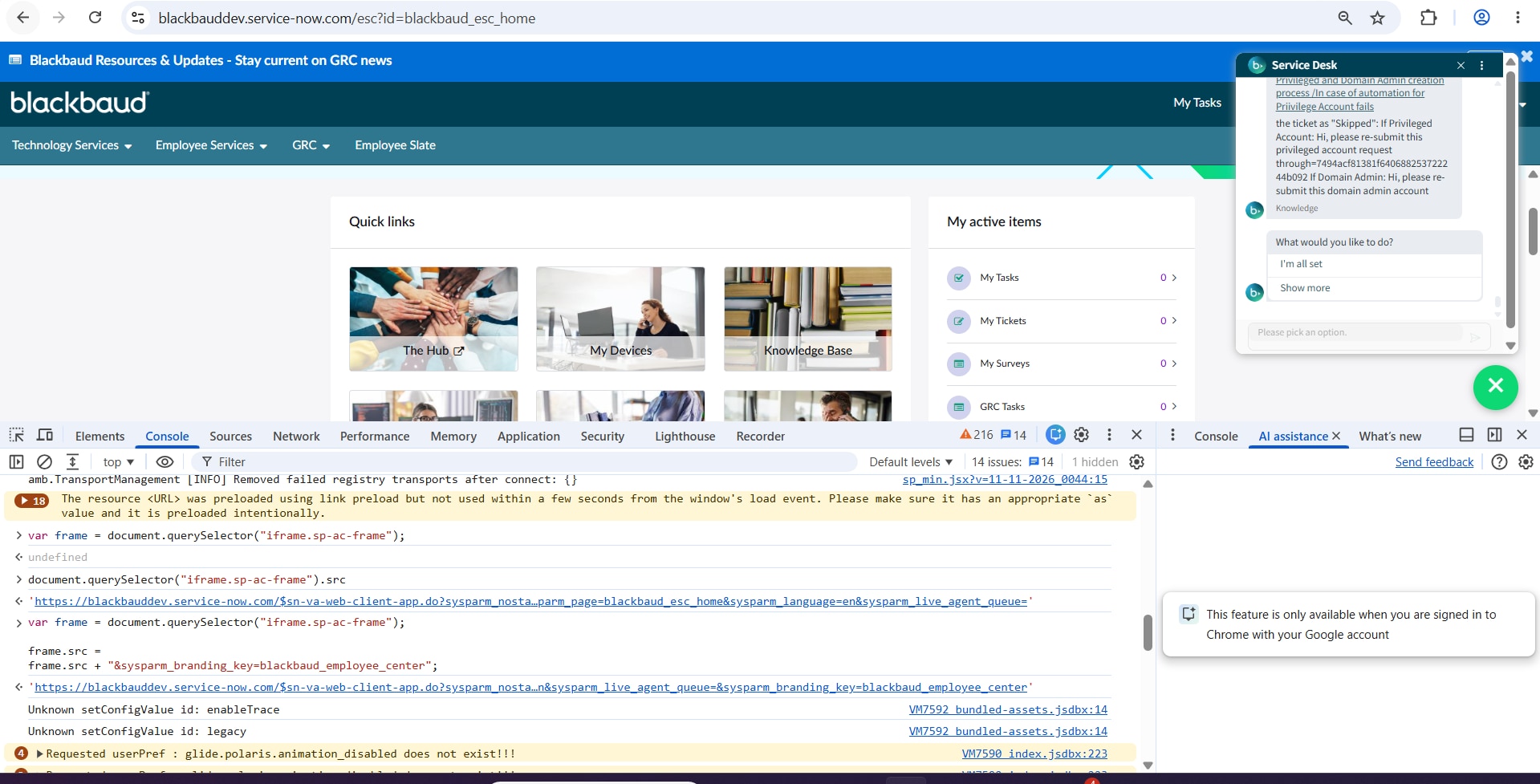
When I manually append:
sysparm_branding_key=blackbaud_employee_center
to the generated frameUrl, the branding immediately changes from "Now Support" to "Service Desk" and the expected branding is applied.
Question:
Has anyone seen a case where Agent Chat Configuration server-script values are not propagated into getFrameUrl()/frameUrl?
Is there a known issue, PRB, property, plugin dependency, or additional configuration required for branding_key (or any custom parameters) to be appended to the Agent Chat iframe URL in Employee Center?
Thanks.