- Mark as New
- Bookmark
- Subscribe
- Mute
- Subscribe to RSS Feed
- Permalink
- Report Inappropriate Content
09-23-2020 10:14 PM
Hello Team,
I'm trying to open multiple tasks based on multiple selection of checkbox.
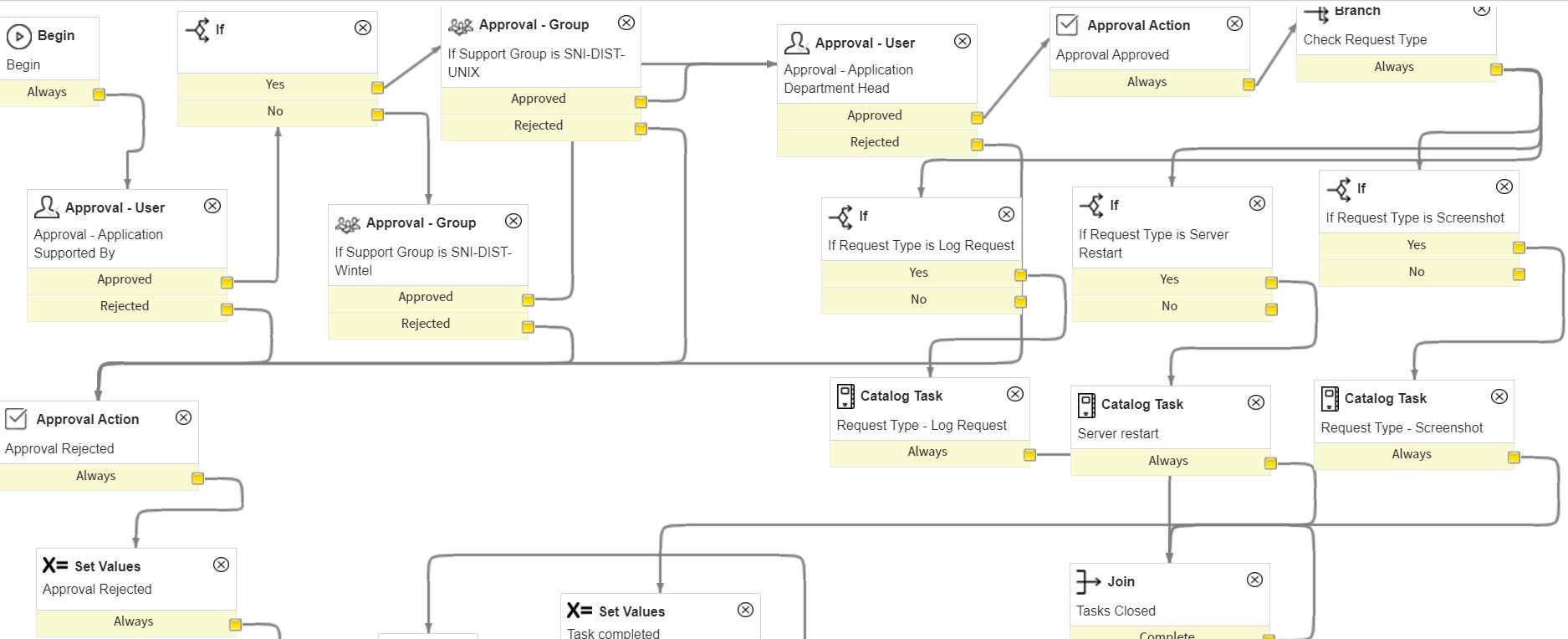
Example : I have Request Type : A, B, C this are all check box not drop down, here when i select A then it should create only one Catalog Task if I Select A & B then it should create two catalog task and if I select A, B & C then it should create three catalog task I have tried If condition it didn't work.
I have tried Branch Activity before If Activity it's creating Tasks but when I close all the tasks it's not ending the Workflow. as you can see below

Can anyone help me where i went wrong.
Thanks,
JRY
Solved! Go to Solution.

- Mark as New
- Bookmark
- Subscribe
- Mute
- Subscribe to RSS Feed
- Permalink
- Report Inappropriate Content
09-23-2020 11:42 PM
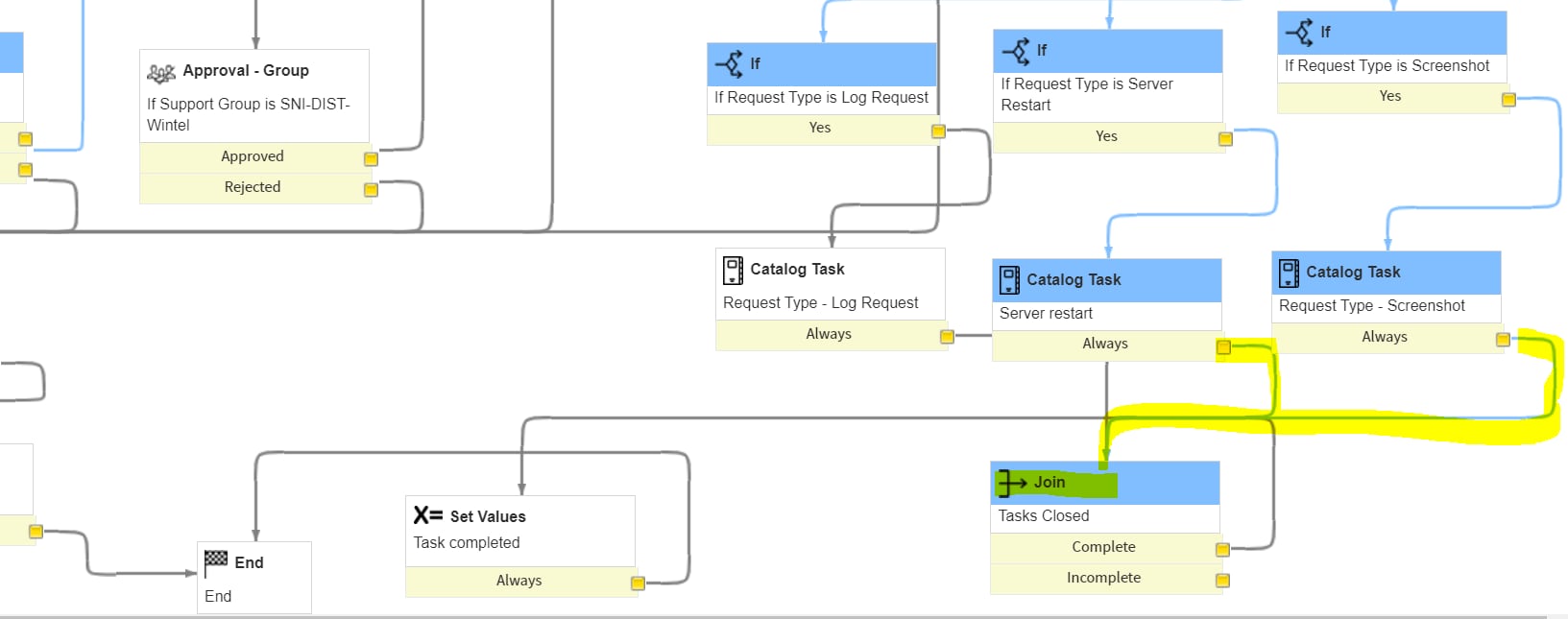
As I previously said, attach the Incomplete to next activity [ Set Values ].

- Mark as New
- Bookmark
- Subscribe
- Mute
- Subscribe to RSS Feed
- Permalink
- Report Inappropriate Content
09-23-2020 10:44 PM

- Mark as New
- Bookmark
- Subscribe
- Mute
- Subscribe to RSS Feed
- Permalink
- Report Inappropriate Content
09-23-2020 11:04 PM

- Mark as New
- Bookmark
- Subscribe
- Mute
- Subscribe to RSS Feed
- Permalink
- Report Inappropriate Content
09-23-2020 11:16 PM
Hello,
The output of Join activity [ Complete and Incomplete ] attach to Set Values activity. It will complete/end the workflow.
Also your if activity should have two outputs, one for "Yes" and another for "No". If Checkbox is true ie."Yes", then it will create a catalog task otherwise it will go to "No" transition and skip the task creation for that check box.
Thanks,
Sagar Pagar
- Mark as New
- Bookmark
- Subscribe
- Mute
- Subscribe to RSS Feed
- Permalink
- Report Inappropriate Content
09-23-2020 11:36 PM