My Personal Developer Instance (dev404462) Is Always Offline — Wake Instance Button Missing

- Mark as New
- Bookmark
- Subscribe
- Mute
- Subscribe to RSS Feed
- Permalink
- Report Inappropriate Content
yesterday
Title: My Personal Developer Instance (dev404462) Is Always Offline — Wake Instance Button Missing
Hello ServiceNow Community,
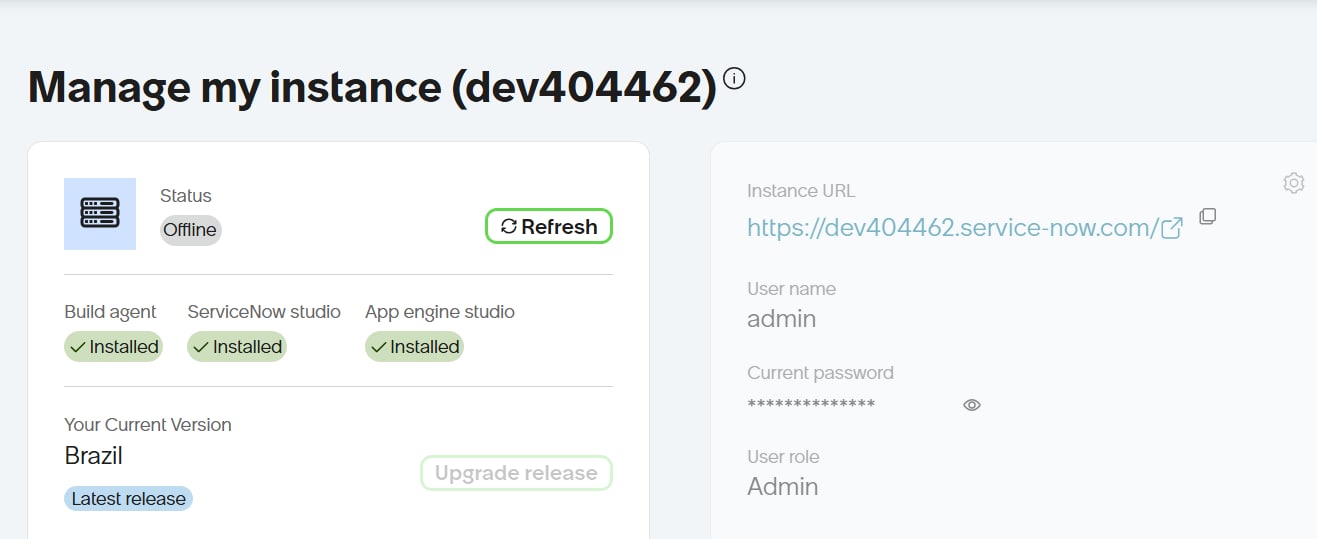
I am facing an issue with my Personal Developer Instance (PDI).
Instance details:
Instance name: dev404462
Instance URL: https://dev404462.service-now.com/
Release: Brazil
User role: Admin
Issue:
My PDI always shows Offline on the Manage My Instance page. I have clicked Refresh several times, but the status remains Offline. The Wake Instance button is also missing.
I am unable to access my instance and continue my ServiceNow learning.
Could someone please help me understand why this is happening and how I can restore my instance?
I would appreciate any suggestions or troubleshooting steps.
Thank you.

- Mark as New
- Bookmark
- Subscribe
- Mute
- Subscribe to RSS Feed
- Permalink
- Report Inappropriate Content
an hour ago
Hi @gopireddyM68682,
Some PDIs may be temporarily unavailable due to scheduled maintenance.
If your PDI is currently offline, you can:
- Wait for maintenance to complete and your instance to become available again.
- Release your current instance and request a new one. Please note that releasing your instance will permanently delete all data and work stored on it.
As a reminder, PDIs are unsupported development resources and do not have an availability, support, or uptime SLA. We strongly recommend regularly backing up any work you don’t want to lose.

- Mark as New
- Bookmark
- Subscribe
- Mute
- Subscribe to RSS Feed
- Permalink
- Report Inappropriate Content
an hour ago
hi @gopireddyM68682 ,
check this https://www.servicenow.com/community/app-engine-forum/pdi-offline/m-p/3611953

If this helped, mark it helpful and accept the solution.
Regards,
Tejas