PDI Scheduled for Reclamation Despite Daily Usage

- Mark as New
- Bookmark
- Subscribe
- Mute
- Subscribe to RSS Feed
- Permalink
- Report Inappropriate Content
07-24-2026 09:01 AM
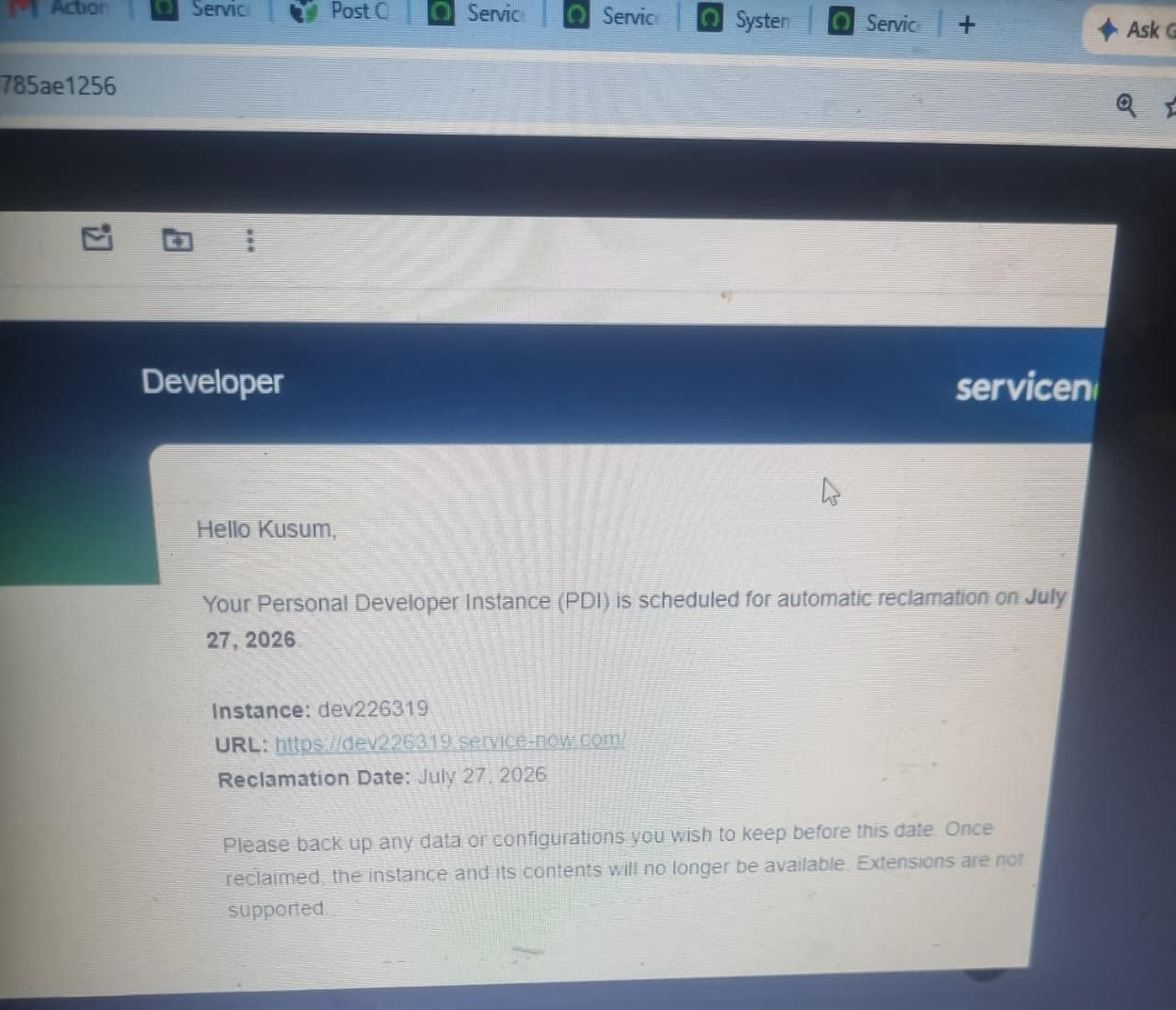
My Personal Developer Instance (dev226319) has been scheduled for automatic reclamation due to inactivity. However, I actively use this instance every day for development, including creating tables, records, business rules, client scripts, Script Includes, and other configurations.
Please help me out how can i reslve this even i received email from serviceNow that if i dont backup my pdi thn my data will be lost nd PDI will be reclaimed by July 27th refer the screenshot below .
- Mark as New
- Bookmark
- Subscribe
- Mute
- Subscribe to RSS Feed
- Permalink
- Report Inappropriate Content
07-27-2026 01:12 AM
am bit confused regarding thi login url issue can you please share th direct login url of pdi from where i can do my tasks please?
am following path like searching https://developer.servicenow.com/dev.do and then signin nd clicking on start building , is this the correct thing am doing or please share the diret login url which you mentioned

- Mark as New
- Bookmark
- Subscribe
- Mute
- Subscribe to RSS Feed
- Permalink
- Report Inappropriate Content
07-27-2026 01:58 AM
navigating from the Developer portal and clicking Start building doesn't count as an explicit login, instead you need to navigate to your PDI with a "/login.do" suffix.
Given your PDI is https://yourPDI.service-now.com/
navigate to the login page via https://yourPDI.service-now.com/login.do
It will require to know the password, you can use the generic one created automatically upon requesting your PDI as seen here: https://developer.servicenow.com/dev.do#!/manage-instance

Or access it via Start building button and then go to Users table and manage the access and password from there.

- Mark as New
- Bookmark
- Subscribe
- Mute
- Subscribe to RSS Feed
- Permalink
- Report Inappropriate Content
3 weeks ago
The entire PDI experience is becoming more and more volatile. Servicenow needs to pay more attention to the community/customers on this one and also reign in those reclamation criteria a bit. Resources are tight, I get it, but there's got to be a better way to monitor activity.
Heck maybe they should charge people $10/month for premium PDI access
- Mark as New
- Bookmark
- Subscribe
- Mute
- Subscribe to RSS Feed
- Permalink
- Report Inappropriate Content
Saturday
Same shape here, with timestamps, in case the detail is useful for comparing cases.
Instance: dev420632
- 2026-10-24 06:46 UTC — last successful sign-in. The session was confirmed server-side: /api/now/ui/user/current_user returned 200 with the expected user.
- 2026-10-25 06:45 UTC — /login.do began serving the hibernation page instead of the login form.
- Every day since, through 2026-10-31 — the same. No login form has been served.
We sign in daily from an automated browser session, and it had succeeded 29 days in a row up to 10-24. Going from a server-verified session to hibernating in under 24 hours does not match the documented ten-day inactivity rule.
I cannot wake it. The hibernation page tells me to sign in to wake it, that redirects to the Developer Site, and the Developer Site does not list the instance at all — it only offers to request a new one. Starting from a clean private window at the hibernation page makes no difference.
And now a reclamation notice. Received 2026-10-31 07:41 UTC: reclaimed for inactivity after the end of day Nov 2, 2026 PST. So the inactivity clock is running on an instance I am structurally unable to log into, during a period when PDI actions are paused.
Three questions for anyone further along than me:
- Has anyone's instance actually been reclaimed while PDI actions were paused, or did the deadline pass with no action taken?
- Has anyone had wake restored on an instance the Developer Site had stopped listing — and how long did it take?
- Has anyone had a reply from developer@servicenow.com about this? I wrote there and have had nothing back.