- Mark as New
- Bookmark
- Subscribe
- Mute
- Subscribe to RSS Feed
- Permalink
- Report Inappropriate Content
05-13-2024 06:44 AM
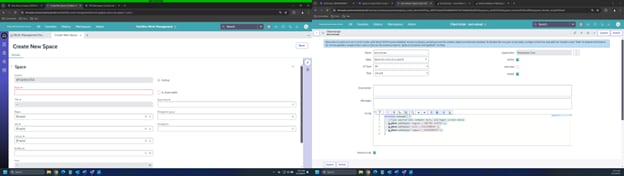
Hello, I have a reference field that I want to set onLoad. I have a client script that works on the backend form but does not work in workspace. In workspace the field shows "(Empty)". Is there a way to set the value on the reference field in configurable workspace? I have tried setDisplayValue but that did not populate the field
Solved! Go to Solution.

- Mark as New
- Bookmark
- Subscribe
- Mute
- Subscribe to RSS Feed
- Permalink
- Report Inappropriate Content
05-13-2024 06:49 AM - edited 05-13-2024 06:50 AM
Hi @DreDay3000 ,
You cannot set the value of a reference field using g_form.setValue('region','UNITED STATES'); rather you need to pass the sys_id of the 'united state' record in the value.
Eg> g_form.setValue('region','sys_id'); //in place of sys_id, open the united state record from the table and copy the sys_id by right clicking on the form header > copy sys_id (this will be a 16 digit hexadecimal number)
☑️ Please mark responses as HELPFUL or ACCEPT SOLUTION to assist future users in finding the right solution....

- Mark as New
- Bookmark
- Subscribe
- Mute
- Subscribe to RSS Feed
- Permalink
- Report Inappropriate Content
05-13-2024 06:49 AM - edited 05-13-2024 06:50 AM
Hi @DreDay3000 ,
You cannot set the value of a reference field using g_form.setValue('region','UNITED STATES'); rather you need to pass the sys_id of the 'united state' record in the value.
Eg> g_form.setValue('region','sys_id'); //in place of sys_id, open the united state record from the table and copy the sys_id by right clicking on the form header > copy sys_id (this will be a 16 digit hexadecimal number)
☑️ Please mark responses as HELPFUL or ACCEPT SOLUTION to assist future users in finding the right solution....
- Mark as New
- Bookmark
- Subscribe
- Mute
- Subscribe to RSS Feed
- Permalink
- Report Inappropriate Content
05-13-2024 09:22 AM
You can use setDisplayValue, just be sure that the value you're passing is unique in the target table