- Mark as New
- Bookmark
- Subscribe
- Mute
- Subscribe to RSS Feed
- Permalink
- Report Inappropriate Content
02-13-2026 06:52 AM
Hi,
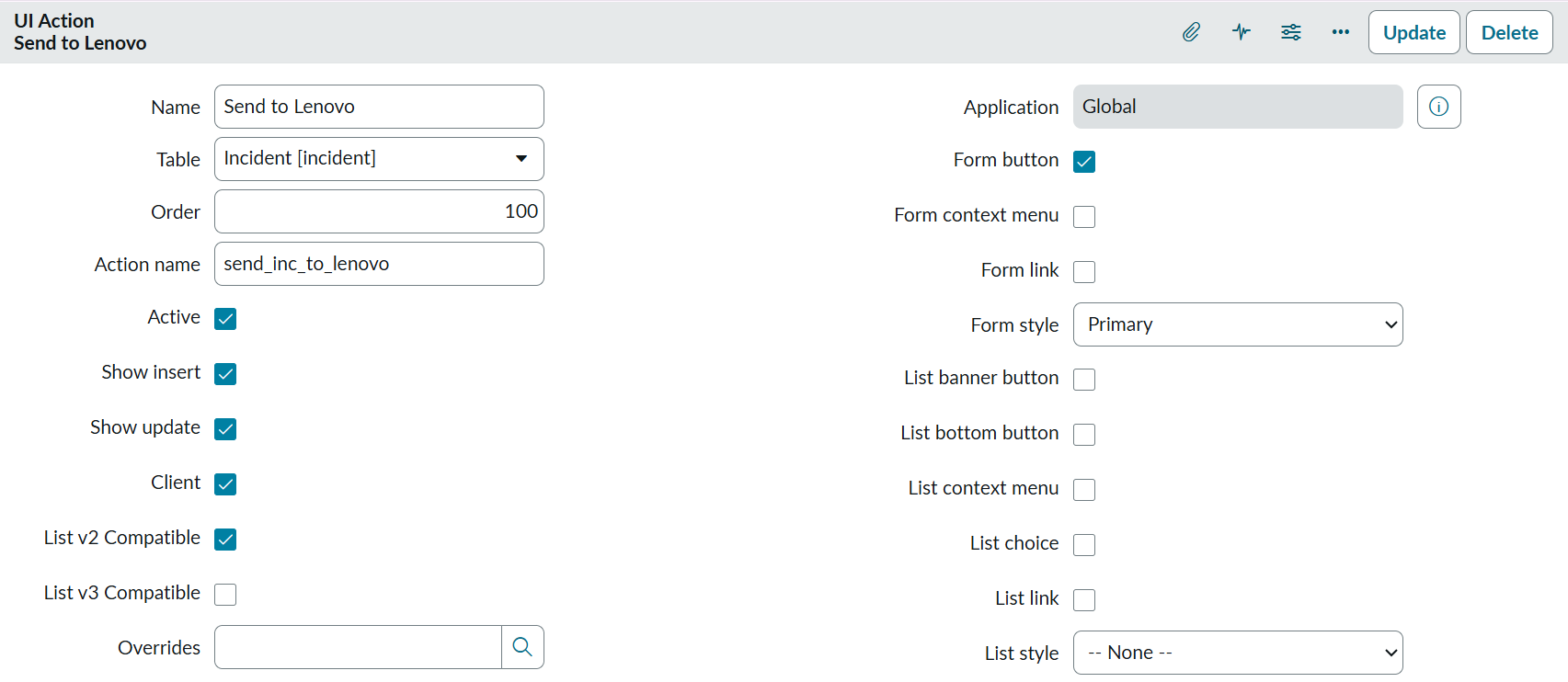
I have created one UI Action button on incident form but unable to populate the button in service operation workspace. Please help me with the issuue.
Script:
Solved! Go to Solution.


- Mark as New
- Bookmark
- Subscribe
- Mute
- Subscribe to RSS Feed
- Permalink
- Report Inappropriate Content
02-15-2026 09:09 PM
Ensure "Format For Configurable Workspace" checkbox is True
Remove line 3

💡 If my response helped, please mark it as correct ✅ and close the thread 🔒— this helps future readers find the solution faster! 🙏
Ankur
✨ Certified Technical Architect || ✨ 10x ServiceNow MVP || ✨ ServiceNow Community Leader

- Mark as New
- Bookmark
- Subscribe
- Mute
- Subscribe to RSS Feed
- Permalink
- Report Inappropriate Content
02-16-2026 03:43 AM
Hello @dusmantanayak ,
I hope you are doing well. Does my response helps you ?
If my response helps you then mark it as helpful and accept as solution.
You can accept multiple solutions 😀 .
Regards,
Aditya,
Technical Consultant

- Mark as New
- Bookmark
- Subscribe
- Mute
- Subscribe to RSS Feed
- Permalink
- Report Inappropriate Content
02-15-2026 08:14 AM
Please ensure in your UI button configuration "Format for Configurable Workspace" is checked. Then try.

Regards
Tanushree Maiti
ServiceNow Technical Architect
LinkedIn: https://www.linkedin.com/in/tanushreemaiti
- Mark as New
- Bookmark
- Subscribe
- Mute
- Subscribe to RSS Feed
- Permalink
- Report Inappropriate Content
02-15-2026 09:09 PM
Ensure "Format For Configurable Workspace" checkbox is True
Remove line 3
💡 If my response helped, please mark it as correct ✅ and close the thread 🔒— this helps future readers find the solution faster! 🙏
Ankur
✨ Certified Technical Architect || ✨ 10x ServiceNow MVP || ✨ ServiceNow Community Leader