- Mark as New
- Bookmark
- Subscribe
- Mute
- Subscribe to RSS Feed
- Permalink
- Report Inappropriate Content
08-20-2020 01:38 PM
Hi community,
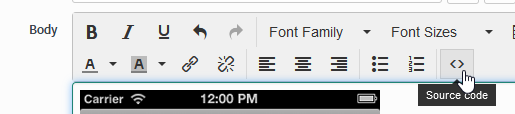
I need to add a image on the body of the email. I'm using send email of the flow designer and I don't know how to do this. Can you help me?
my script body exemple:

Solved! Go to Solution.


- Mark as New
- Bookmark
- Subscribe
- Mute
- Subscribe to RSS Feed
- Permalink
- Report Inappropriate Content
08-20-2020 01:47 PM
Where is your image coming from?
You can use image tags like this:
<img src="0214ADAF-1C76-4E34-966F-0EBD09534402.png" width="300" height="450"/>If you go to the image table:

You can get the html tag for each image:

- Mark as New
- Bookmark
- Subscribe
- Mute
- Subscribe to RSS Feed
- Permalink
- Report Inappropriate Content
08-20-2020 01:47 PM

- Mark as New
- Bookmark
- Subscribe
- Mute
- Subscribe to RSS Feed
- Permalink
- Report Inappropriate Content
10-25-2021 07:26 AM
Hi Willem,
If you can help me with my query?
I have done exactly as you have mentioned. But I should have recived only 2 Emails for 2 users.

But I got multiple emails with the Image. Why is that?
https://community.servicenow.com/community?id=community_question&sys_id=a259d852db9fb490847d5ac2ca961959 - Link to my question. If you can please help me?
Thanks,
Vaishnavi
- Mark as New
- Bookmark
- Subscribe
- Mute
- Subscribe to RSS Feed
- Permalink
- Report Inappropriate Content
08-20-2020 01:55 PM