- Mark as New
- Bookmark
- Subscribe
- Mute
- Subscribe to RSS Feed
- Permalink
- Report Inappropriate Content
03-06-2024 05:52 AM - edited 03-06-2024 05:57 AM
I created a Trigger in flow designer. In the trigger I have the 'change to' condition. However, the trigger does not fire when the condition is satisfied. Does the 'change to' condition work in a flow designer trigger. See image on how trigger is setup attached, Thanks...
Solved! Go to Solution.


- Mark as New
- Bookmark
- Subscribe
- Mute
- Subscribe to RSS Feed
- Permalink
- Report Inappropriate Content
03-06-2024 05:57 AM
Seems your statement is in complete. Please provide more details.
If my response proves useful, please indicate its helpfulness by selecting " Accept as Solution" and " Helpful." This action benefits both the community and me.
Regards
Dr. Atul G. - Learn N Grow Together
ServiceNow Techno - Functional Trainer
LinkedIn: https://www.linkedin.com/in/dratulgrover
YouTube: https://www.youtube.com/@LearnNGrowTogetherwithAtulG
Topmate: https://topmate.io/dratulgrover [ Connect for 1-1 Session]
****************************************************************************************************************
- Mark as New
- Bookmark
- Subscribe
- Mute
- Subscribe to RSS Feed
- Permalink
- Report Inappropriate Content
03-06-2024 06:17 AM
Hi AG. I manually updated an HR profile record changing the Position ID to 7178. The flow did not execute. Ultimately, once the flow is executed, a HR case should be created. However, when I ran a test in the flow, it did execute. I need the flow to execute automatically once the condition is the trigger is satisfied.
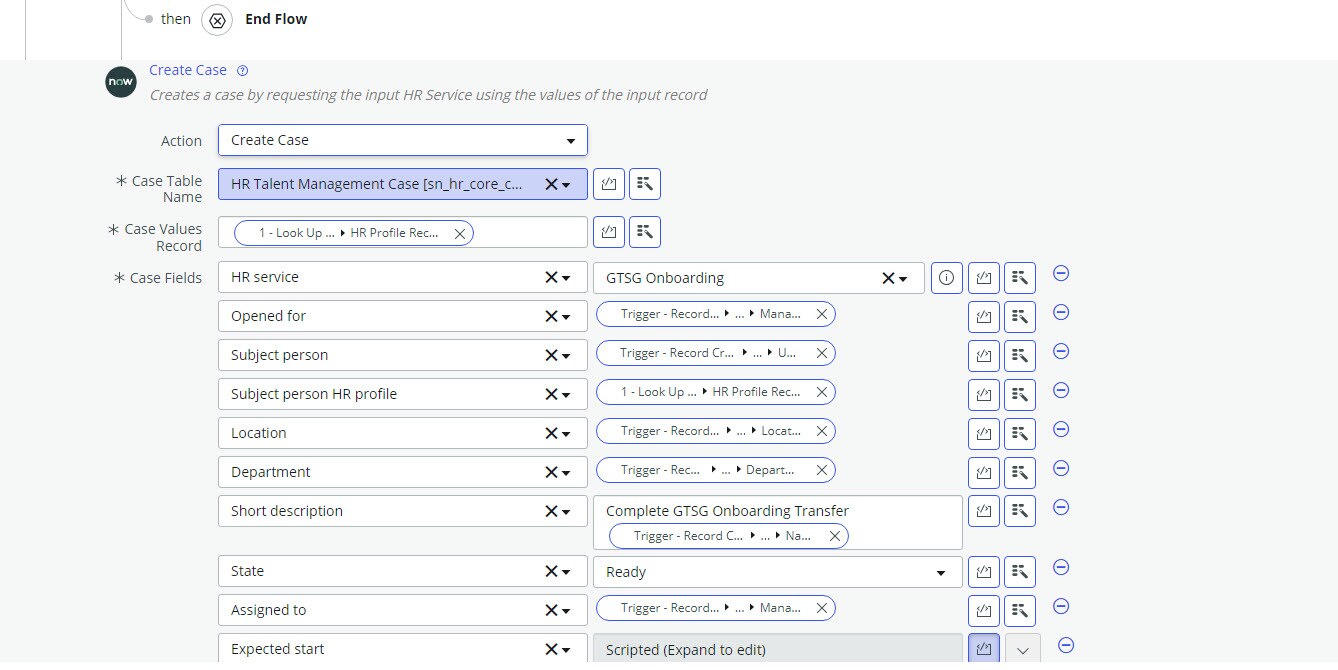
I have attached a screenshot of the entire flow. I hope this are the details that you are looking for...
- Mark as New
- Bookmark
- Subscribe
- Mute
- Subscribe to RSS Feed
- Permalink
- Report Inappropriate Content
03-06-2024 07:15 AM
Try to update the trigger

If my response proves useful, please indicate its helpfulness by selecting " Accept as Solution" and " Helpful." This action benefits both the community and me.
Regards
Dr. Atul G. - Learn N Grow Together
ServiceNow Techno - Functional Trainer
LinkedIn: https://www.linkedin.com/in/dratulgrover
YouTube: https://www.youtube.com/@LearnNGrowTogetherwithAtulG
Topmate: https://topmate.io/dratulgrover [ Connect for 1-1 Session]
****************************************************************************************************************
- Mark as New
- Bookmark
- Subscribe
- Mute
- Subscribe to RSS Feed
- Permalink
- Report Inappropriate Content
03-07-2024 12:22 PM
Hi Atul. I made the change to an 'updated' trigger as you suggested. The flow is still not executing automatically when the conditions in the trigger are satisfied. Could the 'dot walk' in the trigger be the issue? Could the OR statement be the issue? When using 'changes to', can an OR statement be used??? Thanks...