- Mark as New
- Bookmark
- Subscribe
- Mute
- Subscribe to RSS Feed
- Permalink
- Report Inappropriate Content
04-06-2020 12:22 PM
Hello Sachin,
Thanks for looking into this. I believe setting the condition in the UI action will hide the button, but it only works 'onLoad' at least from my experimentation. I am looking for something that will be triggered as soon as the dependent field value is changed, so they don't have to click save and reload the form in-between selecting the ticket type and clicking the transfer button.
Thanks,
Matt
- Mark as New
- Bookmark
- Subscribe
- Mute
- Subscribe to RSS Feed
- Permalink
- Report Inappropriate Content
12-07-2022 07:06 AM
How


- Mark as New
- Bookmark
- Subscribe
- Mute
- Subscribe to RSS Feed
- Permalink
- Report Inappropriate Content
04-06-2020 06:38 PM
Hello @Matt Grover
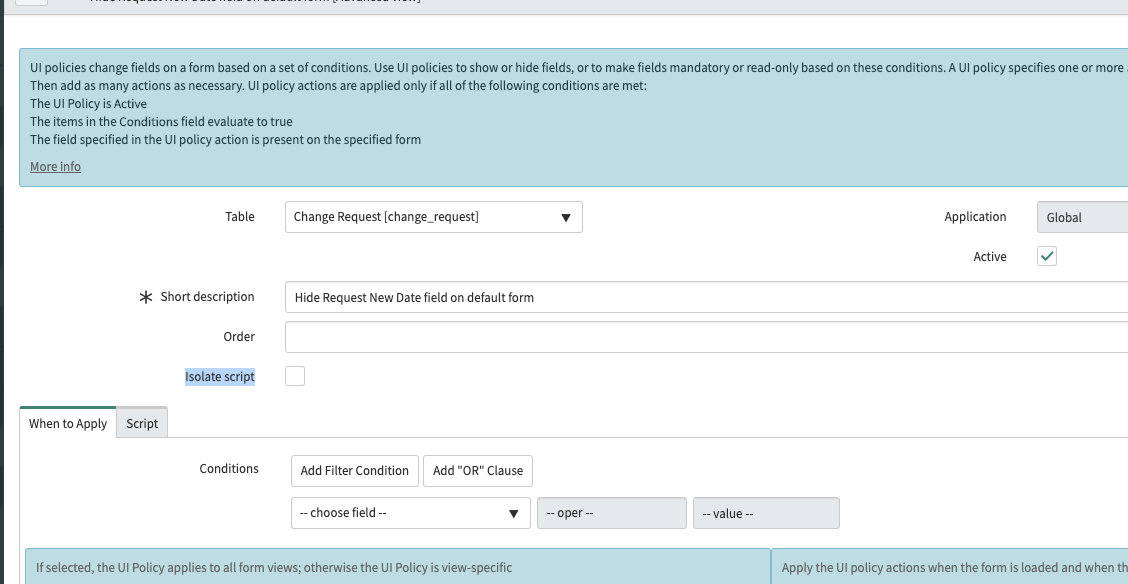
Can you try adding the "Isolate script" filed to the UI Policy form and set it to false or uncheck it.
go to configure---> form layout and drag it over to the form
and run it again.
It should be false to allow your DOM manipulation to work.

- Mark as New
- Bookmark
- Subscribe
- Mute
- Subscribe to RSS Feed
- Permalink
- Report Inappropriate Content
10-14-2024 12:15 PM
Unable to hide bottom action, can you please me in this..

- Mark as New
- Bookmark
- Subscribe
- Mute
- Subscribe to RSS Feed
- Permalink
- Report Inappropriate Content
04-07-2020 05:48 AM
Hello Miguel,
Thanks so much for this tip! It's working now. I'm inclined to mark this as the answer and happily walk away with a new trick up my sleeve. However, I would ask, if anyone knows, what the isolate script checkbox really does, and if there are use cases where one would want to avoid unchecking the isolate script flag?
Is there any alternative method that people have found for this use case that doesn't involve DOM manipulation?