- Mark as New
- Bookmark
- Subscribe
- Mute
- Subscribe to RSS Feed
- Permalink
- Report Inappropriate Content
10-18-2017 06:26 AM
Hi Hari,
Look for System Properties >> Email Properties. Configure inbound & outbound accordingly.

- Mark as New
- Bookmark
- Subscribe
- Mute
- Subscribe to RSS Feed
- Permalink
- Report Inappropriate Content
10-18-2017 06:29 AM
Hi Hari,
Turning the Inbound and Outbound properties off will disable it completely. I'm curious WHY you want to do this?
A common scenario is to prevent outgoing message from a subprod system going to "real" users. In that case, you can use a dummy address and use the property

to redirect all outbound to a single target address.

- Mark as New
- Bookmark
- Subscribe
- Mute
- Subscribe to RSS Feed
- Permalink
- Report Inappropriate Content
10-18-2017 07:34 AM
yes, that is one great idea, thanks Chuck for the detailed information.
- Mark as New
- Bookmark
- Subscribe
- Mute
- Subscribe to RSS Feed
- Permalink
- Report Inappropriate Content
10-18-2017 07:38 AM

- Mark as New
- Bookmark
- Subscribe
- Mute
- Subscribe to RSS Feed
- Permalink
- Report Inappropriate Content
10-20-2017 08:15 AM
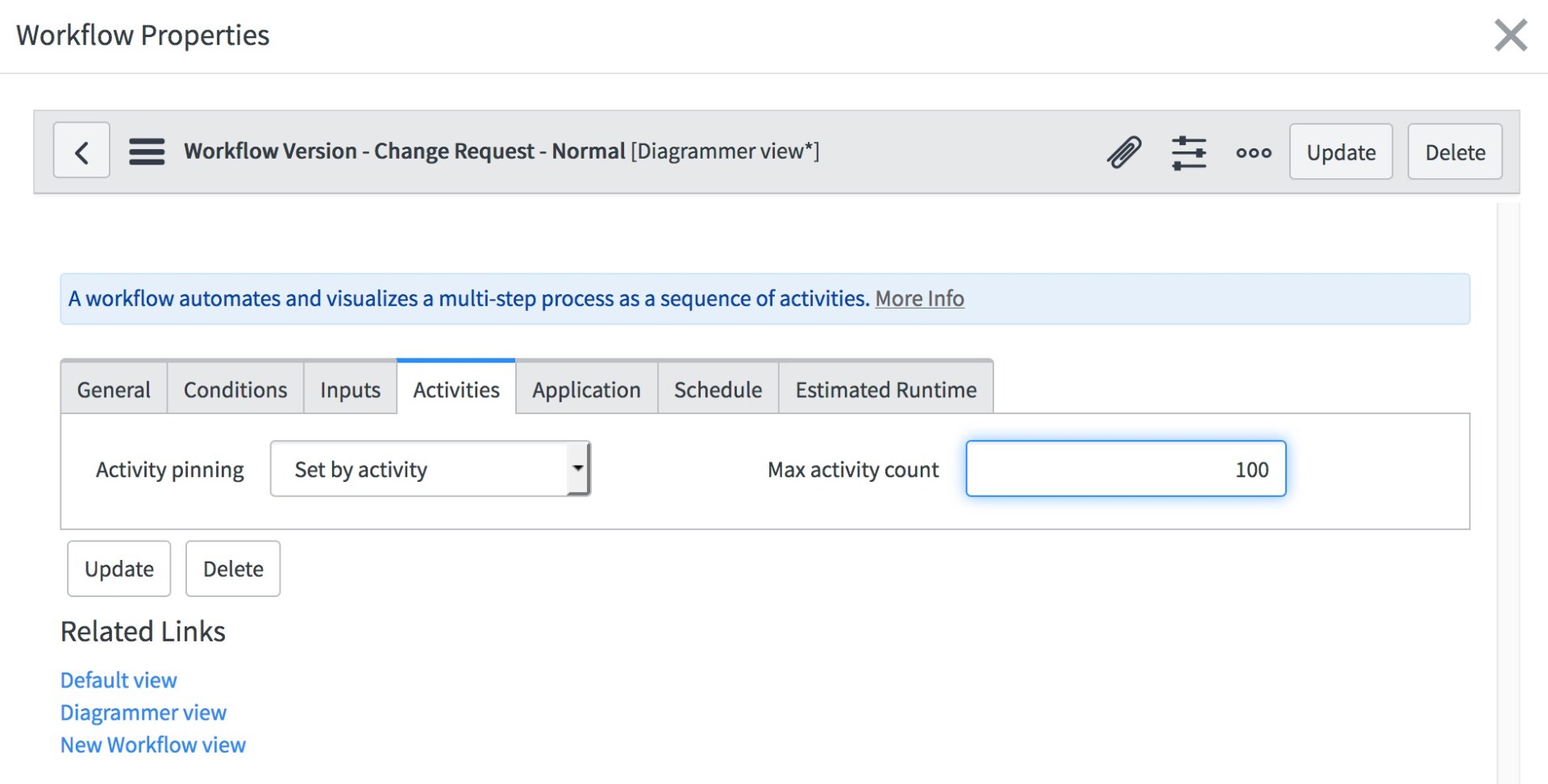
In the workflow properties, you will find a maximum activity count. (don't forget to checkout the workflow first if you plan to make these changes.)

Under the Activities tab, you should see Max Activity Count. Increase the number, but don't go crazy (e.g. 10000 is a bad idea.)

Save your changes and publish the workflow.