- Mark as New
- Bookmark
- Subscribe
- Mute
- Subscribe to RSS Feed
- Permalink
- Report Inappropriate Content
10-18-2017 07:34 AM
yes, that is one great idea, thanks Chuck for the detailed information.
- Mark as New
- Bookmark
- Subscribe
- Mute
- Subscribe to RSS Feed
- Permalink
- Report Inappropriate Content
10-18-2017 07:38 AM


- Mark as New
- Bookmark
- Subscribe
- Mute
- Subscribe to RSS Feed
- Permalink
- Report Inappropriate Content
10-20-2017 08:15 AM
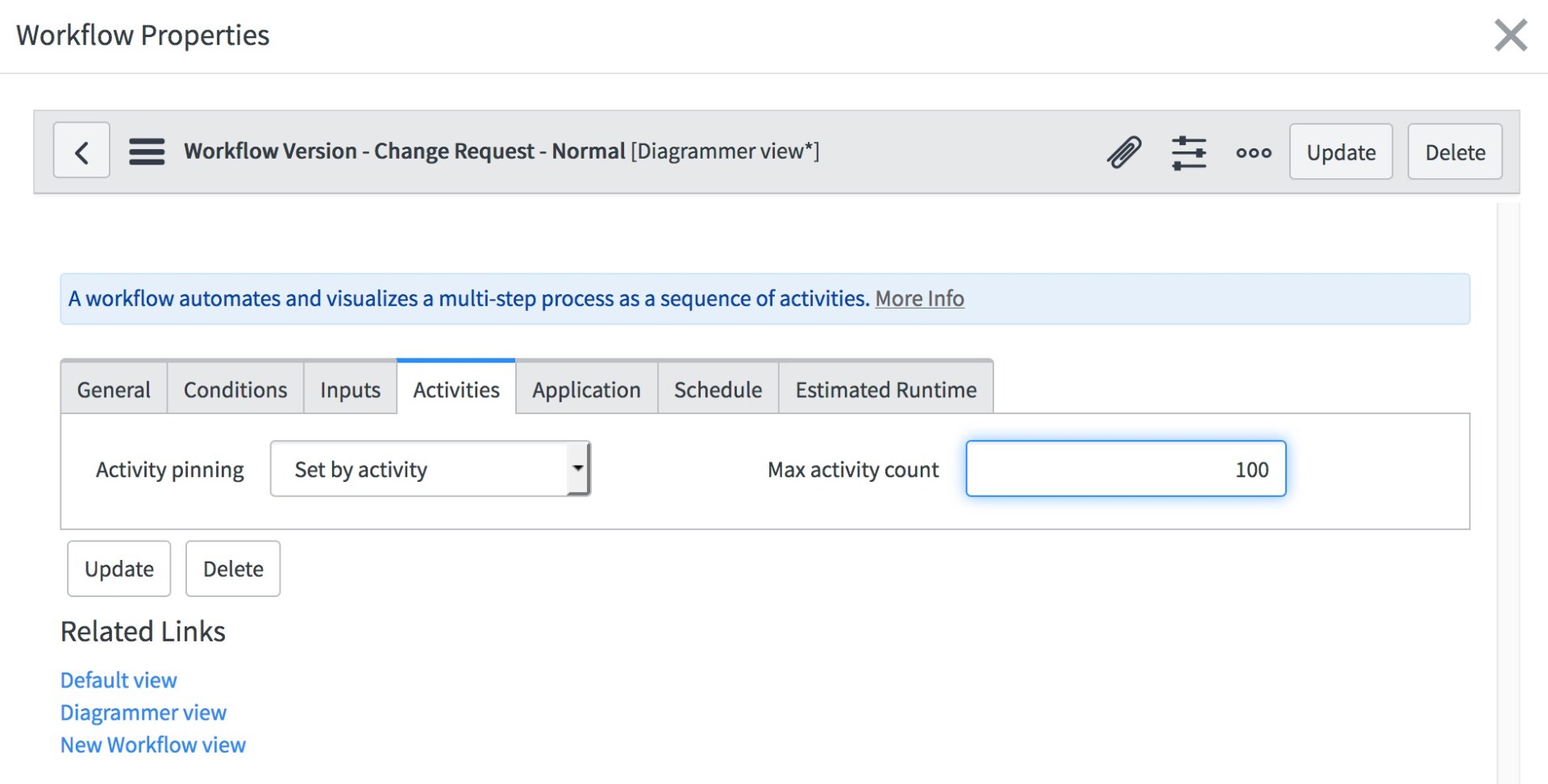
In the workflow properties, you will find a maximum activity count. (don't forget to checkout the workflow first if you plan to make these changes.)

Under the Activities tab, you should see Max Activity Count. Increase the number, but don't go crazy (e.g. 10000 is a bad idea.)

Save your changes and publish the workflow.
- Mark as New
- Bookmark
- Subscribe
- Mute
- Subscribe to RSS Feed
- Permalink
- Report Inappropriate Content
10-20-2017 08:53 AM

- Mark as New
- Bookmark
- Subscribe
- Mute
- Subscribe to RSS Feed
- Permalink
- Report Inappropriate Content
10-20-2017 11:39 AM
Did you remember to check out the workflow?
it's under the same menu as Propeties. The banner bar (with the workflow name) would include "Checked out by..." if it were