- Mark as New
- Bookmark
- Subscribe
- Mute
- Subscribe to RSS Feed
- Permalink
- Report Inappropriate Content
11-03-2020 04:58 AM
We are trying to render the platform form view in a UI page. We just want the fields with in the form to be displayed without the header and footer section that has the UI actions.
One approach that we tried is to render it in an iframe, and using jQuery added CSS to hide the header and footer.
Are there any other recommended ways to do it?
Solved! Go to Solution.


- Mark as New
- Bookmark
- Subscribe
- Mute
- Subscribe to RSS Feed
- Permalink
- Report Inappropriate Content
11-03-2020 05:06 AM
Hi,
can you share your business requirement around this?
yes it can be shown via iframe but it would add the header and footer
please share with screenshot what is not required in that iframe?
Regards
Ankur
Ankur
✨ Certified Technical Architect || ✨ 10x ServiceNow MVP || ✨ ServiceNow Community Leader
- Mark as New
- Bookmark
- Subscribe
- Mute
- Subscribe to RSS Feed
- Permalink
- Report Inappropriate Content
11-03-2020 05:14 AM


- Mark as New
- Bookmark
- Subscribe
- Mute
- Subscribe to RSS Feed
- Permalink
- Report Inappropriate Content
11-03-2020 05:19 AM
Hi,
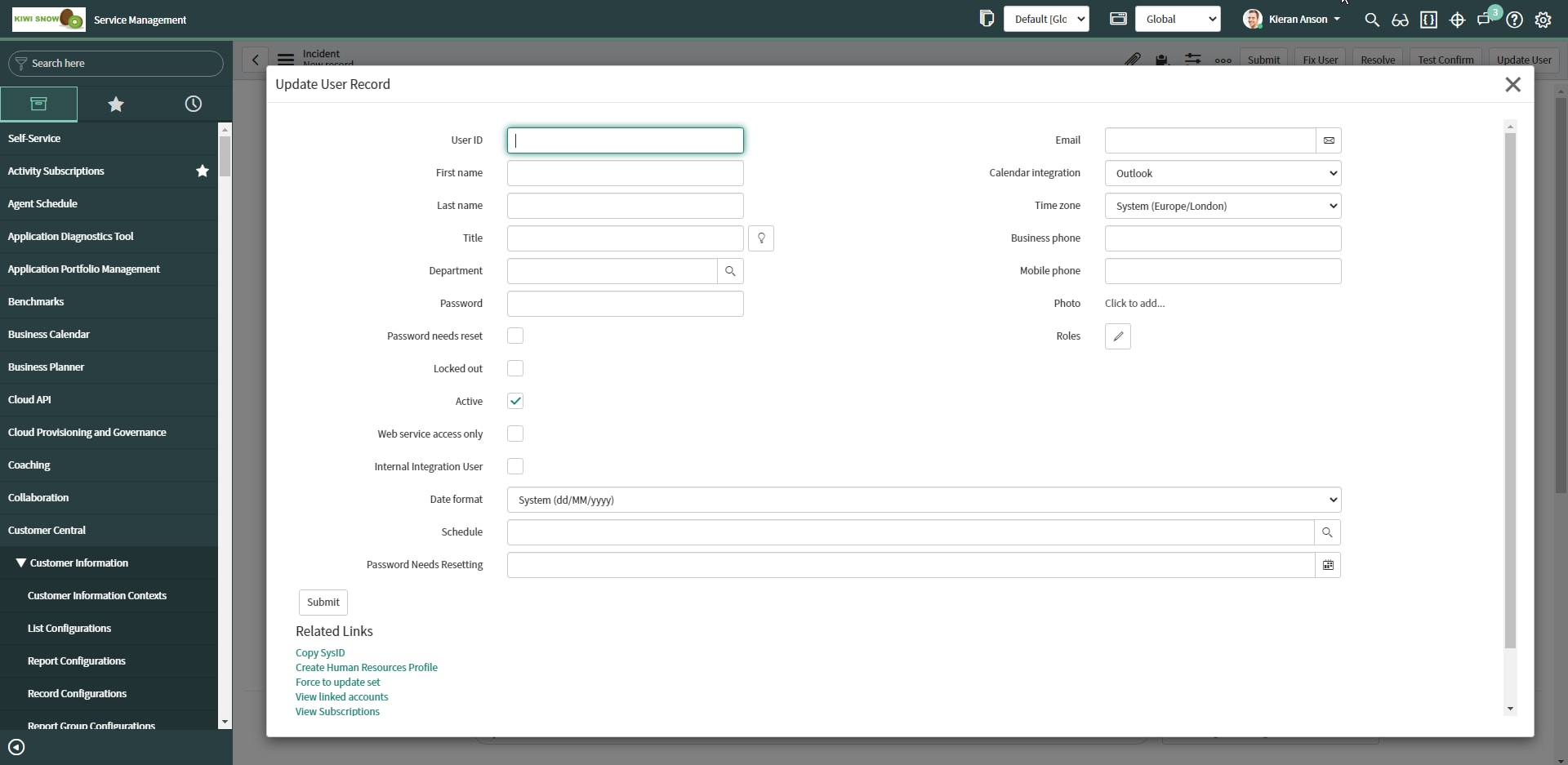
If you're just wanting to render a record form view in a UI view style pop-up you can use GlideModalForm
As an example, the following is the sys_user table without the usual header and footer that loads within an incident view.

- Mark as New
- Bookmark
- Subscribe
- Mute
- Subscribe to RSS Feed
- Permalink
- Report Inappropriate Content
11-03-2020 05:22 AM
Hi Kieran,
We don't want to render it in a popup