- Mark as New
- Bookmark
- Subscribe
- Mute
- Subscribe to RSS Feed
- Permalink
- Report Inappropriate Content
04-18-2018 07:35 AM
Pretty much the title. I want to remove the option to view the pop-up "Open user's profile" when right clicking the users avatar in the Service Portal. See attached picture.

Thanks.
Solved! Go to Solution.
- Labels:
-
Service Portal Development


- Mark as New
- Bookmark
- Subscribe
- Mute
- Subscribe to RSS Feed
- Permalink
- Report Inappropriate Content
04-18-2018 08:20 AM
Hi,
I'll look in to this, but that's not OOB (enabled)? That's not a feature on my instance. Perhaps you enabled that somewhere?
- Mark as New
- Bookmark
- Subscribe
- Mute
- Subscribe to RSS Feed
- Permalink
- Report Inappropriate Content
04-18-2018 11:56 PM
Hey, thanks! I just had a colleague request a new instance (patch: kingston-10-17-2017__patch3-02-21-2018, same as the instance the problem is related to) to make sure the feature were OOB and it appeared on his instance as well. Maybe it's a recently added feature?

- Mark as New
- Bookmark
- Subscribe
- Mute
- Subscribe to RSS Feed
- Permalink
- Report Inappropriate Content
04-19-2018 12:19 AM

- Mark as New
- Bookmark
- Subscribe
- Mute
- Subscribe to RSS Feed
- Permalink
- Report Inappropriate Content
04-19-2018 12:59 AM
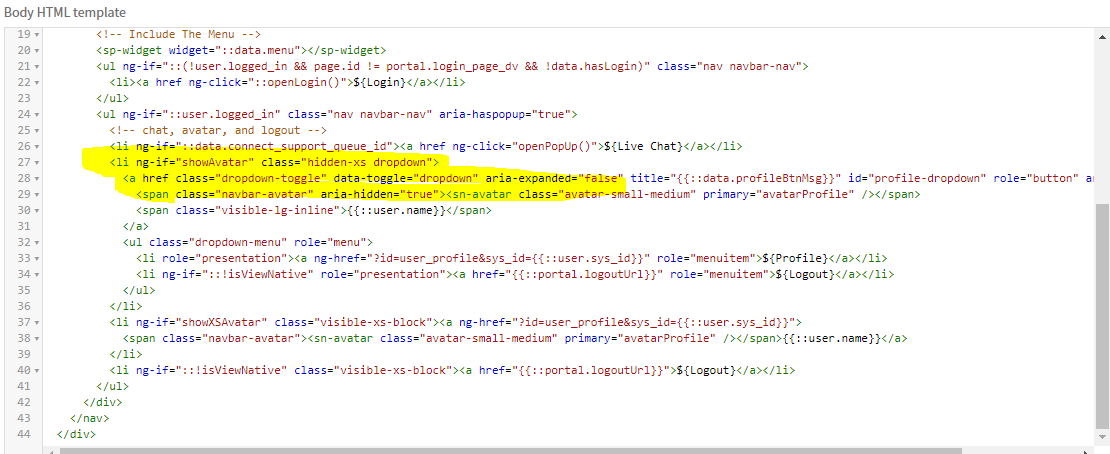
I have already tried this step and all i have managed to accomplish is to disable the regular dropdown menu (which i want to) and i have found a temporary workaround to my problem by disabling the avatar completey. But in the end i still want the avatar to show, just without the right click option.
SIDE NOTE: Just tried on one of our older instances (patch: jakarta-05-03-2017__patch6a-12-01-2017) and the option is not there.