Options
- Mark as New
- Bookmark
- Subscribe
- Mute
- Subscribe to RSS Feed
- Permalink
- Report Inappropriate Content
07-22-2019 11:31 PM
Hello Alexis,
1.Go to catalog item (your Technical catalog), and open.
2. You can see below option under related list: Available For

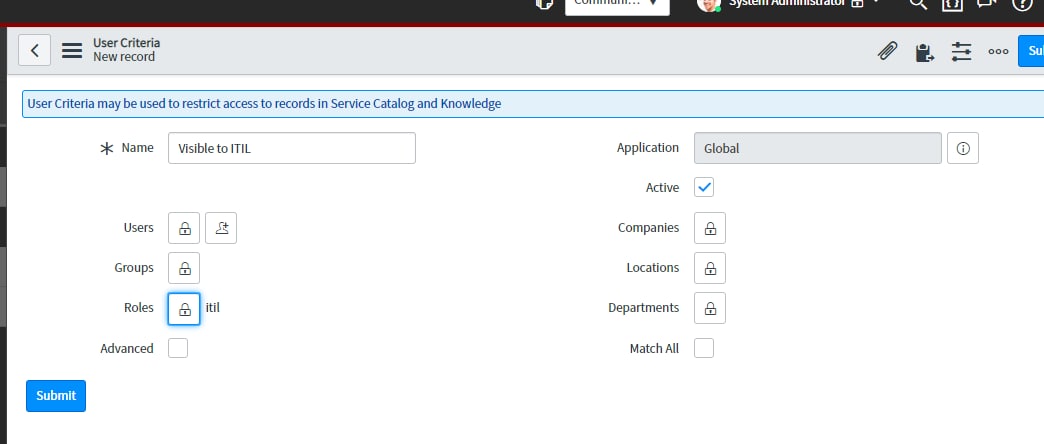
3. Click on New under Available For and that will create USER CRITERIA as below: wher you can decide who can see it under Roles field and also you can define other criteria's if needed.

Thanks!
Abhishek Gardade
Thank you,
Abhishek Gardade
Abhishek Gardade