- Mark as New
- Bookmark
- Subscribe
- Mute
- Subscribe to RSS Feed
- Permalink
- Report Inappropriate Content
11-22-2017 04:50 PM
Hi Jake,
Just tried on my personal instance and it worked perfectly fine for me. I created a new Custom view and removed "Assignment Group & Assigned To" fields from the view just to differentiate between My Custom View and Default one.
Please follow the below steps:
1) Navigate to the module "Views" under System UI Application Menu and check for the View you created. Make sure you copy the backend name of the view created and not the Display Name as shown in the below screenshot:

2) Once this has been copied, Navigate to respective "Module" as required say for example "Create New" or "Open" under Change Application menu either by clicking on the pencil icon available next to each module or by Navigating to Modules available under System Definition application menu and search for the required ones.
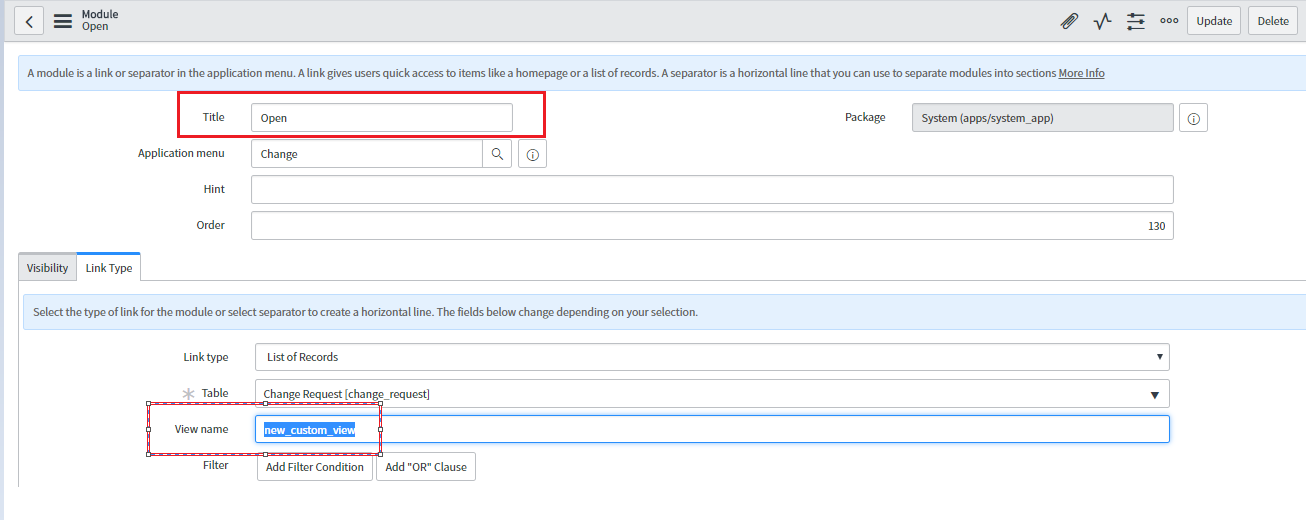
3) Paste the same View name which you copied in step 1 as shown in the screenshot above in the View Field of the respective modules for which you want to force all users to have the same view loaded. Please refer the screenshots below:

Another one for "Open" module:

4) Once the above changes are saved, refresh your main Servicenow homepage containing the Navigation bar or simply log out and login again and open the required modules to see the changes.(Create New will also work irrespective of there being a intermediate page being loaded once you click there which is nothing but called an Interceptor loaded for user convenience)
Results:
1) For "Create New":

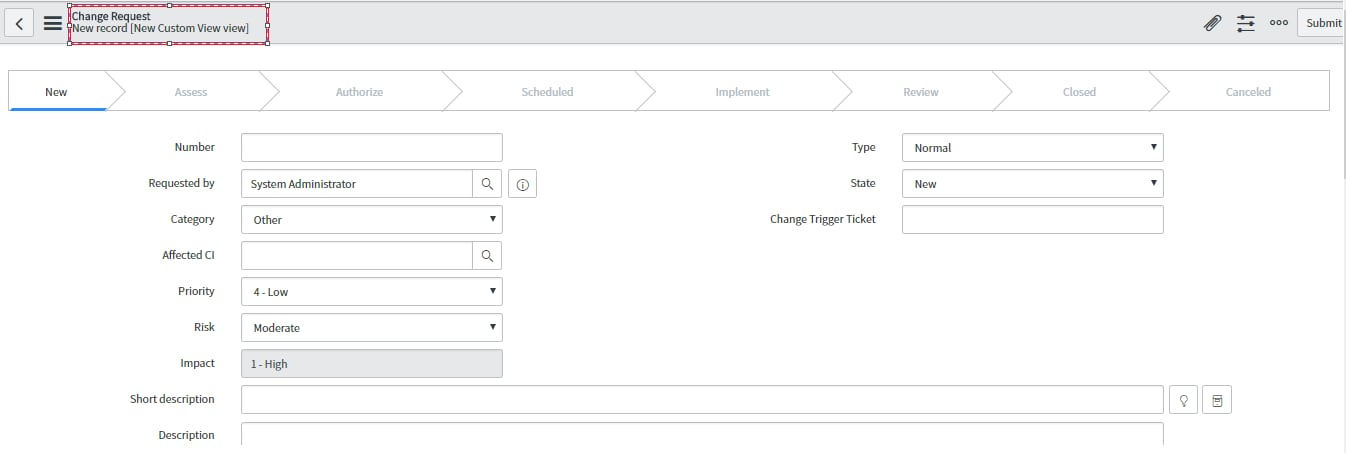
In the above screenshot you can see my custom view which I created has loaded and even the Assignment group and assigned to fields are missing.
2) For "Open" module:

Hope this helps.Mark the answer as correct/helpful based on impact.
Regards,
Shloke
Regards,
Shloke