Field vaues are not getting translated

- Mark as New
- Bookmark
- Subscribe
- Mute
- Subscribe to RSS Feed
- Permalink
- Report Inappropriate Content
01-14-2026 12:55 AM
Hi Community,
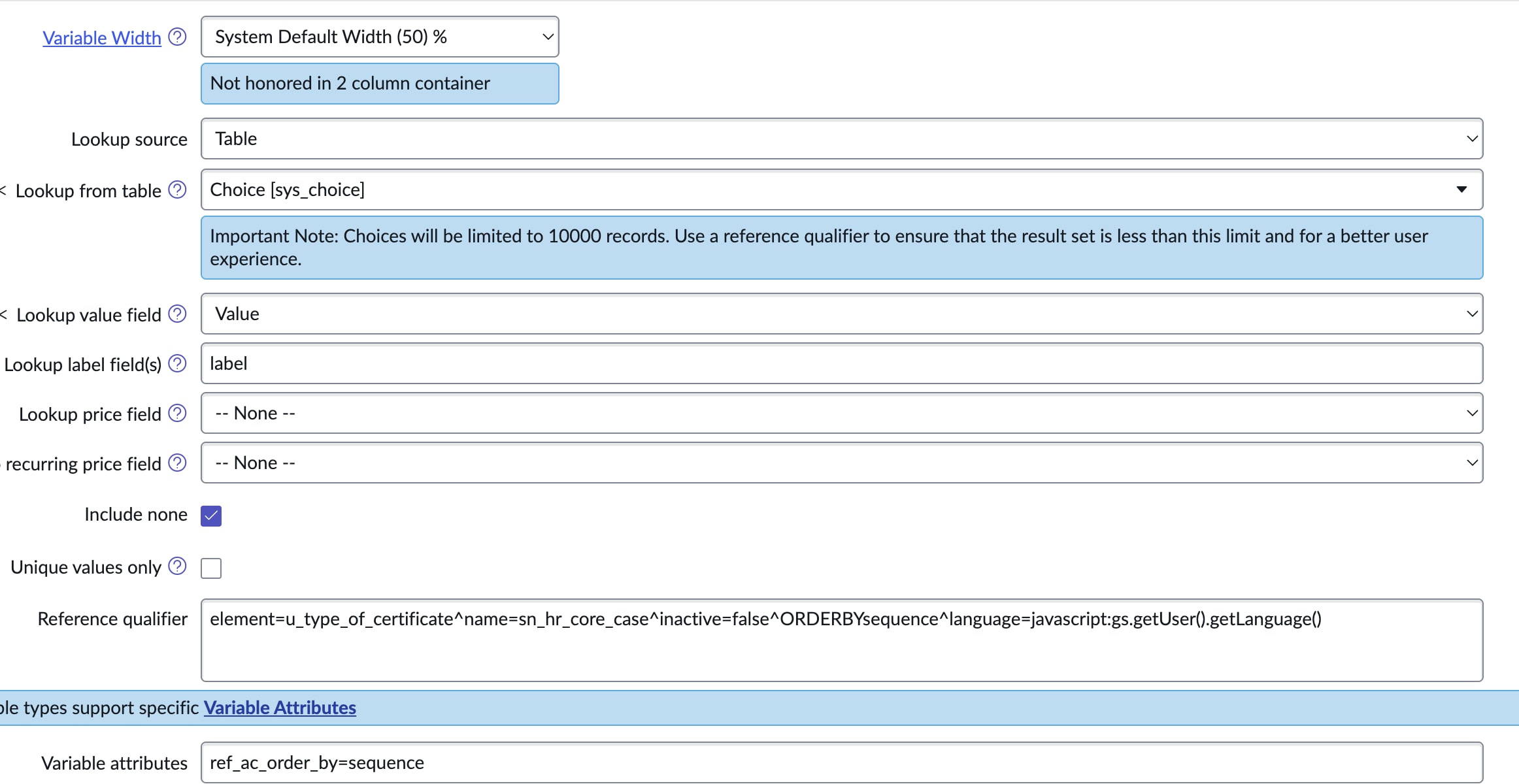
I have a record producer which have some drop down values. I have use lookup select box because we have some fields which should be visible based on logged in person country and their respective language.
People from Japan when they raise request having Japanese set as their language , the field values are coming in english although options are visible in Japanese languages will raising request .(screenshot attached)
If any one can guide me how can we fix this so that all the values are in Japanese only then it would be really gratefull.
Thankyou in advance 🙂
- Mark as New
- Bookmark
- Subscribe
- Mute
- Subscribe to RSS Feed
- Permalink
- Report Inappropriate Content
01-14-2026 01:03 AM
hi @Drishti
i guess the below convo trail might be some help to you please refer it.
If my answer was helpful, please mark it so.
Warm Regards
Kaustubh Dubey
- Mark as New
- Bookmark
- Subscribe
- Mute
- Subscribe to RSS Feed
- Permalink
- Report Inappropriate Content
01-14-2026 01:13 AM
@kaustubhdub The labels are already created in japanese language as well


- Mark as New
- Bookmark
- Subscribe
- Mute
- Subscribe to RSS Feed
- Permalink
- Report Inappropriate Content
01-14-2026 01:05 AM
share screenshot of that variable config?
Since you said it's lookup select box, it must be referring to some table
That table must be having some field which is marked as Display=True
If it's string type then make that type as Translated Text and it will auto translate
💡 If my response helped, please mark it as correct ✅ and close the thread 🔒— this helps future readers find the solution faster! 🙏
Ankur
✨ Certified Technical Architect || ✨ 10x ServiceNow MVP || ✨ ServiceNow Community Leader
- Mark as New
- Bookmark
- Subscribe
- Mute
- Subscribe to RSS Feed
- Permalink
- Report Inappropriate Content
01-14-2026 01:09 AM