Trouble setting Date/Time field with GlideDateTime in Transform Map Script

- Mark as New
- Bookmark
- Subscribe
- Mute
- Subscribe to RSS Feed
- Permalink
- Report Inappropriate Content
11-18-2025 03:51 AM
Hi all,
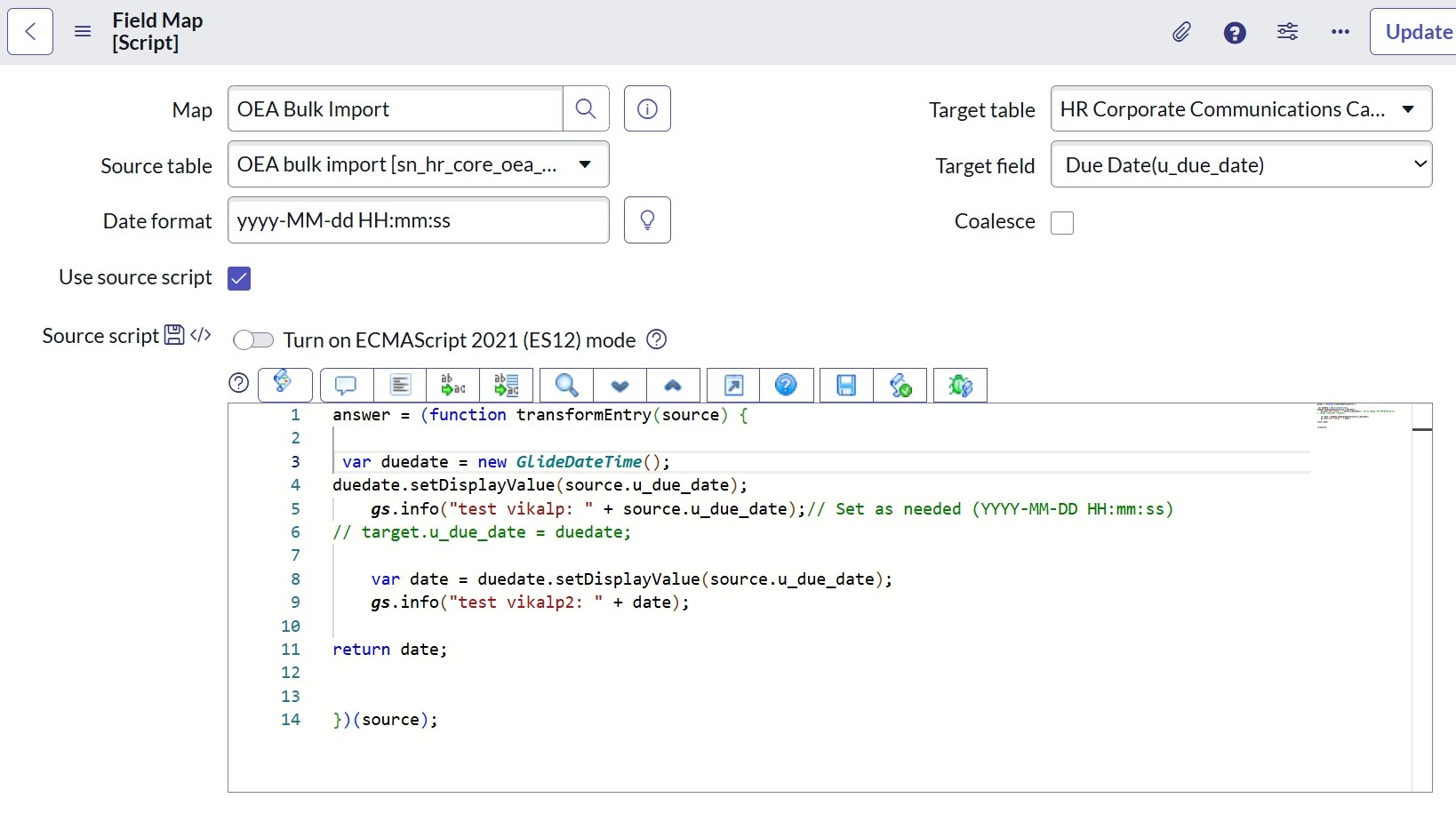
I’m working on a data import in ServiceNow and I’m having issues updating a Date/Time field (u_due_date) using a field script in a Transform Map. My goal is to convert a date string from the import set to a valid Date/Time value in the target table.
Here’s my current script in the field map:
2025-11-18 14:30:00 (as a string in the import set)
The u_due_date field is not being updated after the transform runs—no errors, but the value isn’t set in the target record.
What I’ve checked:
- The field is of type Date/Time.
- The source data string matches the expected format (YYYY-MM-DD HH:mm:ss).
- No errors in the logs.
Question:
What am I missing or doing wrong when converting and returning a GlideDateTime in a Transform Map field script? Is there a better or safer way to do this conversion so the field is reliably updated?
Thanks in advance for your help!
- Mark as New
- Bookmark
- Subscribe
- Mute
- Subscribe to RSS Feed
- Permalink
- Report Inappropriate Content
11-19-2025 01:39 AM


- Mark as New
- Bookmark
- Subscribe
- Mute
- Subscribe to RSS Feed
- Permalink
- Report Inappropriate Content
11-19-2025 01:41 AM
Sorry but it should work and it has worked for many of us in the past over the years.
you need to debug it further as we don't have access to it.
what if you hard-code the field in transform script?
If it still doesn't work then please check if that field is read-only at dictionary or any data policy is blocking
(function runTransformScript(source, map, log, target /*undefined onStart*/ ) {

	// Add your code here
	target.setValue('u_due_date', new GlideDateTime());

})(source, map, log, target);
💡 If my response helped, please mark it as correct ✅ and close the thread 🔒— this helps future readers find the solution faster! 🙏
Ankur
✨ Certified Technical Architect || ✨ 10x ServiceNow MVP || ✨ ServiceNow Community Leader