Dawn Jurek

ServiceNow Employee
Options
- Subscribe to RSS Feed
- Mark as New
- Mark as Read
- Bookmark
- Subscribe
- Printer Friendly Page
- Report Inappropriate Content
09-28-2015
08:54 AM
Since we launched the Customer Self-Service (CSS) Portal in March, you've given us a lot of great insight into your user experience! Based on your feedback, we've added a new search feature, responsive user interface pages, an updated issues page and a calendar view of change requests to the portal.
CSS Portal Search Icon allows you to conduct a search from the sidebar
You can access the new Search bar from any page in the portal, and search for Incidents, Changes, Problems and Enhancement Requests, as well as information within the knowledge base and community.
The responsive UI adjusts your screen to match the size of your browser
When you resize your browser, the portal homepage content changes along with the browser size. Many of the other pages on the portal also adjust to the size of the browser window.
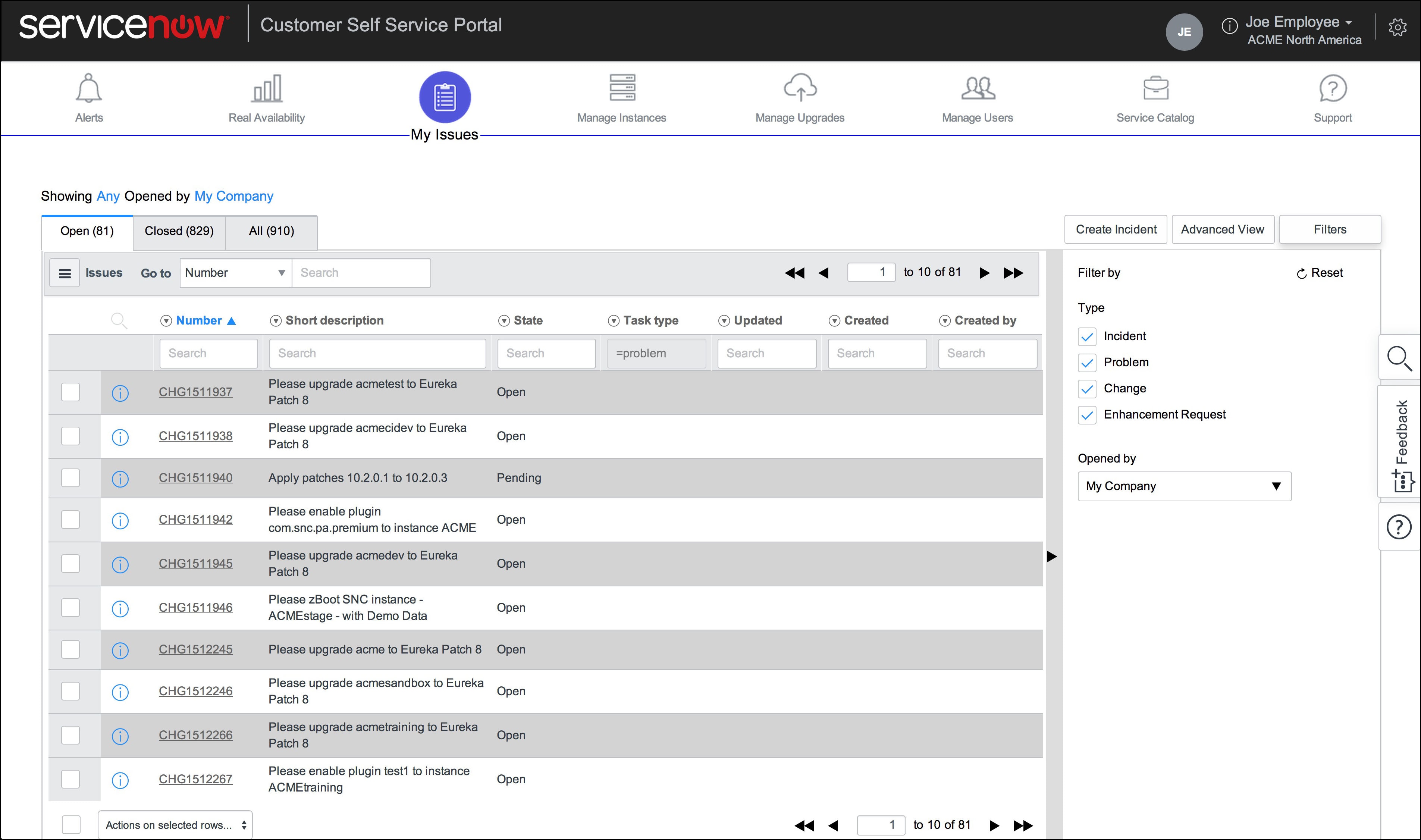
"Open Issues" page is now "My Issues" page
We renamed the "Open Issues" page to "My Issues" to better reflect the new functionality of the page. The page displays Open, Closed and All issues for your company, in separate tabs. The Filters option allows you to further define the list by selecting the type of issues you want to display, as well as whether the issues were opened by you or someone in your company. You can also access the Advanced View which allows you to create an unlimited number of filters to define the list display. And if you need to create an incident, a convenient shortcut takes you directly to the Support page.
Calendar view of change requests
You can access the Change Calendar from the Manage Instances page to view a schedule of all Open, Closed Incomplete, and Closed Complete changes submitted through HI for your instances. Click on "Sync with Mail Calendar" to receive calendar events for future changes and view the changes on your email calendar.
So hop onto the CSS Portal and let us know what you think! Who knows, your suggestion may be a part of our next CSS portal blog post.
3 Comments
You must be a registered user to add a comment. If you've already registered, sign in. Otherwise, register and sign in.