geoffmurase
Kilo Explorer
Options
- Subscribe to RSS Feed
- Mark as New
- Mark as Read
- Bookmark
- Subscribe
- Printer Friendly Page
- Report Inappropriate Content
05-28-2015
09:54 AM
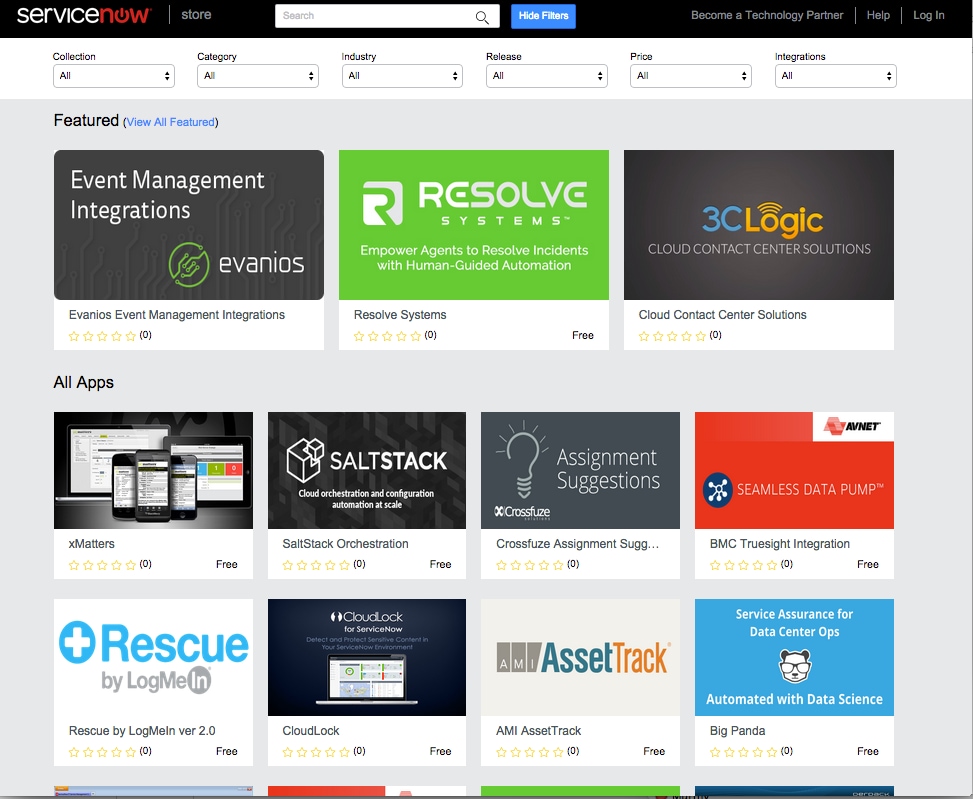
At Knowledge15, we launched ServiceNow Store to help ServiceNow technology partners monetize the awesome applications and integrations that they developed. Initial feedback thus far has been very positive from both technology partners and ServiceNow customers. To help our technology partners be successful in selling on ServiceNow Store, we've outlined the Top 5 Selling Tips for the ServiceNow Store!
1) Consider Promotional Pricing
With the initial launch of an application listed on the ServiceNow Store, it's important to gain mindshare and customer adoption. We recommend that partners price their applications accordingly. Many technology partners offer free, or reduced pricing in order to encourage initial purchases and build their store presence.
2) Offer a Free Trial
When listing an application on ServiceNow Store, technology partners have the option of offering a 30-day free trial to customers. We highly recommend this practice as it eliminates a huge barrier to adoption. When customers have a positive experience with your application, you'll get the sale.
3) Be Responsive & Proactive to Customer Activity
Once your app is on the store, you will start noticing customer activity. You can monitor customers who have bought, tried, or inquired about your app on the Sales & Customers page on the Technology Partner Portal. We provide you with the customer contact information so you can drive app sales. If a customer is trialing your app, consider reaching out to them and asking for feedback. This will help initiate a dialogue between you and your sales lead. If a customer has reached out to you with inquiries, you will see them on the leads tab under Sales & Customers. It's important to be responsive and address any questions in a timely manner and mark each inquiry as "resolved". A positive customer experience ultimately results in sales!
4) Keep Your Application Description Brief
Don't just cut and paste entire datasheets or webpages for inclusion in your application description. Take the time to focus your description on your target customer and keep it brief and to the point.
5) Include Multimedia In Your Listing
The ServiceNow Store infrastructure gives technology partners the ability to include images and videos on their application page. We encourage you to include as many images or videos necessary to properly communicate the value proposition of your application and give customers a sense of what their experience will be like.
These are just a few tips that we've identified as being helpful for our technology partners. If you have other tips to share, please post them!
You must be a registered user to add a comment. If you've already registered, sign in. Otherwise, register and sign in.