Kalaiarasan Pus
Giga Sage
Options
- Subscribe to RSS Feed
- Mark as New
- Mark as Read
- Bookmark
- Subscribe
- Printer Friendly Page
- Report Inappropriate Content
06-07-2017
09:17 AM
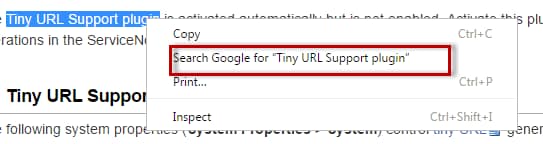
I am not sure about others but I am a heavy user of browser's context menu (default search engine) such as the below. This allows us to do a quick Google search of the text that is currently selected on the browser.
Google Chrome (and other browsers as well) allows us to create search engines of our own, to crawl and get the information that we are looking from our favorite sites. We could use make use of this feature and create a search engine for our ServiceNow instance within minutes. So without wasting much time, lets get started.
- First, go to 'Setting' menu of the browser and scroll down to select 'Manage Search Engines'.
- Scroll down and you will notice the text-boxes to create new search engine.
- Let's assume my instance is https://dev21998.service-now.com. Enter any name you want the search engine to be called in the first text box. I have settled for calling it 'ServiceNow'. On the keyword text box, enter site name that is dev21998.service-now.com. The last part does all the magic. Replace the below string with your instance URL and paste it on the last box.
"https://dev21998.service-now.com/textsearch.do?sysparm_search=%s"
- Next, make the new search engine as your default search engine and close the search engine dialog box.
That's it. You have your own ServiceNow search engine.
Labels:
- 2,113 Views
3 Comments
You must be a registered user to add a comment. If you've already registered, sign in. Otherwise, register and sign in.