How to disable the automatic load of the Right Sidebar options in SOW view?

- Mark as New
- Bookmark
- Subscribe
- Mute
- Subscribe to RSS Feed
- Permalink
- Report Inappropriate Content
3 weeks ago - last edited 3 weeks ago
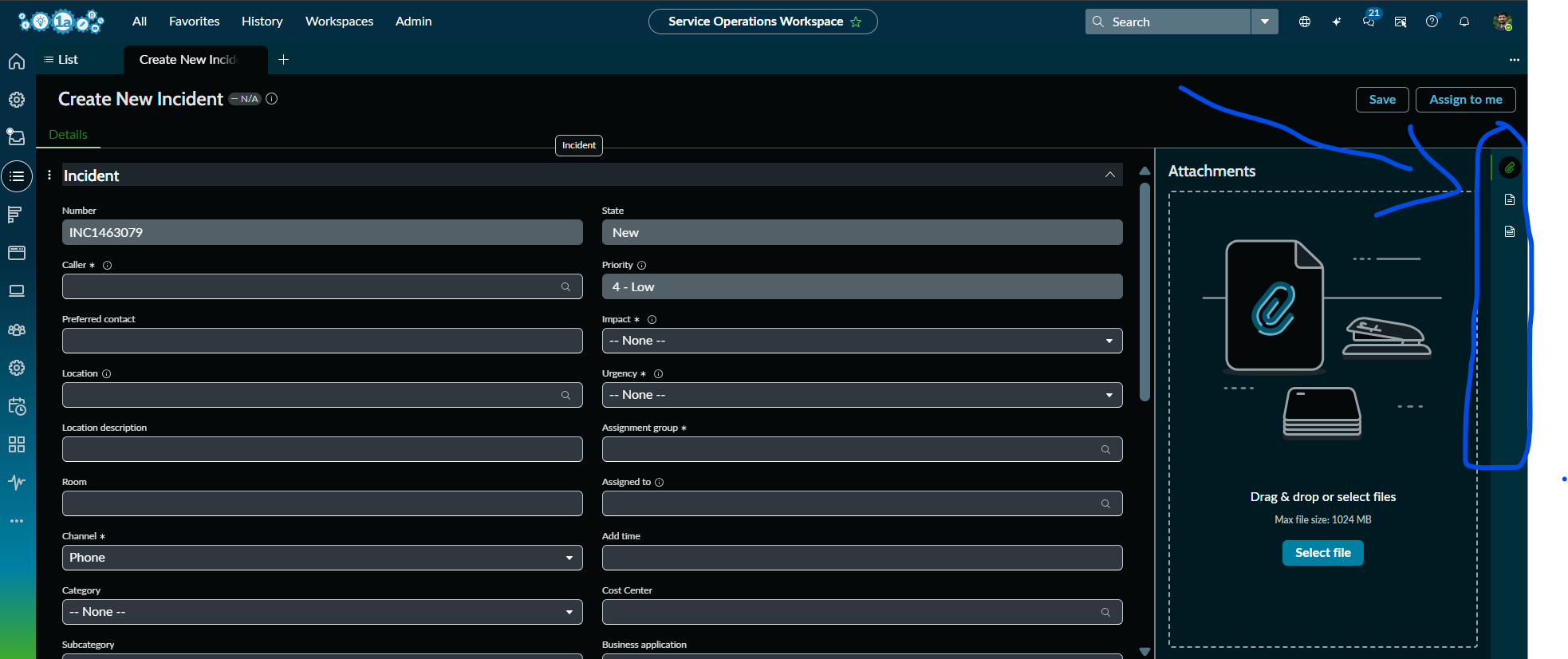
How to disable the automatic load of the Right Sidebar options by default when you refresh the SOW and try to create a new Incident in SOW view?
Only if you click on any of the options in the right side bar(like Attachments, Response Templates, Templates, Agent Assist) etc.,, it should be visible on the screen, if not it has to be in the right side itself. Please advise.
The Contextual Side Panel (Right Sidebar) in Service Operations Workspace is automatically opening the Attachments tab whenever a new Incident record is created. We want the sidebar icons (Attachments, Templates, Response Templates, Agent Assist, etc.) to remain visible, but the panel itself should stay collapsed by default and open only when an agent clicks an icon.
- Mark as New
- Bookmark
- Subscribe
- Mute
- Subscribe to RSS Feed
- Permalink
- Report Inappropriate Content
3 weeks ago
Thanks, will let you know on this more.


- Mark as New
- Bookmark
- Subscribe
- Mute
- Subscribe to RSS Feed
- Permalink
- Report Inappropriate Content
3 weeks ago
Why do you want to disable this? It is designed to help agents navigate quickly and is provided as an out-of-the-box platform feature.
- Mark as New
- Bookmark
- Subscribe
- Mute
- Subscribe to RSS Feed
- Permalink
- Report Inappropriate Content
Wednesday
Hi @sharsha ,
Is the issue resolved? If not, please try creating a user preference record with the following details to ensure that Agent Assist is collapsed by default for all users.
This preference will apply across all workspaces where Agent Assist is available.
Name: workspace.showAgentAssist
System: True / Checked
Type: String (Please verify the appropriate type by referring to an existing OOB user preference.)
User: Leave this field empty so the preference applies to all users unless they explicitly set their own preference.
Value: false

If this solution helps , please mark the response as helpful and accept it as the solution.
Thanks & Regards,
Harish
