- Post History
- Subscribe to RSS Feed
- Mark as New
- Mark as Read
- Bookmark
- Subscribe
- Printer Friendly Page
- Report Inappropriate Content
on 12-31-2020 07:08 AM
Custom Update Set
The attached custom update set (Aruba-WAP-Controller-UpdateSet) is an 'all inclusive update set' that contains all the components to implement the Horizontal Discovery Pattern for a family of Aruba Wireless AP Controllers. The update set creates the table 'u_cmdb_ci_wap_controller' extended from the 'cmdb_ci_netgear' table and adds an additional reference field 'u_wap_controller' to the table 'cmdb_ci_wap_network' (Wireless Access Point). The update set includes:
- All required/optional MIBS
- SNMP Classifier
- OIDs for known Aruba Wireless AP Controller as of this article
- Default Related List
- HD Pattern with two custom libraries
This update set with '34 Customer Updates'...this has been tested with Paris Patch 4.
Update Set MIBS:

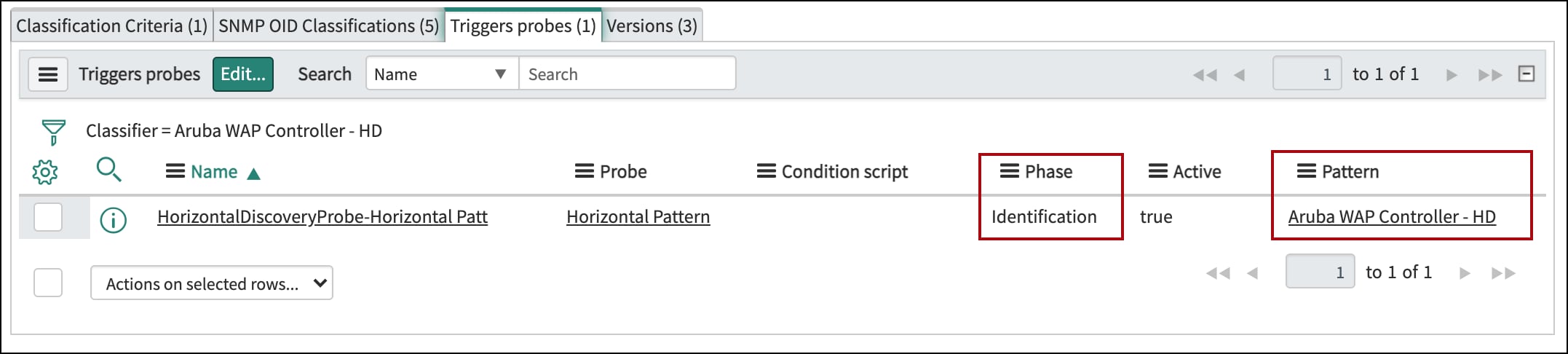
SNMP Classifier:


Horizontal Discovery Pattern:


Table Modifications/Additions:


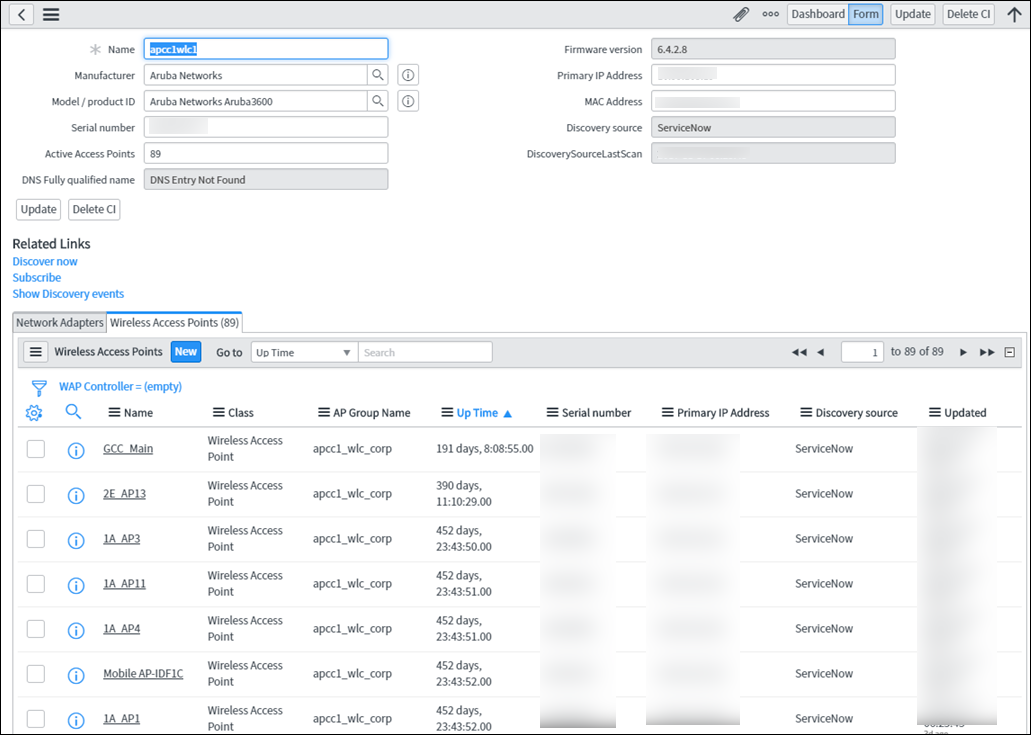
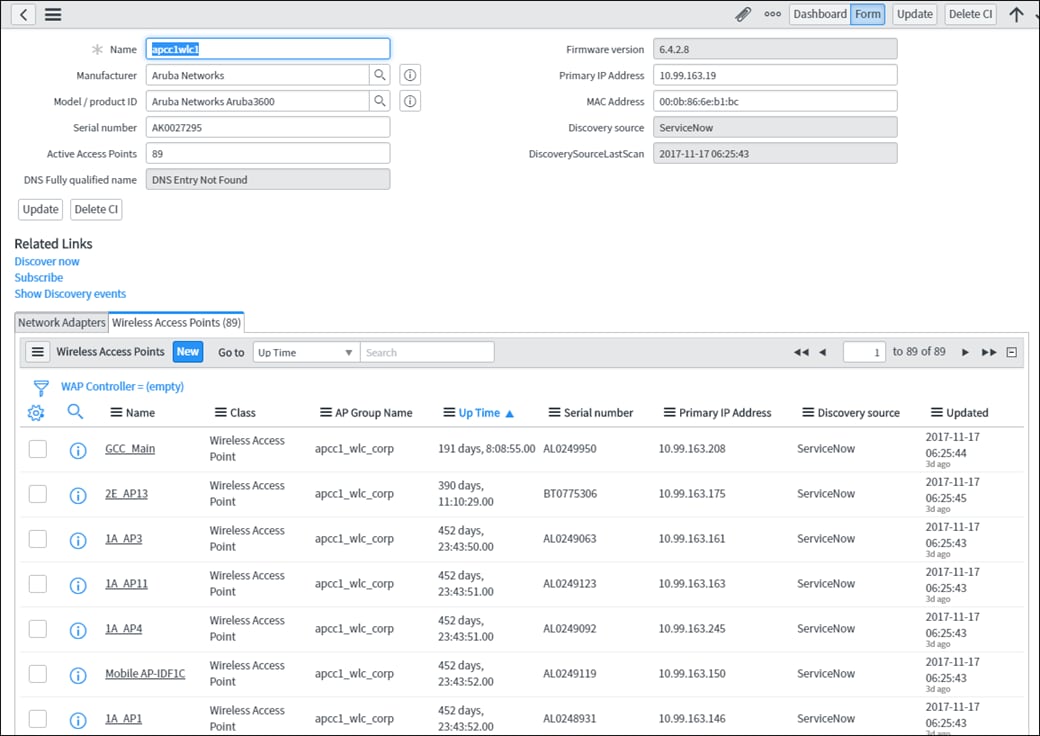
Example CI:

- 38,673 Views
- Mark as Read
- Mark as New
- Bookmark
- Permalink
- Report Inappropriate Content
I'm deciding where to place access points in a new construction home (very small but with concrete block walls), and I have a couple questions on AP placement that I haven't found a good definitive answer to.
-
For standard APs, I read that they're designed to be mounted on the ceiling. But beyond that, are there any guidelines for ideal placement (e.g. keep them a certain distance away from the walls or corners)?
-
For in-wall APs if needed for an individual room, it would be nice to put it at standard height a foot or so above the floor. Is that fine for a single room, or do they need to be up higher on the wall to function correctly?

- Mark as Read
- Mark as New
- Bookmark
- Permalink
- Report Inappropriate Content
Thanks for sharing this update set and the details with it. Very nice work - and saved a ton of time (not reinventing the wheel...) Much appreciated 🙂
- Mark as Read
- Mark as New
- Bookmark
- Permalink
- Report Inappropriate Content
Agreed! Excellent work on this!!!
I am running into one issue though, with a model 335. I was able to add the OID (1.3.6.1.4.1.14823.1.2.80) and get the pattern to run on it, but it is failing on the serial number gets. Specifically:
Step 2.5 in the general section returns no values, and
Step 4 in the Device specific section fails with:
Dec 6, 2022 2:12:05 PM:: Starting step: 'Get Aruba MIB Serial Number'
Dec 6, 2022 2:12:06 PM:: Test failed: Make sure the steps are compatible with the current attributes and variables values.
I have used debug mode in the Pattern Designer and then opened the SNMP browser to look at the ARUBA-MIB, found wlsxSwitchLicenseSerialNumber - OID 1.3.6.1.4.1.14823.2.2.1.1.1.12 and confirmed it is scalar.
I also tried creating a new step using the browser and 'Get Data' and that failed on test as well.
If I uncheck the 'Terminate if not found' checkbox, the rest of the pattern is successful. Obviously it would be nice to get the serial number but that's working for now.
Any suggestions on further debugging to determine why wlsxSwitchLicenseSerialNumber - OID 1.3.6.1.4.1.14823.2.2.1.1.1.12 is unaccessible?
- Mark as Read
- Mark as New
- Bookmark
- Permalink
- Report Inappropriate Content
This is much better than the one I had done!!
The only question I have is where did you find the uptime?
- Mark as Read
- Mark as New
- Bookmark
- Permalink
- Report Inappropriate Content
@John Frandsen, Same question here, where did you refer the "UP TIME" field? Please help me navigate how to show that field in the form.
THank you!
- Mark as Read
- Mark as New
- Bookmark
- Permalink
- Report Inappropriate Content
Hello,
Aruba now has the"Gateways" instead of "controllers" for the access points. We had a very similar setup and it was working fine to discover the APs not with the new gateways we cannot discover the APs anymore.
Has anyone been able to discover the APs from the gateways successfully?
Thanks,
G
- Mark as Read
- Mark as New
- Bookmark
- Permalink
- Report Inappropriate Content
@GB14 to answer your question personally... No, I haven't tried this for gateways.
But a thought... the new devices, i.e. gateways, likely have unique OIDs (most make/model of device have unique snmp OIDs). If you haven't defined whatever that unique OID is, you'd need to add that so the OID value is classified when discovery detects it. And of course that OID classifier would need to trigger the pattern to interrogate the device. Its conceivable that the prior Aruba pattern may need to be tweaked too based on spec's of the newer gateway device.
My 2 cents, hope this helps?
- Mark as Read
- Mark as New
- Bookmark
- Permalink
- Report Inappropriate Content
Thanks for sharing. In the transform table operation, it seems that the IP address of the WAP isn't populating, although the rest of the attributes are filling in correctly. Does anyone have insights into why this might be occurring and how we can ensure the IP address of the WAP is populated?

- Mark as Read
- Mark as New
- Bookmark
- Permalink
- Report Inappropriate Content
I'm not getting the mac address of the Aruba WAPs. For APs, we are querying the AP table oid from WLSX-WLAN-MIB but unable to fetch mac from there. I saw somewhere that the access to the oid for mac is restricted. Can someone help with an alternate way of getting the mac for WAPs. Thanks in advance.
- Mark as Read
- Mark as New
- Bookmark
- Permalink
- Report Inappropriate Content
Does anyone have the OID/MIB's for the latest Aruba Access points?
- Mark as Read
- Mark as New
- Bookmark
- Permalink
- Report Inappropriate Content
Where do I find the update set
Thanks
- Mark as Read
- Mark as New
- Bookmark
- Permalink
- Report Inappropriate Content
Why is this not in the ITOM Content Service?
- Mark as Read
- Mark as New
- Bookmark
- Permalink
- Report Inappropriate Content
Thank you for details. I do not see the relationship between Master controller with child (AP controller). can you suggest
Thank you
- Mark as Read
- Mark as New
- Bookmark
- Permalink
- Report Inappropriate Content
Thank you for sharing. I actually needed this today and applied it. When I ran quick discovery, I received the warning: “u_cmdb_ci_wap_controller is not a known CI Type.” Has anyone else experienced this?

- Mark as Read
- Mark as New
- Bookmark
- Permalink
- Report Inappropriate Content
@EvrenB the error is stating the custom CI class: u_cmdb_ci_wap_controller
has not been created, i.e. doesn't exist in your CMDB. To use the code/xml example you'll either need to create the WAP controller class matching the exact custom table: u_cmdb_ci_wap_controller Or you could modify code to use whatever CI class you wish to use and target in your solution. But the table CI table name must exist before Discovery patterns try to populate it.
Hope this helps?
Dave
- Mark as Read
- Mark as New
- Bookmark
- Permalink
- Report Inappropriate Content
Thanks for getting back to me.
Actually, I verified that the new class was created after importing the xml, and I could see it listed in the CI Class Manager. I wasn't not sure if there's an extra step I might have missed.
Additionally, these WLCs were previously discovered and placed under the IP Switch class. Are you suggesting that I could just update the u_cmdb_ci_wap_controller references in the pattern with the cmdb_ci_ip_switch table name instead? Would that work?
- Mark as Read
- Mark as New
- Bookmark
- Permalink
- Report Inappropriate Content
Hi - I wasn't suggesting anything, just stating the custom table needs to exist before Discovery can reference/use it. Yes, theoretically the pattern could be tweaked to store data in *switch table if appropriate for business needs. This would imply WAP* devices are intermingled with switches in same CI class structure (not great IMHO but do-able). I prefer clarity of CI device storage by putting X type into specific class that has appropriate, needed data model structure.
Hope this helps?
- Mark as Read
- Mark as New
- Bookmark
- Permalink
- Report Inappropriate Content
@DaveHertel Thank you kindly.