Upender Kumar
Mega Sage
Options
- Post History
- Subscribe to RSS Feed
- Mark as New
- Mark as Read
- Bookmark
- Subscribe
- Printer Friendly Page
- Report Inappropriate Content
on 08-21-2022 03:55 AM
ServiceNow leave absence does not provide many facilities like Holiday validation, leave policies etc.
I have created a scoped application which provide many features:
- Location wise leaves: There are different leave types for different countries/states. So, leaves can be configured location wise.
- Leave configuration: This allows admin to define leave configuration like:
- Type: Monthly/Quarterly. Based on the selection leaves will be added to the user account.
- Applied Before allows admin to configure how many days before a leave should be applied (i.e. Earned/planned Leaves should be applied before 3 days).
- Include Holidays (True/false): Some leave types are including holidays like Leave without pay (LWP).
- Half Day: Allows to configure a leave can be taken as half day.
- Schedule Configuration/Holidays: Leave are configured based on schedules including the holiday list.
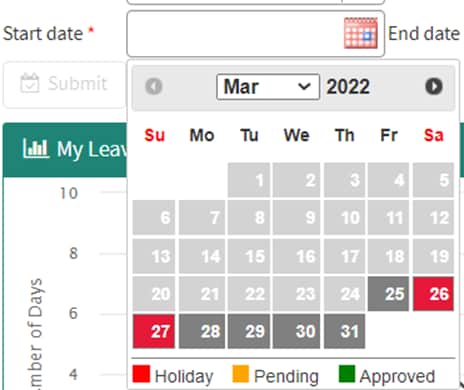
- Different color coding for different leave status on calendar (i.e. approved, pending, holiday and weekends)
- Leave Details: User can see all his leave details on the page.
- Graphical consumed leaves.
- Annual Holidays: Holidays list will be displayed based on the scheduled holidays.
- Upcoming holidays: User can see the next upcoming holiday blinking on the page.
- If teammates are on holidays on the selected dates, user can see those teammates.
- User can also see his teammates leave requests by clicking the header button.
- The manager can apply leaves for his teammates.
- The manager can approve/reject multiple requests at once.
- Manager view for team leaves.
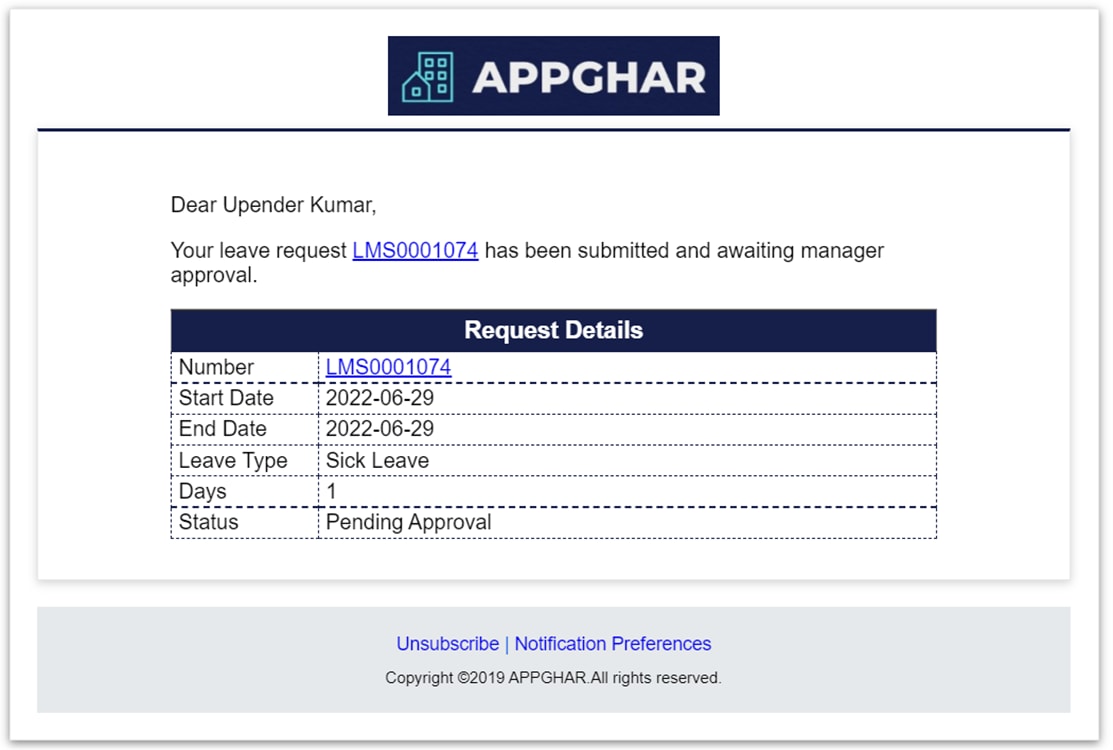
- Notification on leave request creation and approval/rejection.


Validations:
- Validate Configuration: If leave is not configured for the user he will not be able to access the leaves.
- Disable dates before DOJ/User created date: User will not be allowed to select dates before his joining date.
- Disable applied leaves: User will not be able to select the already applied dates.
- Start date and End Date validation.
- Check for leave policies.
- Balance leaves validation before applying for the leave.


- 12,601 Views
Comments
S Khan
Kilo Contributor
- Mark as Read
- Mark as New
- Bookmark
- Permalink
- Report Inappropriate Content
08-25-2022
07:32 AM
I need calendar control similar to this.
Upender Kumar
Mega Sage
- Mark as Read
- Mark as New
- Bookmark
- Permalink
- Report Inappropriate Content
08-25-2022
07:45 AM
I will try to create a article on it
aakritisamyal
Tera Explorer
- Mark as Read
- Mark as New
- Bookmark
- Permalink
- Report Inappropriate Content
07-16-2025
03:42 AM
Can you please share the update set for this.
Thanks
Upender Kumar
Mega Sage
- Mark as Read
- Mark as New
- Bookmark
- Permalink
- Report Inappropriate Content
07-19-2025
09:19 AM
I lost that PDI instance and update set also 😭